A good monthly SEO report answers three questions in plain language: what was done, what changed, and what happens next. The numbers matter, but only as evidence for those answers. If you finish reading your report and still can't say whether the money was well spent, the report hasn't done its job.
Most of the data a solid report needs comes from two free tools you should already own: Google Search Console and Google Analytics. This article covers what each section of a report should contain, how to read the core figures without being misled, and the warning signs that a report is built to impress rather than inform.
What is a monthly SEO report actually for?
A report is a decision tool, not a scrapbook. Each month it should help you decide whether to keep going as planned, change priorities, or ask harder questions.
That means a report should be written for the person paying for the work. A business owner needs to know whether organic search is bringing in more of the right customers. A marketing manager may want more detail on pages and topics. Neither needs forty pages of screenshots.

Google's own guidance on hiring an SEO points in the same direction. Among the questions it suggests asking before you hire are how the agency measures success, and whether it will share all the changes it makes to your site along with the reasoning behind its recommendations. A monthly report is where those promises either show up or don't.
What should every SEO report include?
The exact layout varies between agencies, but a report worth reading usually has these seven parts, roughly in this order:
- A short summary. A few sentences up front: the headline result, the most important piece of work completed, and anything that needs your attention.
- Work completed. A list of what was actually shipped this month, such as pages published, technical fixes made live, and redirects set up, with links where possible. Recommendations that are still waiting on approval belong in a separate list.
- Search performance. Clicks, impressions, click-through rate and average position from Search Console, compared against sensible earlier periods.
- Business outcomes. Enquiries, bookings or sales that came from organic search, measured in Google Analytics.
- Site health. Indexing problems, Core Web Vitals, and any manual actions or security issues flagged in Search Console.
- What changed and why. An honest explanation of any notable rise or fall, including things outside the agency's control.
- Next month's plan. The priorities for the coming month, and what the agency needs from you to deliver them.
If a report is missing the work completed or the plan, it's hard to hold anyone to account, however good the charts look.
Which Search Console numbers matter most?
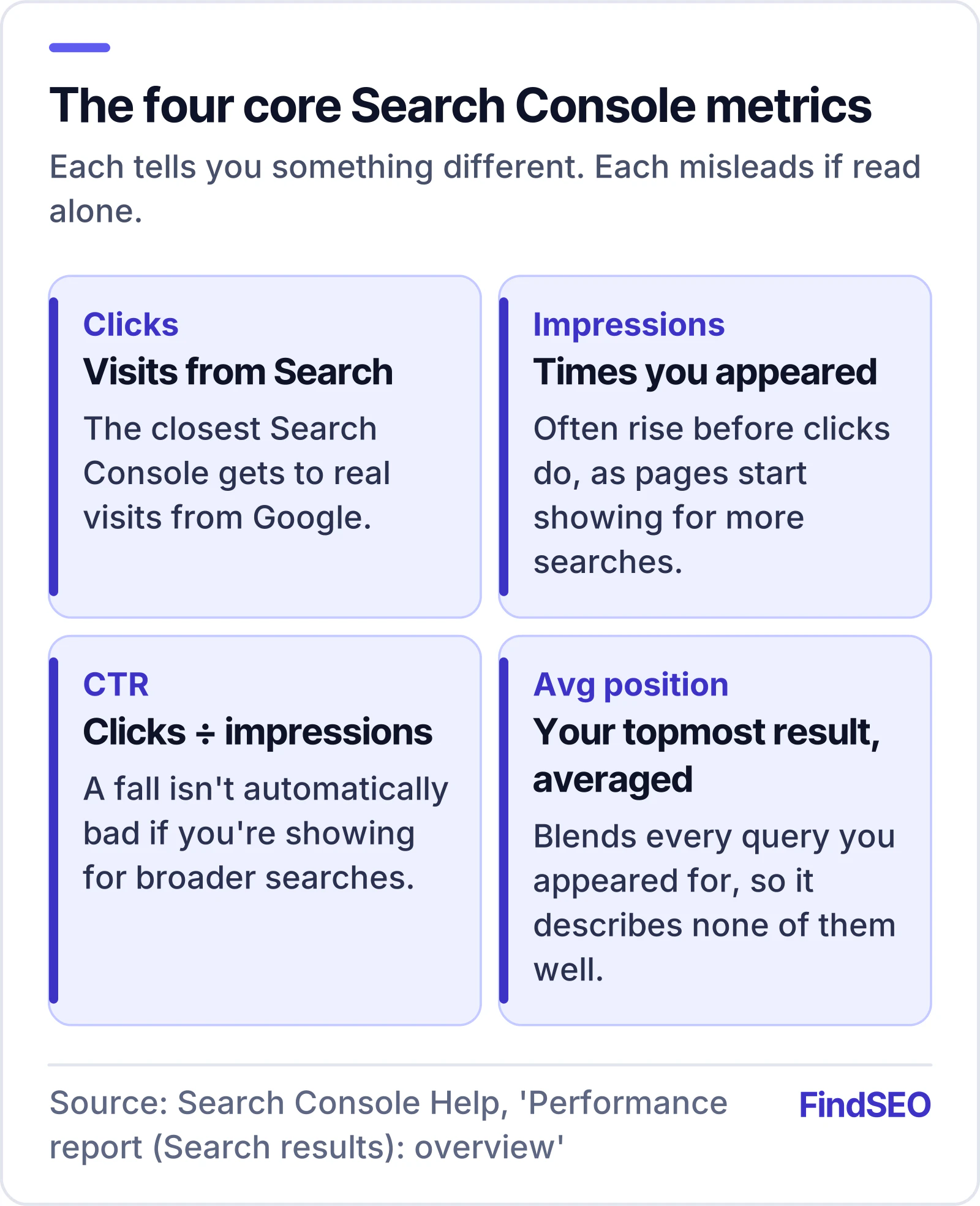
The Performance report in Search Console gives you four core metrics. Each tells you something different, and each can mislead if it's read alone.
Clicks
How many times someone clicked through to your site from Google Search results. This is usually the closest Search Console gets to real visits from search.
Impressions
How many times your site appeared in search results. Rising impressions often show up before rising clicks, because pages start appearing for more searches before they rank well enough to be clicked.
Click-through rate (CTR)
Clicks divided by impressions. A falling CTR isn't automatically bad: if your pages start showing for many new, broader searches, impressions can grow faster than clicks.
Average position
Search Console defines this as the average position of your topmost result. It's an average across every search where you appeared, so a page that ranks first for one query and fortieth for another gives a figure that describes neither. Google's own advice on traffic drops is not to focus too much on absolute position, and to treat impressions and clicks as the real measure of success.
Reading the numbers together
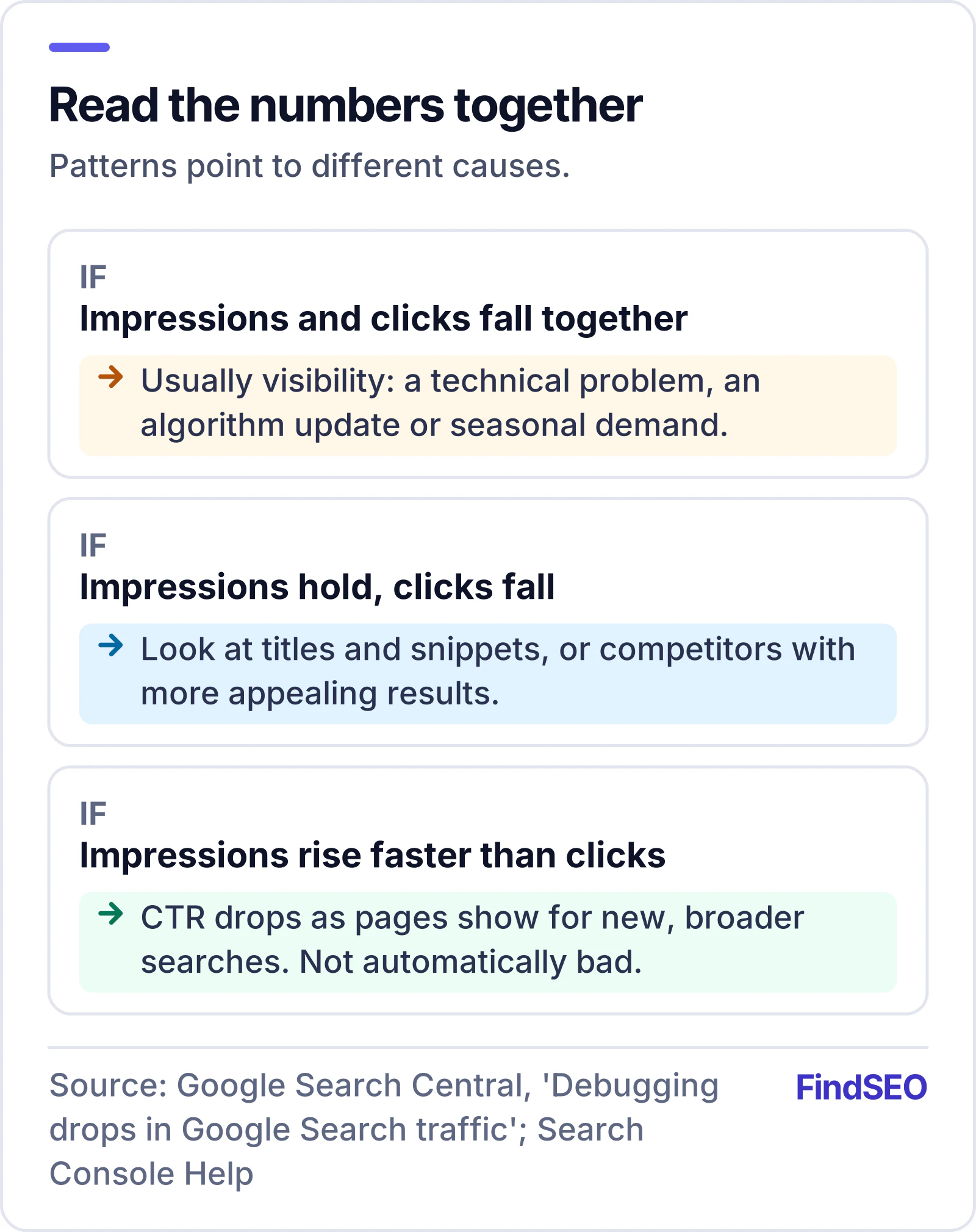
Google's guidance on debugging traffic drops offers a useful way to combine these figures. If impressions and clicks fall together, the cause is often visibility, such as a technical problem, an algorithm update or seasonal demand. If impressions hold steady but clicks fall, the issue may be your titles and snippets, or competitors with more appealing results. A good report reads the metrics together like this rather than quoting each one in isolation.
How should SEO be tied to leads and sales?
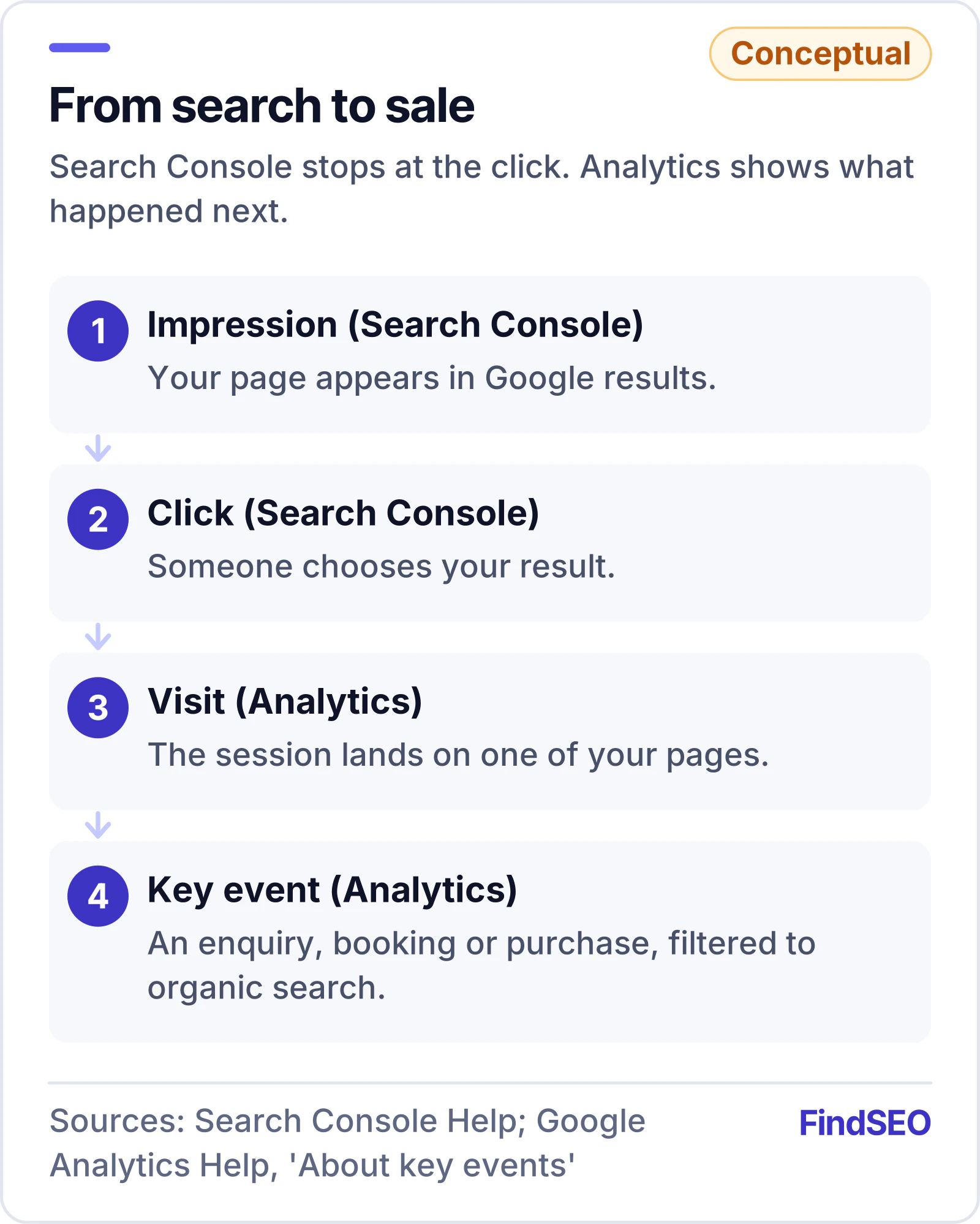
Search Console stops at the click. To connect SEO to revenue, a report needs data from your analytics.
In Google Analytics, the actions that matter most to your business, such as a contact form submission, a booking or a purchase, can be marked as key events. Reports such as Landing pages and User acquisition then show how many key events each channel and page produced. Filter those reports to organic search and you can see which pages are turning search visits into enquiries.
This is the part of the report that should carry the most weight. Ten thousand extra visits that never enquire are worth less than a few hundred that do. If your key events aren't set up, fixing that should be one of the first jobs in any engagement, because without them nobody can show whether SEO is paying for itself.
Why don't the numbers match between tools?
Clients often notice that Search Console clicks and Analytics sessions don't line up, and some agencies gloss over it. Google's documentation explains the main reasons:
- Time zones. The Performance report labels each day by California time. Analytics uses the time zone set for your property, so daily figures for an Australian business won't match exactly.
- Privacy filtering. To protect users, Search Console doesn't show every query. Rare searches and queries containing personal information are left out of the tables, so the table rows can add up to less than the chart total.
- Reporting delay. Search Console data is normally available within two to three days, so a report pulled on the first of the month may be missing the final days.
- How each tool counts. Analytics only records visitors whose browsers run its tracking code, while Search Console counts clicks on Google's side and filters out duplicates and robots.
None of this is a problem as long as the report uses each tool for what it's good at: Search Console for search visibility, Analytics for what visitors did next. The report should say which source each number comes from.
What's a fair comparison period?
Month-on-month comparisons are easy to produce and easy to misread. Many businesses have seasonal swings, and a quiet January after a busy December says nothing about the SEO work.
Google suggests two habits when investigating changes, and both make good reporting standards:
- Look at the longer view. The Performance report can show the last 16 months, which is enough to see whether a dip happens at the same time every year.
- Compare like with like. Search Console can compare the last three months with the previous period or with the same period a year earlier. Year-on-year comparisons strip out most seasonal effects.
Where demand itself has shifted, Google points to Google Trends as a way to check whether interest in a topic has fallen across the web, rather than just for your site. A report that explains a drop with evidence like this is far more useful than one that quietly leaves it out.
What are the red flags in an SEO report?
Be wary of a report that:
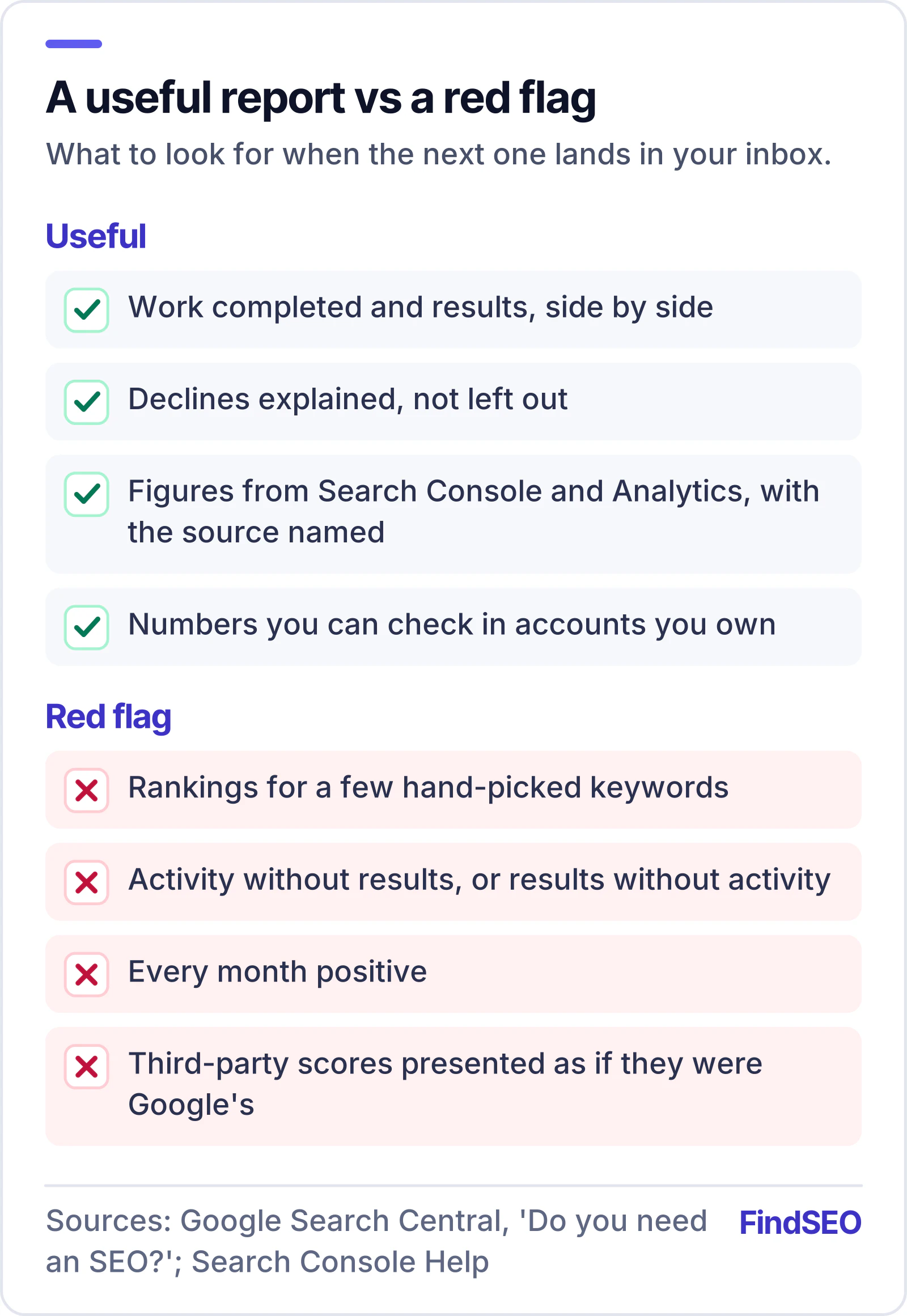
- Leads with rankings for a handful of hand-picked keywords and shows little else. Rankings vary by location, device and the person searching, so a few positions checked on the agency's own terms prove very little.
- Lists activity without results, or results without activity. You need both to judge whether the work is the reason things changed.
- Never mentions a decline. Every site has down months. A report that's always positive is probably leaving things out.
- Relies on scores from third-party tools as if they were Google's. Google states that it doesn't endorse third-party SEO tools, and that those tools have no access to its internal ranking data.
- Can't be checked. You should be able to open your own Search Console and Analytics and find the same figures. If the agency controls the only copy of your data, that's a problem whatever the report says.
On that last point, you should be the owner of your Search Console property, with the agency added as a user. Search Console offers full and restricted user permissions, so you can give an agency the access it needs without handing over control.
A monthly SEO report checklist
Use this when the next report lands in your inbox:
- A plain-language summary on the first page
- A dated list of work completed this month, kept apart from work still awaiting approval
- Clicks, impressions, CTR and average position from Search Console, with the source named
- At least one year-on-year or 16-month comparison, not just last month
- Organic enquiries, bookings or sales from Google Analytics key events
- The pages producing those results
- Any indexing problems, manual actions or security issues, and what's being done about them
- An explanation for any significant change, good or bad
- Next month's priorities and what the agency needs from you
- Figures you can verify in accounts you own
If you're still choosing an agency, ask to see an anonymised sample report before you sign. Our guide to questions to ask an SEO agency covers what else to raise at that stage.
The bottom line
A monthly SEO report should show what was done, what it achieved for the business and what's next, using data you can check yourself. Judge reports on how clearly they help you make decisions, not on how many charts they contain, and expect the hard months to be explained as openly as the good ones.