
Yes, but only a little, and never on their own. Google confirms that Core Web Vitals are used by its ranking systems. It also says good scores don't guarantee top rankings, that it will still show the most relevant page even when the page experience is poor, and that chasing a perfect score just for SEO may not be the best use of your time. Treat Core Web Vitals as a tie-breaker and a user experience fix, not a shortcut to page one.
What are Core Web Vitals?
Core Web Vitals are three measurements of how a page feels to real visitors. Google's guide to Core Web Vitals in Search describes them as metrics for loading performance, interactivity and visual stability:
- Largest Contentful Paint (LCP) measures loading. Aim for the main content to appear within 2.5 seconds.
- Interaction to Next Paint (INP) measures responsiveness. Aim for under 200 milliseconds between a tap or click and the page responding.
- Cumulative Layout Shift (CLS) measures visual stability. Aim for a score under 0.1, so buttons and text don't jump around as the page loads.
INP is the newest of the three. Google's Search Central blog announced that INP would replace First Input Delay as a Core Web Vital in March 2024, so any report or agency audit still talking about FID is out of date.
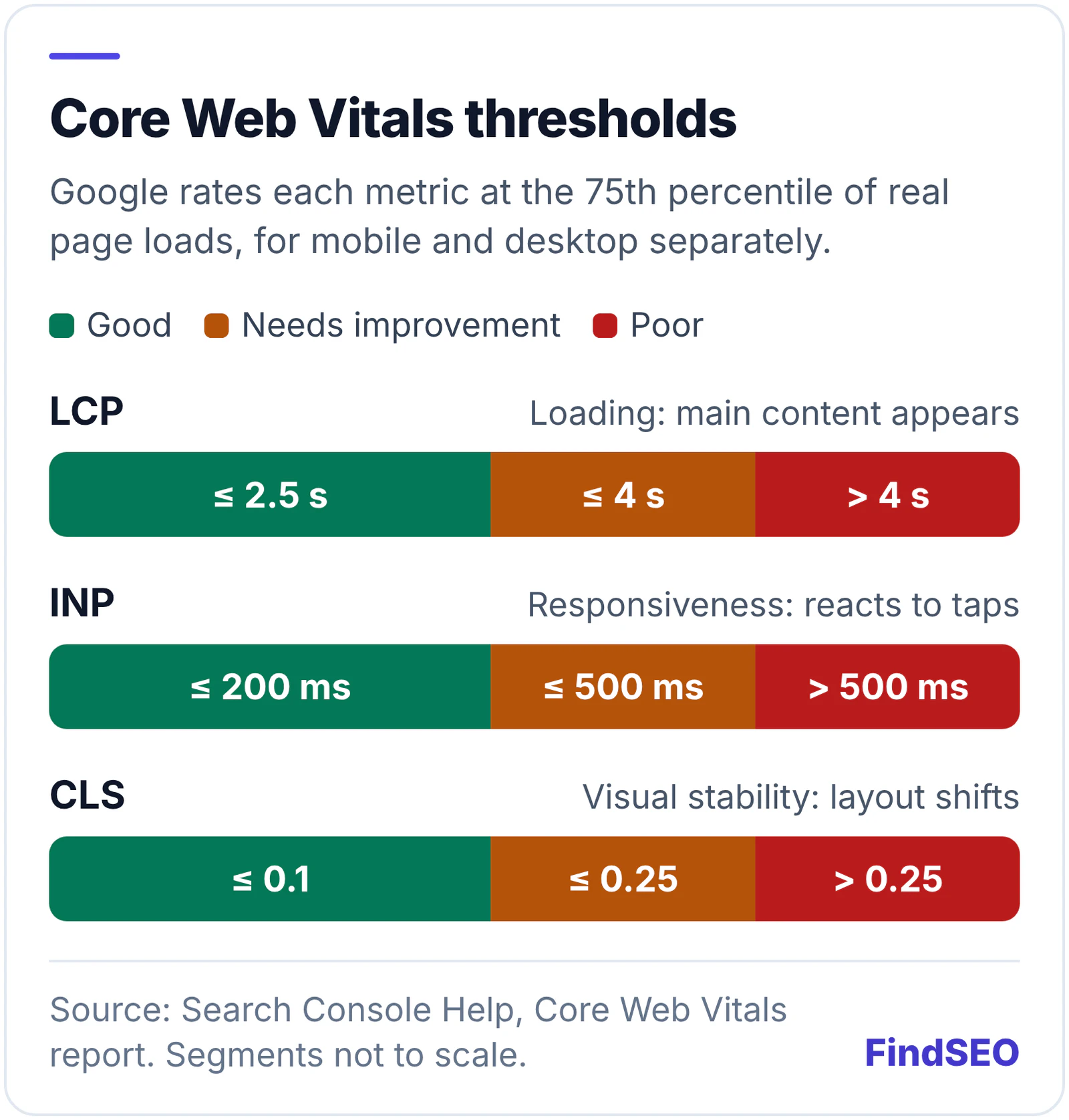
Google's Web Vitals overview explains how the targets are applied: at the 75th percentile of page loads, measured separately for mobile and desktop. A page passes when it meets the target for all three metrics. In plain terms, three out of four visits need a good experience, not just your fastest ones.
Do Core Web Vitals affect Google rankings?
They do, but Google's own wording is careful. Its page on understanding page experience answers the question directly:
- Core Web Vitals are used by Google's ranking systems. That much is confirmed.
- There's no single "page experience signal". Google's core ranking systems look at a variety of signals that line up with overall page experience.
- Good scores don't guarantee top rankings. Google says a good result in Search Console or a third-party tool doesn't mean your pages will rank at the top.
- Relevance comes first. Google says it always seeks to show the most relevant content, even if the page experience is sub-par.
- Other page experience aspects don't directly boost rankings. HTTPS, mobile-friendliness and avoiding intrusive pop-ups make a site more satisfying to use, which is what Google's systems seek to reward, but Google says they don't directly help you rank higher.
Google also says it generally evaluates page experience page by page, with some site-wide assessments. That's why one slow template, such as your product pages, can matter more than your home page's score.
How much do Core Web Vitals matter compared with content?
Much less than relevance and helpfulness. Google's page experience guidance says that, for many queries, there's lots of helpful content available, and a great page experience can contribute to success in those cases. That describes a tie-breaker. If your page doesn't answer the search well, faster loading won't rescue it. Our helpful content self-assessment covers the questions that carry more weight.

That doesn't make speed pointless. Visitors who wait for a page, or tap a button that doesn't respond, leave. Fixing a genuinely poor experience is worth doing for conversions alone. The mistake is spending months shaving milliseconds off pages that already pass while content, internal linking and indexing problems go untouched.
It also helps to separate Core Web Vitals from Google core updates. A ranking drop after a core update is rarely explained by a small change in LCP or CLS.
How does Google measure Core Web Vitals?
With field data from real Chrome users, not with the lab score you see when you run a test. The Chrome UX Report (CrUX) is Google's dataset of how real-world Chrome users experience websites, and it powers both Search Console and the field data section of PageSpeed Insights.
Google's PageSpeed Insights documentation explains the difference. Field data captures the real-world experience over a trailing 28-day period. Lab data comes from Lighthouse running a simulated page load in a controlled environment. It's useful for debugging, but it may not capture real-world bottlenecks.
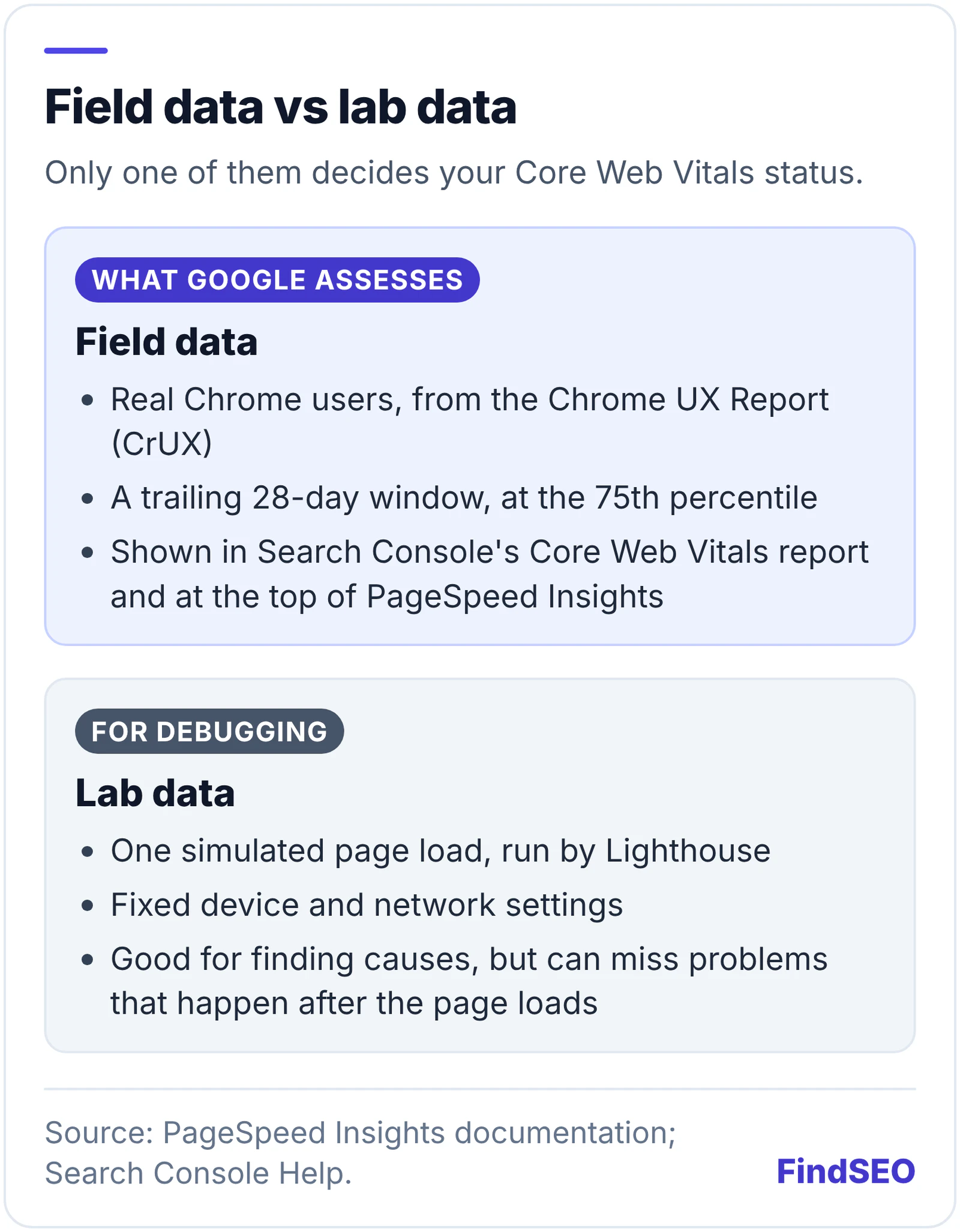
This explains a common complaint: "PageSpeed says 95 but Search Console says Poor." The Lighthouse performance score is lab data. The Core Web Vitals assessment is field data. When they disagree, the field data reflects what your visitors experienced.
How do you check your site's Core Web Vitals?
- Open the Core Web Vitals report in Search Console. Google's help page on the Core Web Vitals report explains that it groups similar pages into URL groups and rates each one Good, Need improvement or Poor, using its worst-performing metric.
- Check mobile and desktop separately. Most sites get more mobile visits, and Google indexes the mobile version first under mobile-first indexing.
- Don't panic about missing data. The report only includes indexed URLs with enough real-user data. Smaller sites often see "No data available".
- Run example URLs through PageSpeed Insights. Use the field data to confirm the problem and the lab diagnostics to find the cause.
- Run a broader page check. Our free one-page SEO audit checks response time, mobile viewport, HTTPS and other basics in one pass.

What usually causes poor Core Web Vitals?
Each metric has its own typical causes. Google's optimisation guides on web.dev list them in detail:
| Metric | Common causes | Where to start |
|---|---|---|
| LCP | Slow server response, redirect chains, render-blocking files, large hero images | Optimise LCP |
| INP | Long JavaScript tasks blocking the main thread, heavy event handlers | Optimise INP |
| CLS | Images, ads, embeds and iframes without dimensions, injected content, web fonts | Optimise CLS |
A few of these cross over with everyday SEO work. Google's LCP guide says multiple server redirects can push up server response time, so test important URLs with our redirect checker. Setting width and height on images prevents layout shifts, which is covered in our Academy lesson on internal links, URLs and images. Sites that build pages with heavy client-side JavaScript often struggle with INP, a common thread in JavaScript SEO.
What should you fix first?
Start with the Poor URL groups. Search Console's help page recommends fixing everything labelled Poor first, then Need improvement, and prioritising issues that affect the most URLs. Because similar pages share templates, one fix to a shared template can move hundreds of URLs at once.
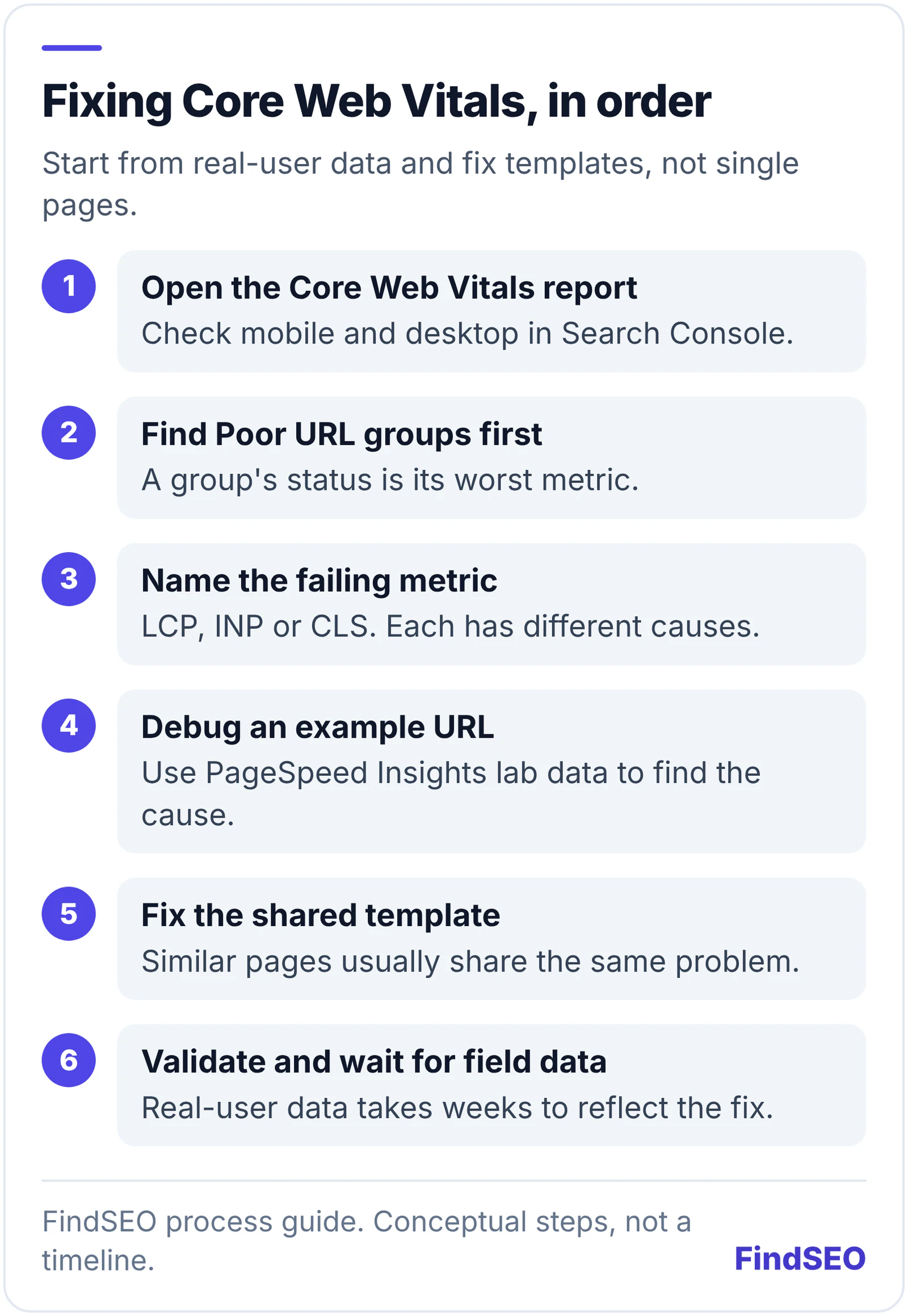
When you think an issue is fixed, click Start Tracking in the report. Google says this begins a 28-day monitoring session using real-user data. It doesn't trigger recrawling or reindexing, so don't expect an instant change.
Should you pay an agency to improve Core Web Vitals?
Only if your pages are actually failing, or speed is costing you conversions. Core Web Vitals work is usually development work on templates, hosting, images and scripts, so ask who will make the changes before you sign. A technical SEO audit should report Core Web Vitals by template and tell you which issues affect the most traffic, and a good monthly SEO report should show the field data trend.
Be wary of anyone who promises rankings from a perfect PageSpeed score. If you need help, browse agencies offering technical SEO services, compare SEO agencies in Australia, or get matched with an agency that fits your brief. Our SEO ROI calculator can help you judge whether the work is worth it.
Core Web Vitals checklist
- You've checked the Core Web Vitals report in Search Console for mobile and desktop.
- You know which URL groups are Poor and which metric fails.
- You're judging pages by field data, not the Lighthouse score.
- Your audits and reports talk about INP, not FID.
- Important pages load their main content in 2.5 seconds or less at the 75th percentile.
- Images, ads and embeds have reserved space.
- Important URLs don't go through redirect chains.
- Fixes are made at template level and tracked with Start Tracking.
- Content quality and indexing get at least as much attention as speed.
Bottom line
Core Web Vitals are a confirmed but modest ranking factor. Google uses them, but relevance and helpful content come first, and a perfect score won't lift a page that doesn't answer the search. Check the Core Web Vitals report, fix Poor URL groups at template level, and judge progress on real-user data. Then put the rest of your effort into content and technical SEO basics that move rankings more.