Google Core Updates Explained: What They Are and What to Do After One
Core updates reshuffle rankings a few times a year. Here's what Google says they are, how to tell if one affected you, and what to do (and avoid) afterwards.
A Google core update is a broad change to how Google ranks results across the whole web. It doesn't target particular sites, it isn't a penalty, and for most businesses the right first move is to wait, measure carefully, and only then decide whether anything needs to change.
Google announces these updates several times a year, and each one sets off a fresh round of alarm in SEO circles. This article explains what a core update actually is, how it differs from the other updates Google lists, how to check whether one affected your site, and what a sensible response looks like, whether you manage SEO yourself or pay an agency to do it.
What is a Google core update?
Google describes core updates as significant, broad changes to its search algorithms and systems, made several times a year. Their purpose is to keep results helpful and reliable as the web changes. Google is explicit that they don't target specific sites or individual pages.
Google's own analogy is a list of favourite restaurants written a few years ago. Since then, new places have opened, and some old favourites have earned a higher spot. When you rewrite the list, some restaurants drop down, but that doesn't make them bad. Others simply did a better job of earning a place.
When Google rewrites its list, a restaurant that drops a few places isn't suddenly bad. Others earned their spot. Photo: Patryk Sobczak, CC0, via Wikimedia Commons.
That's the key idea to hold on to. If your pages slip after a core update, it may mean other pages are now judged more useful for those searches, not that your site did something wrong. Google says most sites don't need to worry about core updates and may not even notice one has happened.
How often do core updates happen?
Google lists notable ranking updates on its Search Status Dashboard, which keeps five years of history. Recent entries show the pattern:
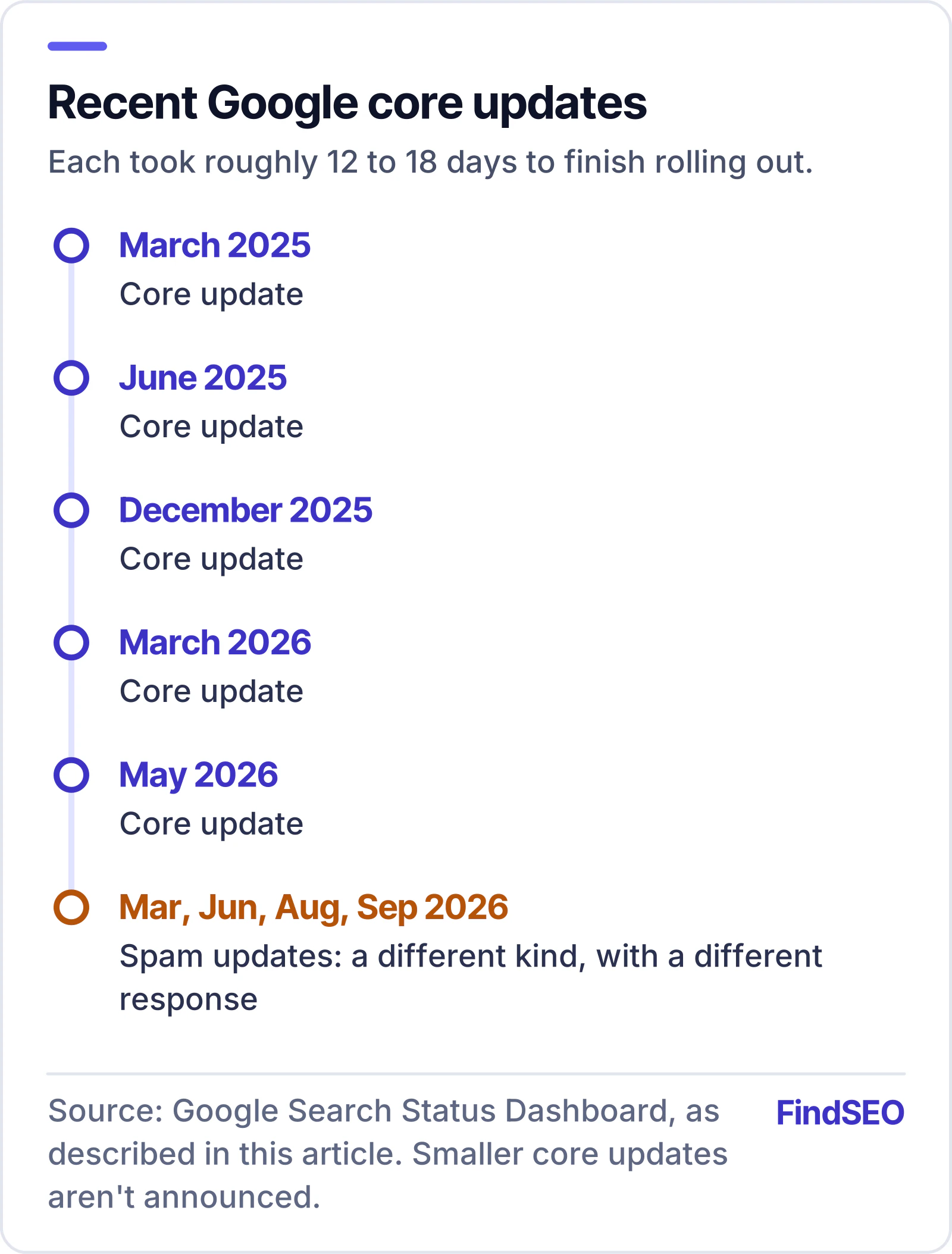
2025: core updates in March, June and December.
2026 so far: core updates in March and May.
Several named core updates a year is normal, and Google makes smaller ones it doesn't announce.
Each one took between roughly 12 and 18 days to finish rolling out, according to the dashboard. That rollout period matters, because rankings can move up and down while it's under way.
Google also makes smaller core updates that it doesn't announce, because they aren't widely noticeable. So not every ranking shift lines up with a named update, and not every named update will affect your site.
How is a core update different from a spam update?
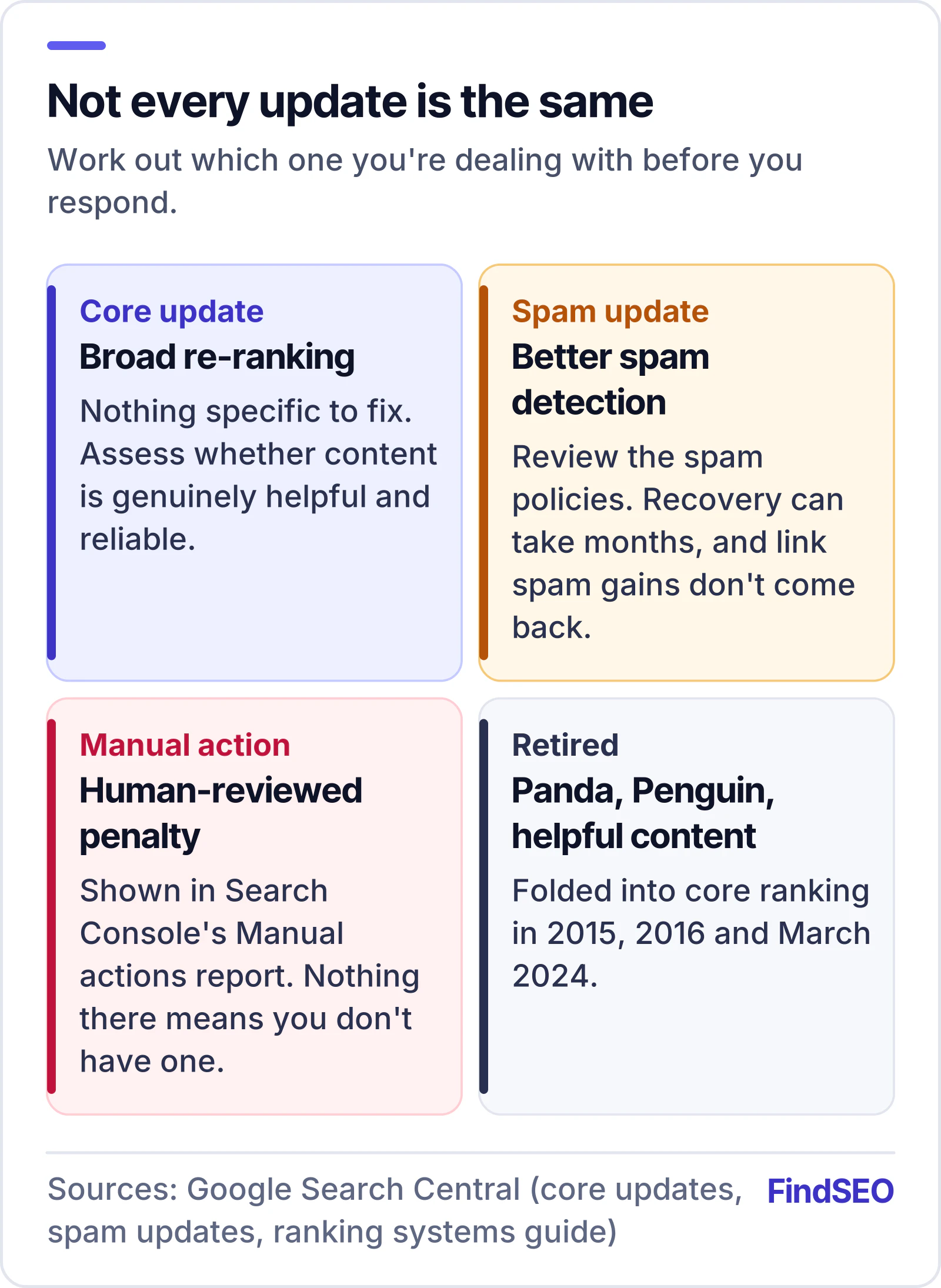
The dashboard lists several kinds of update, and they call for different responses.
Core updates
Broad reassessments of how content is ranked. There's nothing specific to "fix", and Google's guidance focuses on whether your content is genuinely helpful and reliable.
Spam updates
Google's systems for detecting spam run constantly, but it occasionally makes notable improvements to them and calls those spam updates. The dashboard shows spam updates in March, June, August and September 2026. If your traffic changed after one of these, Google's advice is to review its spam policies and make sure your site complies. It notes that sites can recover over a period of months once its automated systems learn that the site follows the rules. Our guide to Google's spam policies and how to recover explains each policy in plain English.
There's one important exception. After a link spam update, cleaning things up may not bring rankings back, because any benefit the spammy links once gave your site is simply removed and can't be regained.
Manual actions
These are different again. A manual action is a penalty applied after human review, and it's reported in the Manual actions report in Search Console. If there's nothing there, your site doesn't have one.
Retired named updates
You may still hear agencies talk about Panda, Penguin or the "helpful content update" as separate events. Google's ranking systems guide lists these as retired: Panda became part of the core ranking systems in 2015, Penguin in 2016, and the helpful content system in March 2024. Today, helpfulness is assessed as part of core ranking, which is one reason core updates get so much attention. Our guide to Google's ranking systems explains what each of the systems still in use actually does.
Only manual actions are penalties, and they're the only kind Search Console reports directly.
How do you tell if a core update affected your site?
Google sets out a clear process for this in its core updates documentation. In short:
Wait for the rollout to finish. Check the Search Status Dashboard for the update's start and end dates.
Give it another week. Google recommends waiting at least a full week after the rollout ends before analysing your data.
Compare the right weeks. In the Search Console Performance report, compare the week after the update finished with a week before it started.
Review your top pages and queries. Look at how they ranked before and after, and judge whether the drop is small or large.
Check each search type separately. Web Search, Google Images, Video and the News tab can move independently.
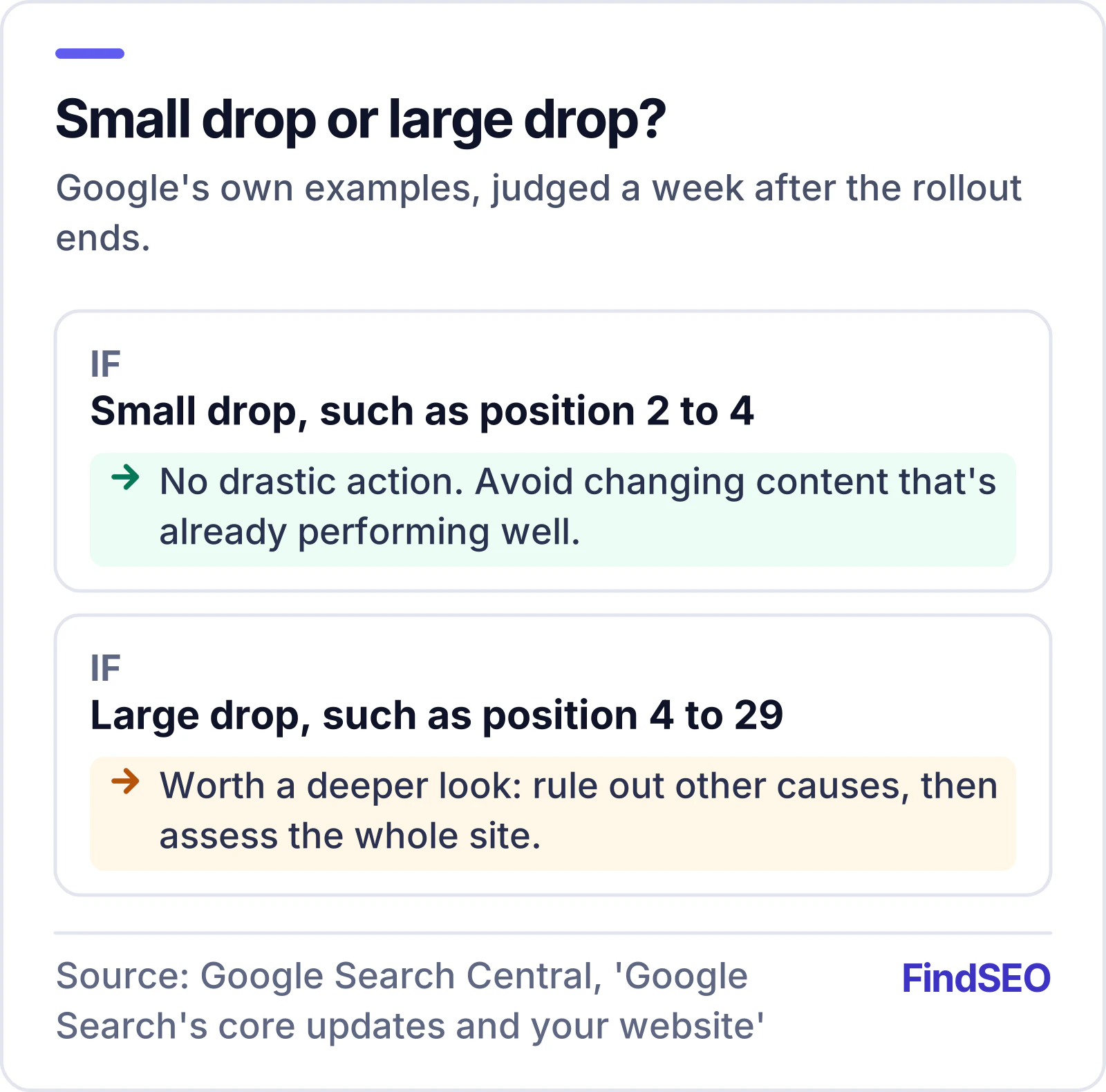
Google gives a simple scale for step 4. A small drop, such as from position 2 to 4, doesn't need drastic action, and Google recommends avoiding changes to content that's already performing well. A large drop, such as from position 4 to 29, warrants a deeper look.
Measure first. Only a large, sustained drop calls for a site-wide review.
If you've confirmed a sustained, large drop that lines up with a core update, Google's advice is to step back and assess your site as a whole, not just individual pages, against its self-assessment questions on helpful, reliable, people-first content. We've translated those questions into plain English in our guide to Google's helpful content self-assessment. For the standards Google's human raters use to judge quality, see our guide to Google's Search Quality Rater Guidelines.
Google suggests three practical habits:
Be objective. It even suggests asking people you trust, who aren't connected to your site, to assess it using the same questions.
Study the pages that lost the most. Search for the queries they used to rank for, and look honestly at whether the pages now ranking do a better job of helping the searcher.
Improve in meaningful ways.Rewriting or restructuring content so it's easier to read and navigate is the kind of change Google has in mind.
Compare the pages that lost ground with the pages now ranking above them, and be honest about which helps the searcher more. Photo: Steven Wright and Kari Shea, CC0, via Wikimedia Commons.
What should you avoid after a core update?
Google's documentation is just as clear about what not to do:
Quick fixes. Removing a page element because you heard it was "bad for SEO" isn't a strategy. Google recommends changes that make sense for users and can be sustained long term.
Mass deletion. Google calls deleting content a last resort. It adds that if you're tempted to delete whole sections of a site, those sections were probably made for search engines rather than people.
Tinkering with pages that held up. Changing content that's still performing well can do more harm than good.
Panicking during the rollout. Rankings can swing while an update is still rolling out. Decisions made mid-rollout are based on incomplete data.
How long does recovery take?
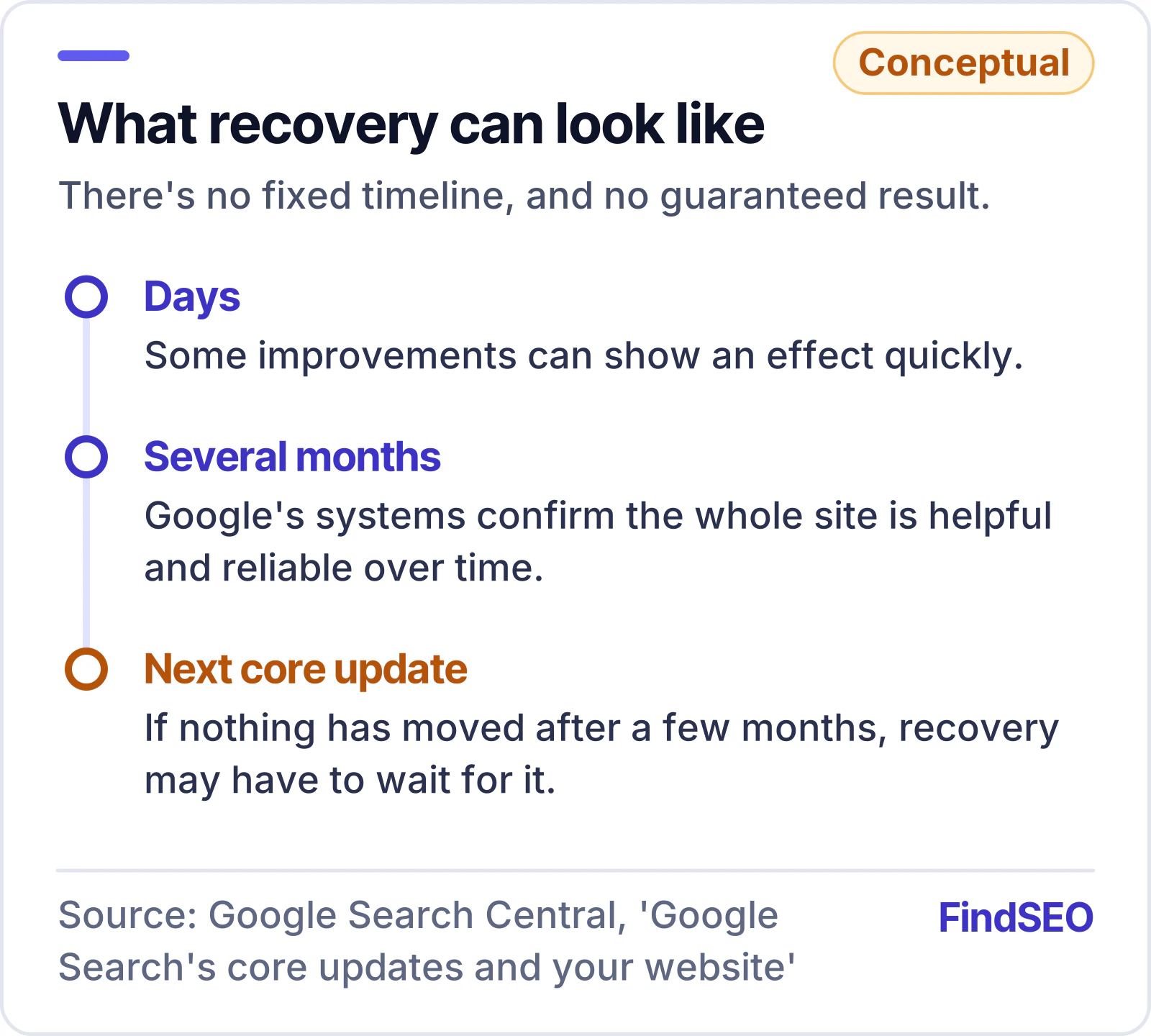
There's no fixed timeline, and Google is candid about that. Some improvements can show an effect within days. Others take several months, because Google's systems need time to confirm that a site as a whole is producing helpful, reliable content over the long term.
If a few months have passed with no change, Google says recovery may have to wait until the next core update. Its smaller, unannounced updates can also lift a site that has genuinely improved. And Google notes there's no guarantee any change will lead to a noticeable improvement, because rankings are never fixed in place. We cover the wider question in how long SEO takes.
Be wary of any agency that promises a fast bounce-back. Google won't.
This is worth remembering when anyone promises a fast recovery. An agency that guarantees you'll "bounce back" after the next update is promising something Google itself won't.
A post-core-update checklist
Work through this after any announced core update:
Confirm the rollout has finished on the Search Status Dashboard
Wait at least a week after the end date
Compare a week after the update with a week before it started in Search Console
Separate small position drops from large ones
Check Web, Images, Video and News results separately
Rule out technical, security, manual action, seasonal and migration causes
For a large drop, assess the whole site against Google's self-assessment questions
Compare your most affected pages with the pages now ranking above them
Plan meaningful, user-focused improvements rather than quick fixes
Leave well-performing pages alone
Review progress over weeks and months, not days
Questions to ask your SEO agency after an update
If you work with an agency, a core update is a good test of how it communicates, and its next monthly SEO report should explain any change in plain terms. Ask:
Did the update affect our site, and how did you measure that?
Which pages and queries moved, and by how much?
Have you ruled out technical problems, manual actions and seasonality?
What will you change, why, and how will we know if it worked?
A good agency will answer with data from your own Search Console and a measured plan. If the answer is a rush of urgent, expensive "recovery" work before the rollout has even finished, treat that as a warning sign. Our checklist of questions to ask an SEO agency covers more of what to look for. For an independent view, SEO audit specialists can review the whole site, or you can get matched with an agency.
The bottom line
Core updates are Google re-ranking the web, not punishing your site. Wait for the rollout to finish, measure carefully against the right dates, rule out other causes, and respond to a large drop with genuine, site-wide improvements rather than quick fixes. Be patient: recovery is measured in months, and sometimes it takes the next core update to see the result.
FAQs
Is a core update a penalty?
No. Google says core updates are broad changes that don't target specific sites. Penalties applied after human review are called manual actions, and they appear in the Manual actions report in Search Console.
How do I know when a core update is happening?
Google lists notable ranking updates, with start and end dates, on its Search Status Dashboard. You can also subscribe to the dashboard's RSS feed to be notified.
My rankings dropped during the rollout. Should I change my content?
Not yet. Google recommends waiting until the rollout has finished, then at least another week, before comparing your data and deciding whether anything needs to change.
Can I recover before the next core update?
Possibly. Google makes smaller, unannounced core updates as well, and some improvements show an effect within days. Others take months, and some sites may need to wait for the next core update.
Google publishes a list of the ranking systems behind its results. Here's what each one does, which ones are retired, and which ones your site can influence.
What Google's Search Quality Rater Guidelines are, whether raters affect rankings, how E-E-A-T and YMYL work, and what businesses should take from them.