Content

Image SEO: How to Optimise Images for Google Search

How Google finds and understands images, how to write alt text, which formats and file names to use, and how to keep images fast. Includes a checklist.

FindSEO8 min read

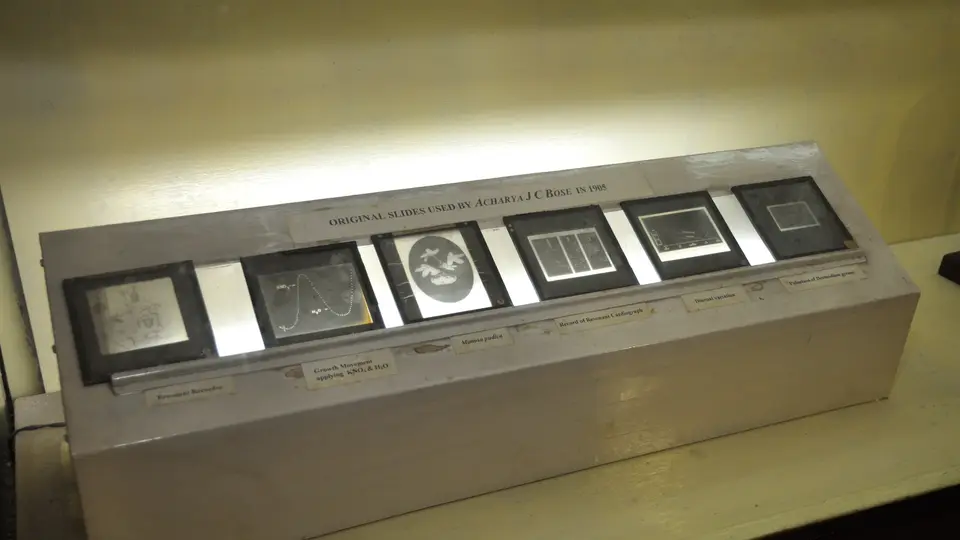
A museum display case lit from behind, holding six glass lantern slides in a row with a small typed caption label under each, below a sign reading Original slides used by Acharya J C Bose in 1905.

Photo: Biswarup Ganguly / Wikimedia Commons (CC BY-SA 3.0)

In this article
  1. Why does image SEO matter?
  2. How does Google work out what an image shows?
  3. How do you write good alt text?
  4. Which file formats and file names should you use?
  5. How do you make images load fast without hurting SEO?
  6. How do you help Google find your images?
  7. Which image will Google show for your page?
  8. How do you measure image search traffic?
  9. An image SEO checklist
  10. The bottom line

Image SEO means making your images easy for Google to find, understand and load quickly. Use standard HTML <img> elements, write specific alt text, give files short descriptive names, place images next to the text they illustrate, and compress them without making them blurry. Google's own image guidelines call alt text the most important attribute for image metadata, and say file names give only "very light clues". Most of the work is ordinary good practice that also helps people using screen readers or slow connections.

This guide covers what Google says about each step, how to write alt text that helps rather than spams, and what to ask your developer or agency to check.

Why does image SEO matter?

Images show up in more places than the Google Images tab. Google's image SEO best practices say the same recommendations apply to images in text results, Google Discover and Google Images. A good image can earn a click from any of them.

Images also affect speed. The same guide notes that images are often the largest contributor to overall page size, which can make pages slow and expensive to load. That ties image work directly to Core Web Vitals and to the experience on your most important pages. Our guide to whether Core Web Vitals affect rankings explains how much that matters.

For online shops, recipe sites, property, travel and trades with before-and-after work, image search can be a real source of visitors. For most service businesses it's a smaller channel, but alt text and fast images are still worth getting right on every page.

How does Google work out what an image shows?

Google doesn't rely on one signal. Its image guidelines say it extracts information about an image from the content of the page, including captions and image titles. It then uses alt text alongside computer vision and the page's content to understand the subject.
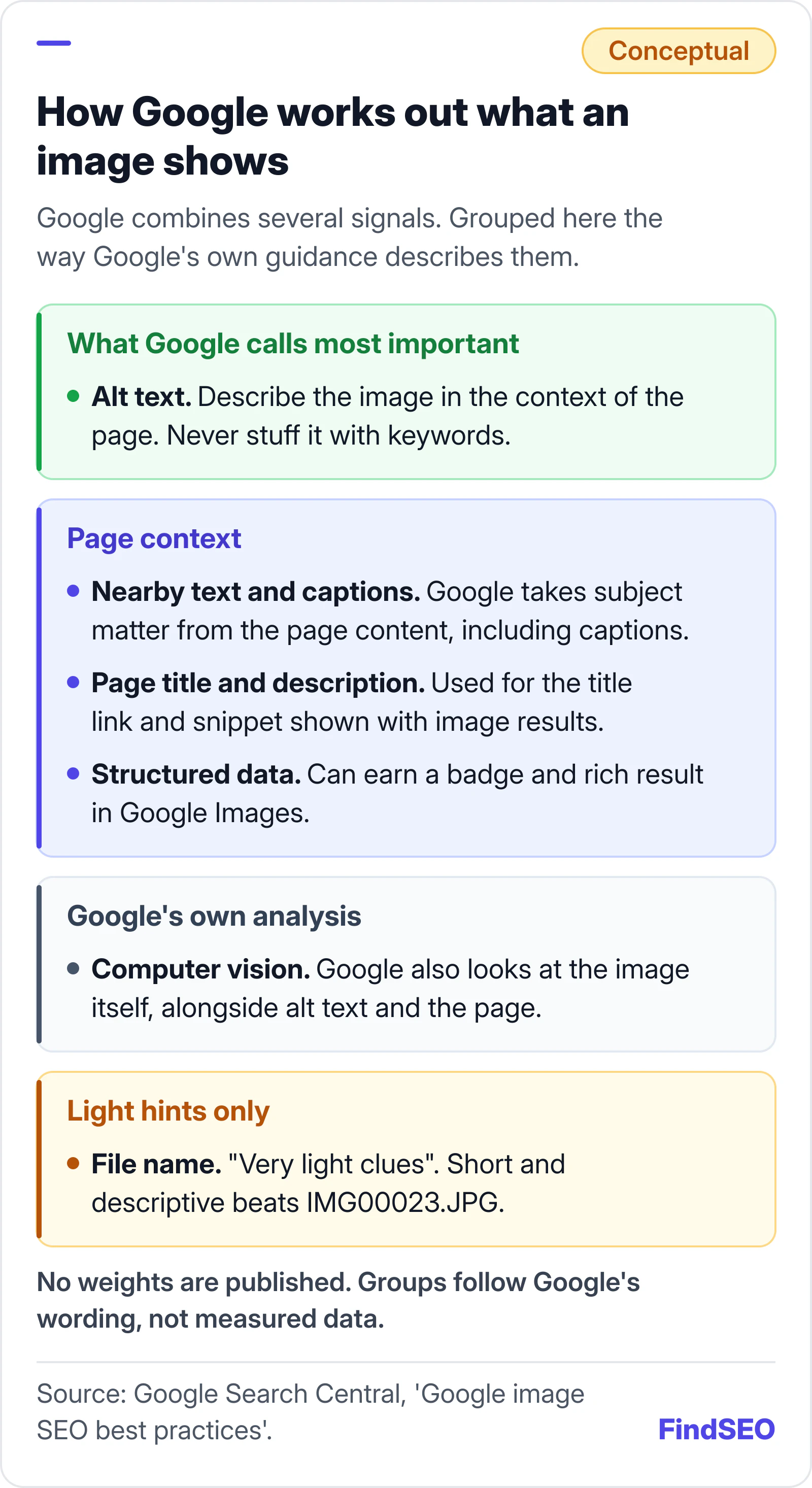
How Google works out what an image shows, grouped the way Google describes each signal. Alt text is what Google calls the most important attribute for image metadata. Page context comes next: nearby text and captions, the page title and description, and structured data, which can earn a badge in Google Images. Google also analyses the image itself with computer vision. The file name gives only very light clues. Conceptual diagram with no measured weights. Source: Google Search Central, Google image SEO best practices.
Alt text and page context do most of the work. File names are only a light hint.

That has three practical consequences:

  1. Put images near relevant text. Google says to place images near relevant text, on pages that are relevant to the image subject matter. A photo of a kitchen renovation belongs on the kitchen renovation page, not a generic gallery.
  2. Use captions where they help readers. Captions are read by Google and by people who skim.
  3. Give the page a clear title and description. Google says it draws on the page's title and meta tags, among other sources, for the title link and snippet shown with image results, so the page's titles and meta descriptions matter for images too.
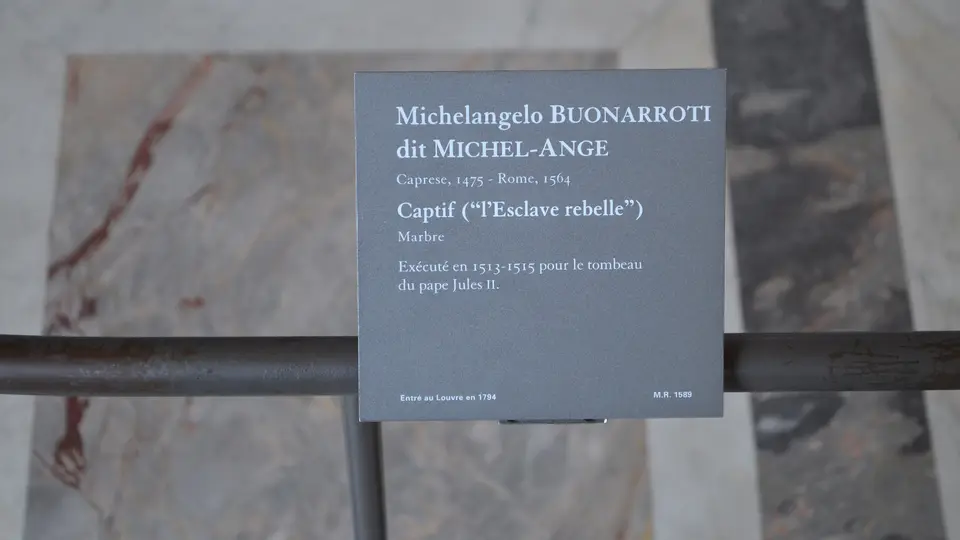
A grey museum label on a metal rail in the Louvre, giving the artist Michelangelo, the work's title Captif, the material marble and the years 1513 to 1515 when it was made, above a marble floor.
A museum label tells visitors what they're looking at. Captions and nearby text do the same job for Google. Photo: Darafsh, CC BY-SA 3.0, via Wikimedia Commons.

How do you write good alt text?

Describe what the image shows in the context of the page, in plain words. Alt text is read aloud by screen readers, shown when an image fails to load, and used by Google to understand the image. Google also uses the alt text of a linked image as its anchor text, which our guide to internal linking covers.

Google's guidelines give a simple progression for a photo of a puppy:

  • Bad: no alt attribute at all.
  • Bad: a long run of keywords that starts "puppy dog baby dog pup pups puppies doggies". Google says keyword stuffing creates a negative user experience and may cause your site to be seen as spam, which is covered by its spam policies.
  • Better: "puppy".
  • Best: "Dalmatian puppy playing fetch".

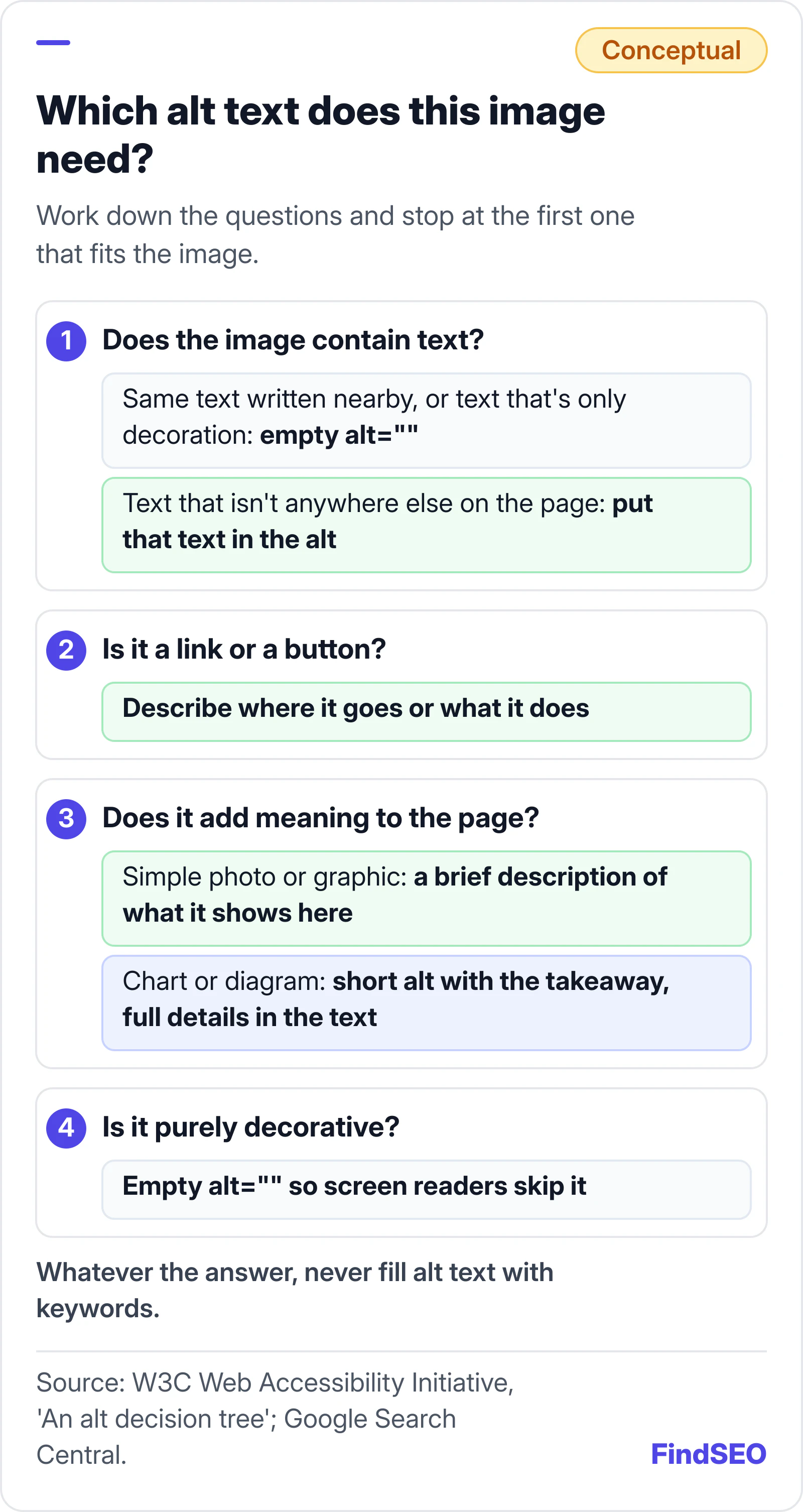
Not every image needs a description. The W3C's alt decision tree sorts images by the job they do:

Decision guide for alt text, following the W3C alt decision tree. First, if the image contains text: use an empty alt if the same text is written nearby or the text is only decoration, otherwise put the image's text in the alt. Second, if the image is a link or button: describe where it goes or what it does. Third, if it adds meaning: give a simple photo or graphic a brief description of that meaning, and give a chart or diagram a short alt with the key takeaway plus the full information in the page text. Fourth, if it is purely decorative: use an empty alt attribute, which tells screen readers to skip it. Never stuff keywords. Source: W3C Web Accessibility Initiative and Google Search Central.
Ask what job the image does on the page. That tells you what its alt text should say.

A few habits make alt text better:

  1. Be specific. "Navy linen shirt, front view" beats "shirt".
  2. Keep it about this page. The same photo can need different alt text on a product page and a blog post.
  3. Skip "image of". Screen readers already announce that it's an image.
  4. Give charts their takeaway. "Bar chart of monthly enquiries" says nothing. State what the chart shows, and put the full data in the text or a table.
A dark museum display panel in the Louvre combining a raised tactile outline of a decorative tile, a block of braille text, a small red ceramic sample and printed French captions, so the exhibit can be read by touch as well as by sight.
A tactile museum panel describes an exhibit for visitors who can't see it. Alt text does that job on a web page. Photo: Sandra Soster, CC BY-SA 4.0, via Wikimedia Commons.

Which file formats and file names should you use?

Google Search supports images in the src attribute of an <img> element in these formats:

Format Typical use Note from Google
JPEG Photos Supported
PNG Screenshots, graphics with flat colour Supported
WebP and AVIF Photos and graphics on modern sites Supported
SVG Logos, icons and simple diagrams Supported
GIF and BMP Simple animation (GIF); legacy files Supported

Google also recommends that the file extension matches the file type. For names, it suggests short but descriptive file names, such as my-new-black-kitten.jpg rather than IMG00023.JPG, and to translate file names if you localise images. Don't expect much from file names, though. Google describes them as very light clues, so renaming thousands of old files is rarely worth it.

How do you make images load fast without hurting SEO?

Shrink what you send, and don't delay what people see first. Google says high-quality, sharp images appeal to users more than blurry ones, so the goal is the smallest file that still looks good.

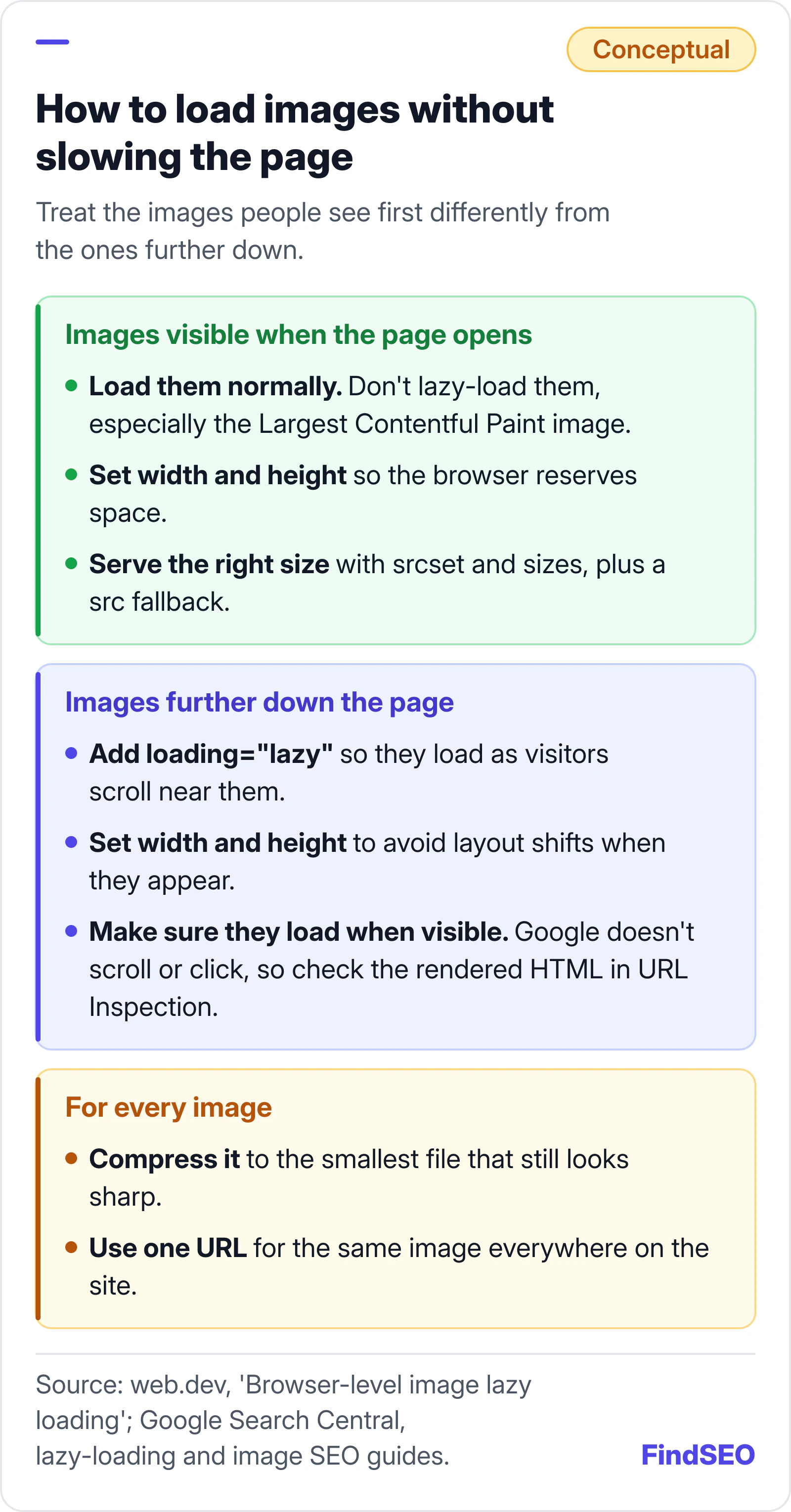
  1. Serve the right size. Use srcset and sizes so phones don't download desktop-sized files. Google's guide says some browsers and crawlers don't understand these attributes, so always keep a fallback URL in the src attribute.
  2. Compress every file. Google recommends applying the latest image optimisation and responsive image techniques, and pointing PageSpeed Insights at important pages to see what's slowing them down.
  3. Set width and height. web.dev's guide to browser-level image lazy loading recommends width and height attributes on all images so the browser can reserve space and avoid layout shifts.
  4. Lazy-load below the fold only. The same guide says not to lazy-load images likely to be in the viewport when the page loads, especially the image that is the page's Largest Contentful Paint. Use loading="lazy" for images further down.
  5. Reuse one URL per image. Google suggests referencing an image with the same URL everywhere on your site, so it can cache and reuse it instead of requesting it again.
How to load images without slowing the page. Images visible when the page opens should load normally and never be lazy-loaded, especially the Largest Contentful Paint image; give them width and height and serve the right size with srcset, sizes and a src fallback. Images further down should use loading=lazy, have width and height set to avoid layout shifts, and must load when they become visible, because Google doesn't scroll or click; check the rendered HTML in URL Inspection. Every image should be compressed to the smallest file that still looks sharp and use one URL everywhere on the site. Source: web.dev and Google Search Central.
Load what people see first straight away, and lazy-load the rest.

Run important pages through our free SEO audit to spot oversized images and missing alt text. The Academy lesson on internal links, URLs and images covers the HTML basics.

How do you help Google find your images?

Make sure the images are in the HTML Google renders, at URLs it's allowed to crawl.

  • Use <img> elements. Google's guidelines say it finds images in the src attribute of <img> elements, including inside <picture>, and doesn't index CSS background images. Important images, such as product photos, shouldn't be CSS backgrounds.
  • Check lazy loading. Google's guide to fixing lazy-loaded content says Google doesn't scroll or click, so content must load when it's visible in the viewport. Test with Search Console's URL Inspection tool: if image URLs appear in the src attribute in the rendered HTML, the set-up works. Our glossary entry on JavaScript SEO explains rendering.
  • Add an image sitemap if images are hard to find. Google's image sitemaps documentation says they help with images Google might not otherwise find, such as those loaded with JavaScript. Each page entry can list up to 1,000 images, and image URLs can sit on a CDN domain as long as you verify both domains in Search Console. Our guide on whether you need an XML sitemap covers the basics.
  • Don't block image folders in robots.txt if you want those images in search. Our Google index checker shows whether a page is blocked.

Which image will Google show for your page?

Google picks preview images automatically, but you can state a preference. Its image guidelines list three ways to do it:

Method Where it goes
schema.org primaryImageOfPage Structured data on the WebPage
schema.org image Structured data on the page's main entity, such as an article
og:image A meta tag in the page head

Whichever you use, Google says to choose an image that's relevant and representative, avoid a generic logo or an image with text, avoid extreme aspect ratios and use a high resolution. Our free meta tag generator and schema generator can produce the tags, and the Academy lesson on structured data basics explains how schema markup works.

For Discover, Google's guide to Discover and your website recommends large, high-quality images at least 1200 px wide, enabled by the max-image-preview:large setting.

If you license your own photos, Google's guide to image metadata in Google Images explains how structured data or IPTC photo metadata can show the creator and credit, and make an image eligible for the Licensable badge. It also warns that stripping metadata to save file size may be illegal in some jurisdictions, and recommends keeping at least the creator, credit line and copyright notice.

How do you measure image search traffic?

Use Google Search Console. The Performance report has a search type filter: "Image" shows clicks and impressions from the Google Images tab, while "Web: multimodal" covers searches made with an image, such as through Google Lens. Compare the two over a few months after any image clean-up, and check the pages driving image clicks are the ones you want people to land on. If you want a rough sense of what extra traffic is worth, try the SEO ROI calculator.

An image SEO checklist

  • Important images use <img> elements, not CSS backgrounds.
  • Every meaningful image has specific alt text written for its page.
  • Decorative images have an empty alt="".
  • Charts state their takeaway in the alt and the data in the text.
  • No alt text is stuffed with keywords.
  • Images sit near relevant text, with captions where they help.
  • File names are short and descriptive, and extensions match the file type.
  • Files are compressed and served at the right size with srcset and a src fallback.
  • Every image has width and height set.
  • Above-the-fold images aren't lazy-loaded; images further down are.
  • Image folders aren't blocked in robots.txt.
  • A relevant, high-resolution preferred image is set with og:image or structured data.
  • Image search traffic is checked in Search Console.

The bottom line

Google can only show and rank what it can find and understand. Use real <img> elements, describe each image honestly in its alt text, keep images next to the words they illustrate and send the smallest file that still looks sharp. None of it is exotic, but it's often missed on templates, galleries and product pages. A technical SEO audit should flag missing alt text, oversized files and lazy-loading problems. If you'd rather hand it over, compare content SEO services or ecommerce SEO agencies, check a competitor's strength with the page authority checker, browse SEO agencies in Melbourne, or get matched with an agency that can audit your images.

FAQs

Does alt text help SEO?

Yes. Google's image guidelines call alt text the most important attribute when it comes to providing metadata for an image. Google uses it, with computer vision and the page's content, to understand what an image shows. It also helps people using screen readers, so write it for them first.

How long should alt text be?

Long enough to describe what matters about the image on that page, and no longer. A short phrase or sentence is usually right. If an image is a chart or diagram, keep the alt to the key takeaway and put the full detail in the page text.

Do image file names matter for SEO?

A little. Google says file names give very light clues about an image's subject, so short descriptive names are better than camera defaults like IMG00023.JPG. They matter far less than alt text and the surrounding content.

Which image format is best for SEO?

Google supports BMP, GIF, JPEG, PNG, WebP, SVG and AVIF, so format choice is mainly about speed and quality. Pick the format that gives the smallest file that still looks sharp, and make sure the file extension matches the file type, as Google recommends.

Should every image have alt text?

Every img element should have an alt attribute, but purely decorative images should use an empty one (alt="") so screen readers skip them. Meaningful images, links and charts need descriptive alt text.

Sources

Ready for help with SEO?

Compare SEO-only agencies near you, with client reviews checked by a person, or tell us what you need and get matched.