Content

What Is Internal Linking and Why Does It Matter for SEO?

Internal links connect your own pages so people and Google can find them. How crawlable links work, what anchor text to write, and a practical checklist.

FindSEO6 min read

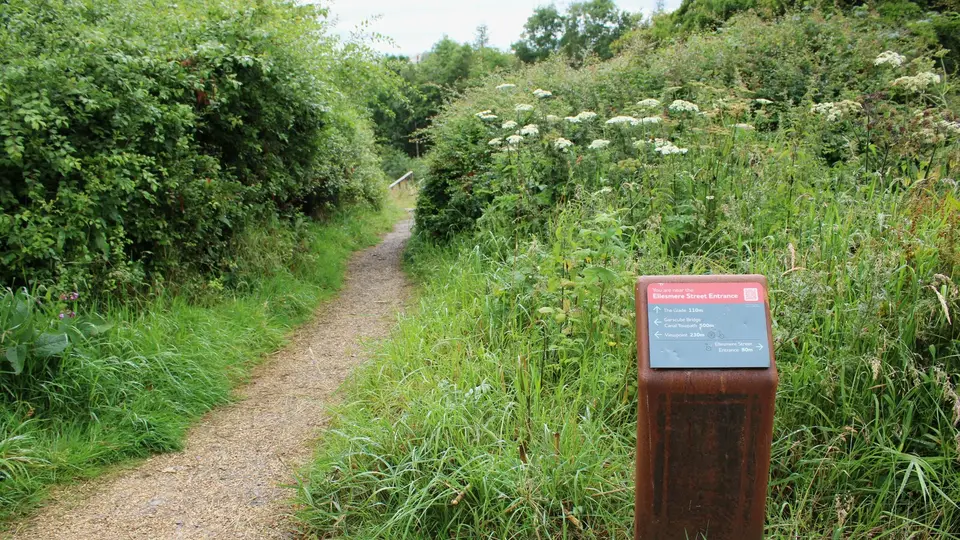
A wooden public footpath direction sign beside a grass path, pointing walkers toward destinations along the trail.

Photo: Richard Sutcliffe / Wikimedia Commons (CC BY-SA 2.0)

In this article
  1. What is an internal link?
  2. Why does internal linking matter for SEO?
  3. What makes a link crawlable?
  4. How should you write anchor text?
  5. How do you plan internal links on a real site?
  6. Should you nofollow your own internal links?
  7. An internal linking checklist
  8. The bottom line

Internal linking is how you connect pages on your own site with ordinary HTML links. Google's SEO link best practices say every page you care about should have a link from at least one other page, and that descriptive anchor text helps both people and Google understand what the destination is about. Links only count when they are crawlable: an <a> element with an href that resolves to a real URL. Menus, breadcrumbs and in-sentence cross-references all count; a clickable div that only runs a script does not.

It sits next to our guides on whether you need an XML sitemap, why a page isn't indexed and the Academy lesson on internal links, URLs and images.

An internal link points from one URL on your domain to another URL on the same site. An external link points elsewhere. Google's link documentation treats both with the same crawl rules: it generally extracts links from anchor elements that have an href. The difference is purpose. Internal links are how you cross-reference your own content so readers can continue a task and so crawling can discover pages that matter.

Navigation menus, category hubs, breadcrumbs, related-article blocks and links inside paragraphs are all internal links when they use real href values. A sitemap lists URLs for discovery (build and submit a sitemap), but Google still describes links in HTML as the primary way pages are found and understood. Our glossary entry on XML sitemaps and the sitemap article above cover that split.
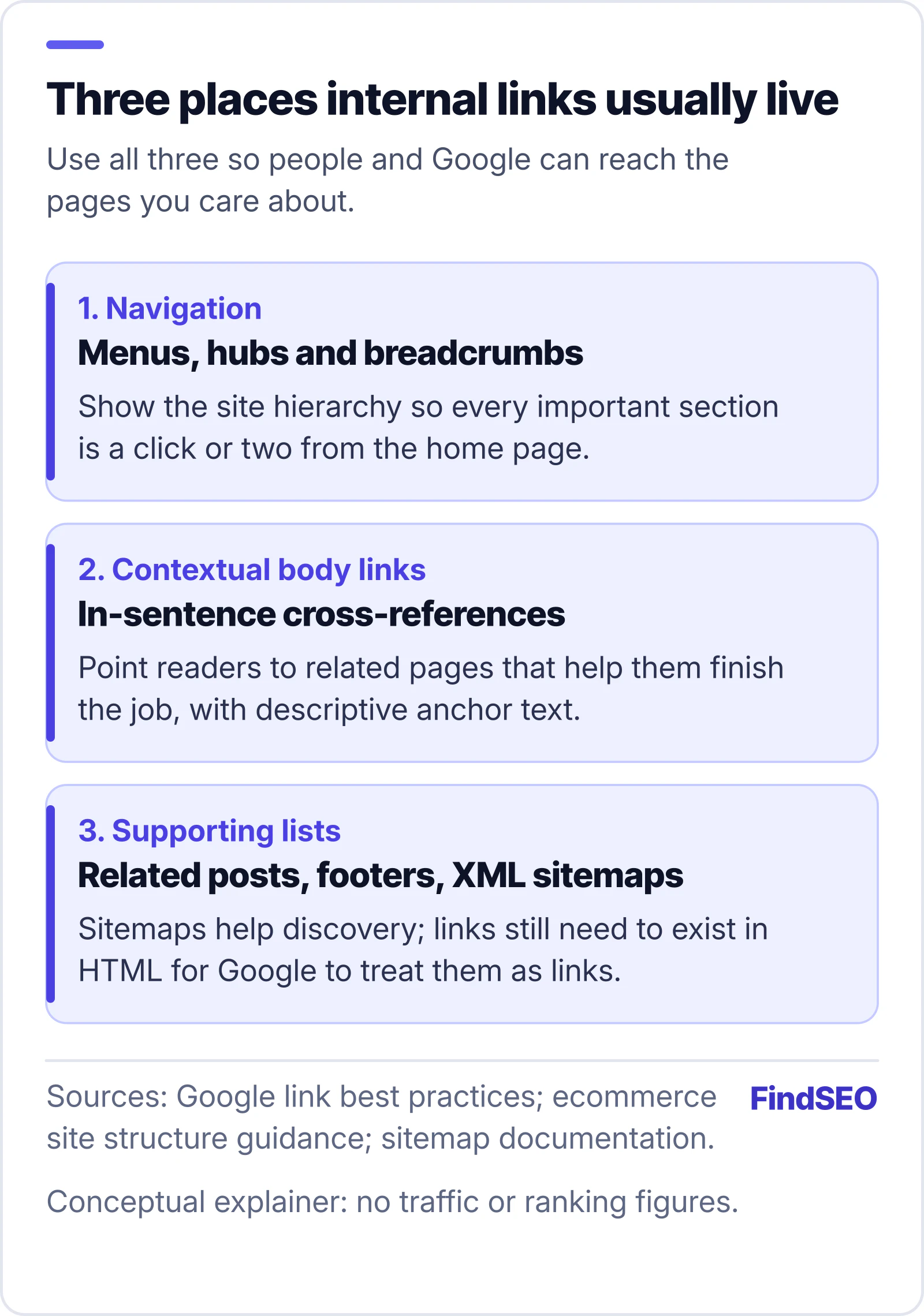
Diagram of three places internal links usually live: navigation menus hubs and breadcrumbs; contextual body links with descriptive anchors; and supporting lists such as related posts footers and XML sitemaps. Conceptual explainer with no traffic figures.
Menus show the map. Body links explain the next step. Sitemaps help discovery but do not replace HTML links.

Why does internal linking matter for SEO?

Google needs a path of crawlable links to find pages. Its ecommerce site-structure guidance says product pages should be reachable through category browsing, not only through a search box, because Googlebot generally does not submit searches. The same idea applies to blogs, service pages and location pages: if the only way to a URL is a form, a filter that never renders links, or a private dashboard, that URL may never enter the crawl graph.

Internal links also give Google context. Anchor text and the words around a link tell the crawler what the destination covers. Google's link best practices say paying attention to internal anchor text helps people and Google make sense of your site. That is separate from inventing a magic "link juice" number. Google does not publish a required count of links per page; it says if you think you have too many, you probably do.

For buyers, weak internal linking shows up as orphan pages in a technical SEO audit, thin category hubs, or content that never gets linked from the pages that already earn clicks. Fixing that is often cheaper than writing more articles that nobody can reach.
Google's documentation is specific. Recommended patterns include:

  1. <a href="https://example.com/page"> with a full absolute URL.
  2. Root-relative paths such as <a href="/products/shoes">.
  3. Relative paths such as <a href="./products/shoes">.
  4. Extra attributes on a valid anchor, including onclick handlers, as long as the href remains a real URL.
  5. JavaScript-inserted anchors, when the rendered HTML still uses the markup above.

Not recommended patterns include anchors without href, href="javascript:...", empty destinations and fragment-only URLs that load different content without a real address. Google's JavaScript SEO basics say to use the History API for client-side routing rather than hash fragments for separate pages. If your app builds links in JavaScript, check the rendered HTML with the URL Inspection tool in Google Search Console.

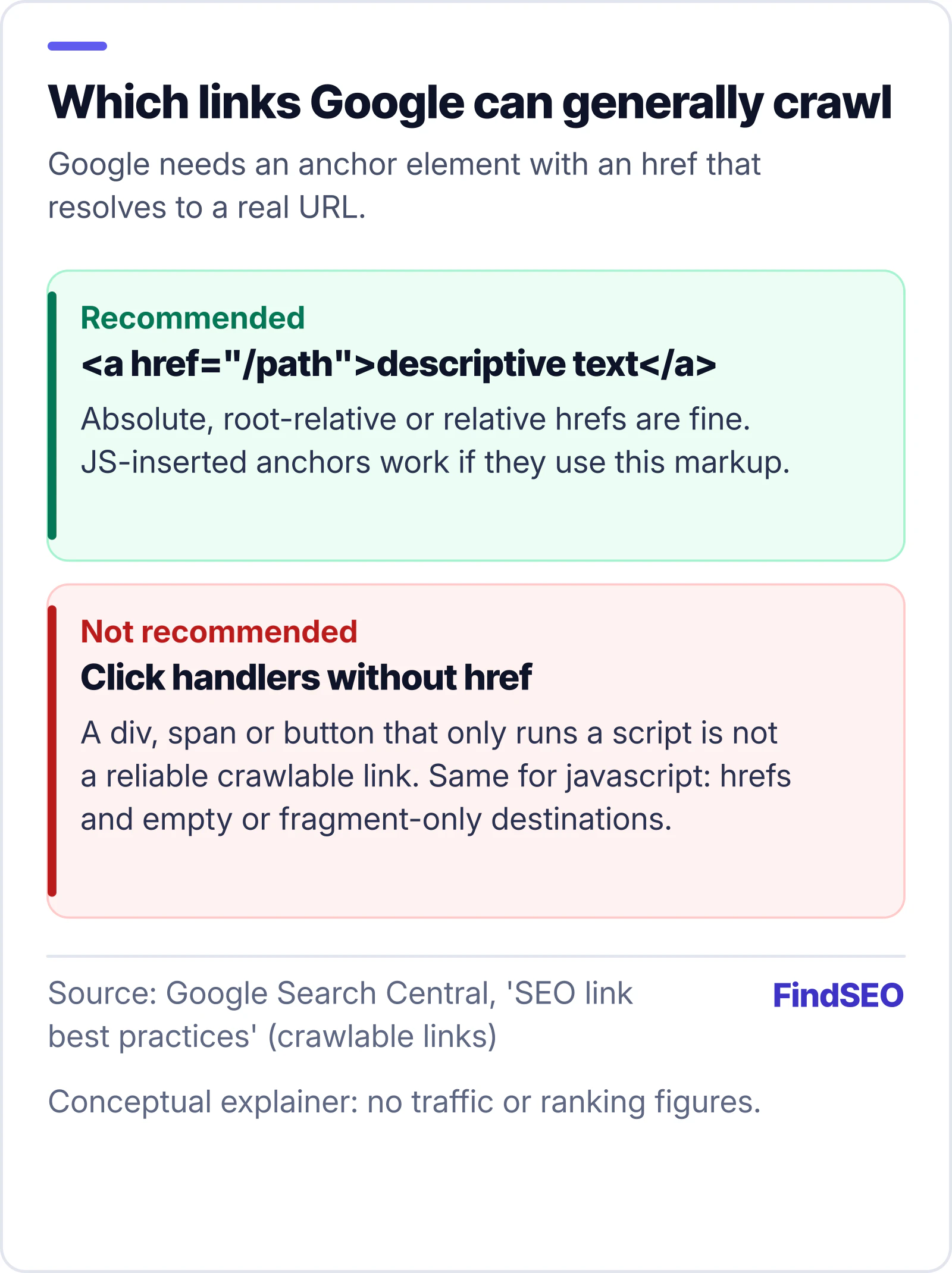
Diagram of crawlable versus non-crawlable links: recommended is an anchor tag with an href to a real path and descriptive text; not recommended are click handlers without href, javascript hrefs and empty or fragment-only destinations. Source: Google SEO link best practices.
If it is not an anchor with a real href, do not count on Google to treat it as a link.

Our free Google index checker reads robots rules, redirects and noindex signals on a URL you enter. It cannot replace a crawl of your whole link graph, but it is a useful first check when a linked page still fails to appear.

How should you write anchor text?

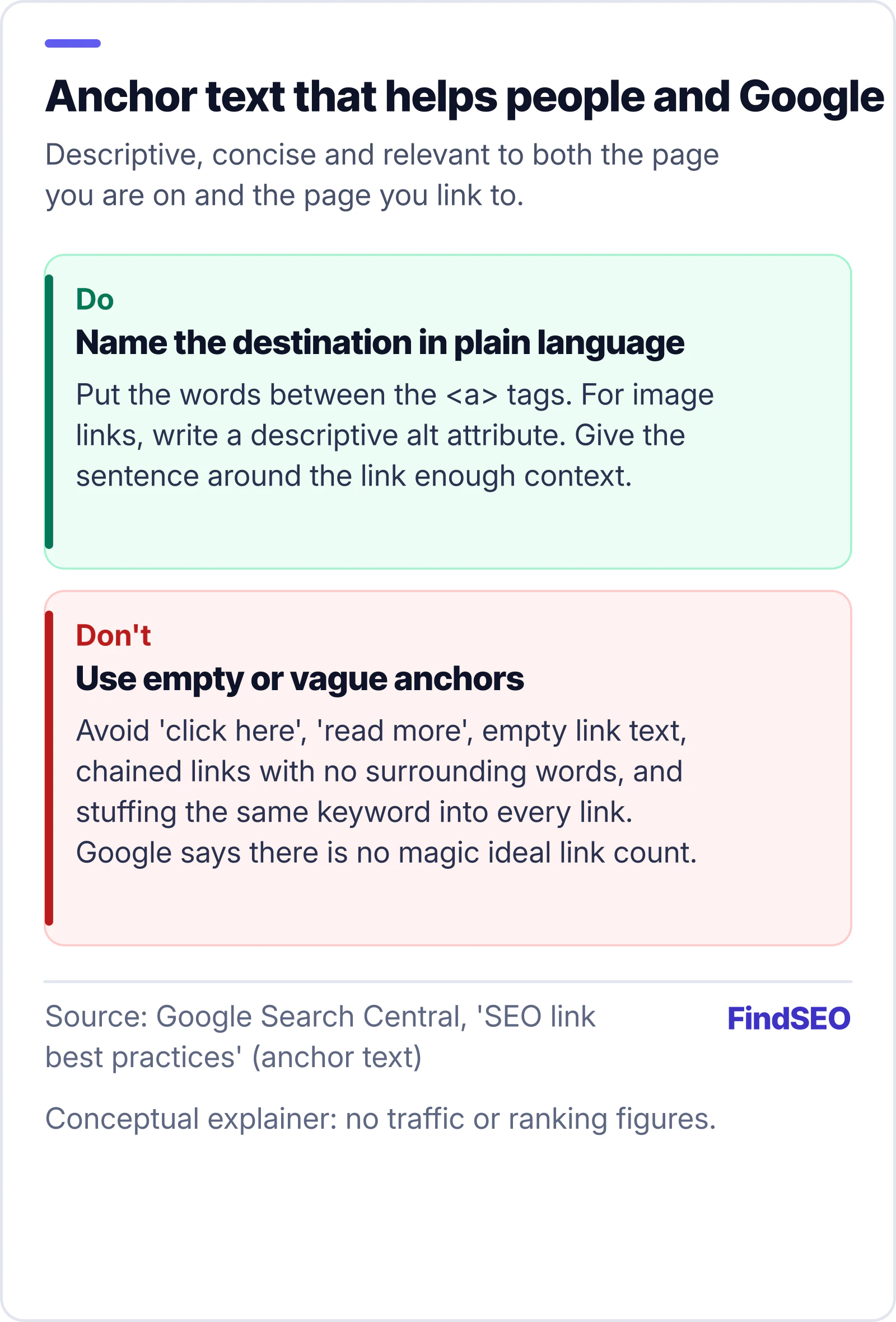
Google's guidance: good anchor text is descriptive, reasonably concise and relevant to both the page you are on and the page you link to. Put the words between the <a> tags. For image links, write a descriptive alt on the image, because Google uses that as the anchor when the link text is otherwise empty. Avoid empty anchors, "click here", "read more" and long chains of links with no surrounding sentence.

A practical test from Google: read only the anchor text out of context. If you cannot tell what the destination is about, rewrite it. That same habit helps when you update website content or refresh title tags and meta descriptions after a page's focus changes. Google's SEO starter guide likewise stresses clear titles, headings and links so people can navigate your site.

Do and don't guide for anchor text: do name the destination in plain language between the anchor tags and use descriptive alt on image links; don't use click here, read more, empty text, chained links or stuffing the same keyword into every link. Source: Google SEO link best practices.
Name the destination. Surround it with a normal sentence. Skip the vague buttons.
Wide aisle between tall wooden library shelves filled with books, photographed looking down the corridor toward tall windows.
Related pages should be one clear click away, the way shelves point you to the next section. Photo: Asturio Cantabrio, CC BY-SA 4.0, via Wikimedia Commons.

Start with the pages that earn money or leads: service pages, product templates, location pages and the articles that already attract impressions in Search Console. For each one, ask:

  1. Is it linked from a parent hub? Category or service hubs should list their children with crawlable anchors, matching Google's ecommerce navigation advice.
  2. Is it linked from related content? When you publish or refresh a page, add a contextual link from at least one older, related URL, and link back where it helps the reader.
  3. Do breadcrumbs and menus use real hrefs? Breadcrumb trails that are only styled text are not links.
  4. Are orphan URLs intentional? If Search Console or a crawl finds indexed URLs with no inbound internal links, either link them from a relevant parent or noindex / remove them if they should not compete.
  5. Do sitemaps and links agree? List preferred canonical URLs in the sitemap, and make sure those same URLs appear in HTML links somewhere on the site.

People-first content still matters. Google's creating helpful, reliable, people-first content guidance asks whether your content leaves readers satisfied. Internal links that send someone to a useful next step support that; keyword-stuffed sidebars that nobody would click do not. Pair this with our helpful content self-assessment when you review a cluster of pages.

A person writing notes in an open notebook beside an open laptop on a light wooden desk in a modern workspace.
Sketch the hubs and child pages before you paste another round of "click here". Photo: Shixart1985, CC BY 2.0, via Wikimedia Commons.

Usually no. Google's documentation on qualifying outbound links explains rel="nofollow", sponsored and ugc for links you do not want treated as recommendations — typically outbound or untrusted user content. Applying nofollow across your own navigation or body links is a common way to hide pages from the crawl path you meant to build. Keep nofollow for the rare internal case you truly do not want crawled, not as a default on menus.

External citations are different: Google says linking out when it helps readers can support trustworthiness. Cite primary sources the way this article does, without nofollow on ordinary references.

An internal linking checklist

Use this when you publish, migrate or audit:

  • Every money page has at least one crawlable inbound link from another public page.
  • Hubs (categories, services, locations) link down to their children with real href anchors.
  • New and updated articles get contextual links from related existing pages.
  • Anchor text names the destination; image links have descriptive alt text.
  • Menus, breadcrumbs and related blocks render as <a href> in the HTML Google sees.
  • No important page is reachable only through a search box, login or scripted click.
  • Sitemap URLs match the canonical URLs you link to in HTML.
  • Broken internal links and long redirect chains are fixed to the final URL.
  • Nofollow is not used as a blanket on your own navigation.
  • Orphan or thin URLs are linked properly or removed from the index on purpose.

Browse content SEO agencies in Australia, compare SEO agencies in Melbourne, or get matched with a shortlist when you want help mapping a large site.

The bottom line

Internal linking is ordinary HTML that connects your own pages. Make those links crawlable, write anchors that describe the destination, and make sure every page you care about is a click away from a hub or a related article. Sitemaps help discovery; they do not replace links. When the graph is clear, people finish tasks faster and Google has a reliable path to the URLs that matter. For a wider on-page pass, start the Academy course on on-page SEO or get matched with an agency that will audit the link paths, not only the copy.

FAQs

What is the difference between an internal link and a backlink?

An internal link stays on your own site. A backlink (or inbound link) comes from someone else's site. Google crawls both when they use a real anchor with an href, but internal links are how you organise your own pages; backlinks are mentions from elsewhere.

How many internal links should a page have?

Google says there is no magical ideal number, and that if you think a page has too many links it probably does. Focus on useful navigation and contextual links that help the reader, not on hitting a quota.

Do footer links count for SEO?

Footer links that are ordinary anchors with href values are crawlable like any other link. They are a poor substitute for clear hubs and in-body cross-references, because they rarely explain why the destination matters in context.

Can JavaScript links be crawled?

Yes, when JavaScript inserts a normal <a href="..."> into the rendered HTML. Click handlers on elements without an href, javascript: URLs and fragment-only routing are not reliable. Check the rendered HTML in Search Console's URL Inspection tool.

Should I add nofollow to internal links?

Almost never. Google's nofollow, sponsored and ugc hints are mainly for outbound or untrusted links. Nofollowing your own navigation can hide pages you wanted crawled.

Sources

Ready for help with SEO?

Compare SEO-only agencies near you, with client reviews checked by a person, or tell us what you need and get matched.