
There's no update schedule Google rewards. Update a page when it's out of date, incomplete or no longer the best answer to the search, and update more often when the topic is time-sensitive. Changing the date on a page without substantially changing it won't help: Google's own guide to helpful, people-first content lists it as a warning sign. And pages that no longer earn their place are often better merged or removed than refreshed.
Does Google reward fresh content?
Only where freshness is what the searcher wants. Google's guide to its ranking systems describes "query deserves freshness" systems designed to show fresher content for queries where it would be expected. Its examples: someone searching for a movie that has just been released probably wants recent reviews, and a search for "earthquake" might normally return preparation advice but surface news straight after one happens.
So freshness is tied to the query, not to your site. A page explaining how to choose a plumber doesn't need weekly edits to rank. A page about this year's prices, a changed law or a new product does. That's why it helps to think about search intent before you think about schedules.
| Type of page | When to review it | What usually changes |
|---|---|---|
| News, events and announcements | As things change | Facts, dates, outcomes |
| Prices, products and offers | Whenever they change | Prices, availability, specifications |
| Rules, laws and platform policies | When the source changes | Requirements, links to the official source |
| Evergreen how-to guides | When results or methods move on | Steps, screenshots, examples |
| Core service and location pages | When the business changes | Services, areas, team, proof of work |
The same guide is blunt about the opposite approach. It asks whether you're "adding a lot of new content or removing a lot of older content primarily because you believe it will help your search rankings overall by somehow making your site seem 'fresh'", and answers: "No, it won't."
Does changing the publish date help SEO?
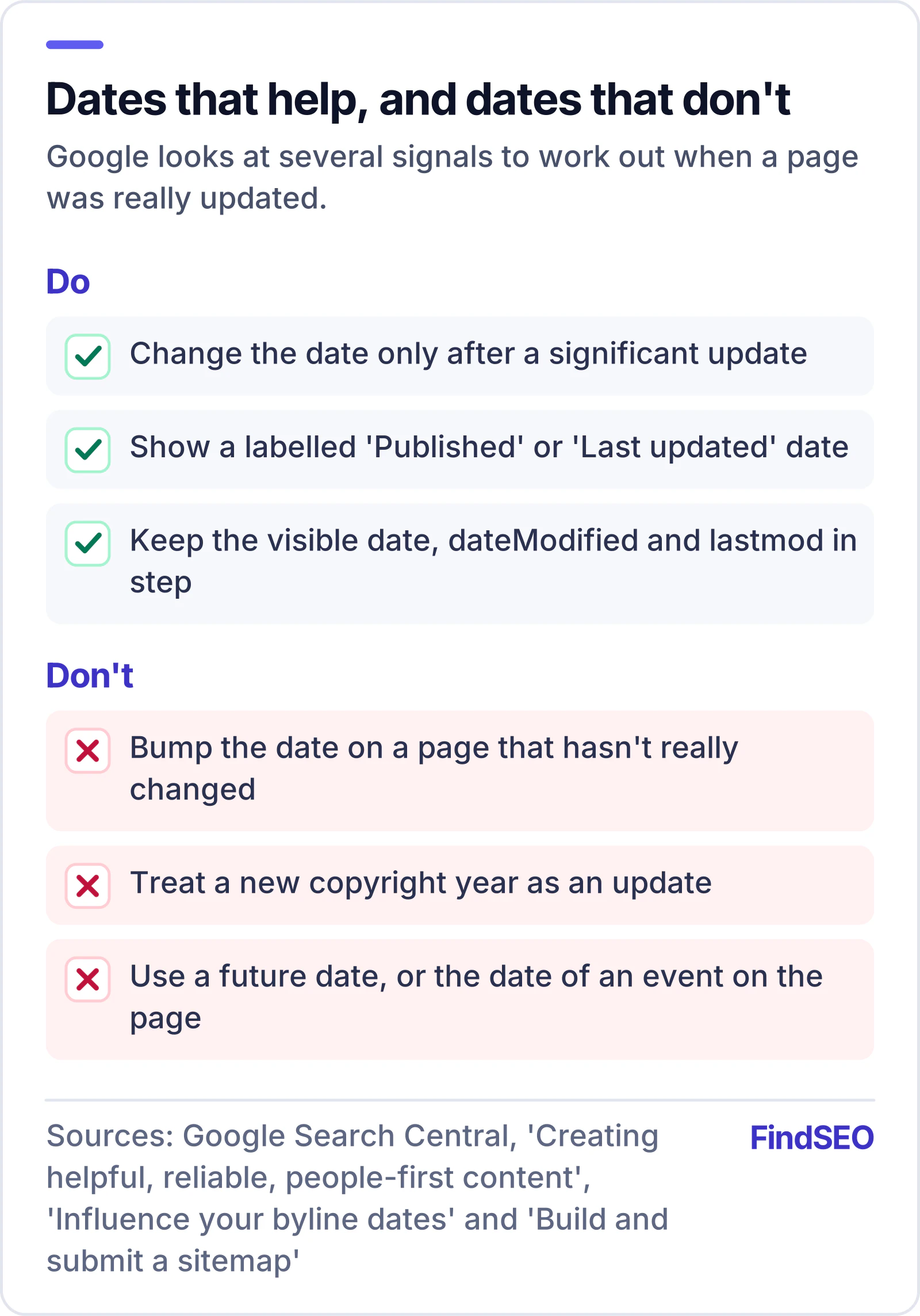
No. Google's helpful content guidance asks, "Are you changing the date of pages to make them seem fresh when the content has not substantially changed?" That's listed among the signs of content made for search engines first. If you work through our plain-English version of Google's self-assessment, it's one of the easiest to fix.
Dates still matter when they're honest. Google's guide to influencing your byline dates recommends a visible date labelled "Published" or "Last updated", matching datePublished and dateModified values in Article structured data, and no future dates. It says Google looks at several factors to estimate when a page was published or significantly updated, rather than relying on a single date.
Your XML sitemap works the same way. Google's guide to building a sitemap says it uses the lastmod value only if it's consistently and verifiably accurate, and that it should reflect the last significant update. An update to the main content, structured data or links is generally significant; a new copyright date is not. The sitemaps.org protocol adds that lastmod should use W3C Datetime format. Our guide to whether you need an XML sitemap covers the rest.
How do you know which pages need updating?
Start with evidence, not the calendar. These are the signs worth checking, roughly in order of effort:
- Falling clicks or impressions. The Performance report in Search Console shows how search traffic changes over time and which queries and pages bring it. Compare a recent period with an earlier one, page by page. If you haven't set it up yet, start with our Google Search Console explainer.
- Facts that expire. Prices, dates, laws, product names, screenshots and "this year" claims go stale on their own. Check them against the original source.
- A changed search result. If the pages now ranking answer a different question, or answer it in a different format, your page may no longer match what searchers want.
- Two pages chasing one query. If several of your pages target the same search, they can split attention between them. That's keyword cannibalisation, and the fix is usually to merge, not to refresh both.
- Broken or outdated links. Links to removed pages or old versions of official guidance make a page less useful and less trustworthy.
- Thin pages nobody needs. Old announcements, near-empty tag pages or pages for services you no longer offer are candidates for removal.

A good monthly SEO report should flag the first and third signs for you. If your agency only reports sitewide traffic, ask for a page-level view.
Should you update, merge, redirect or delete a page?
Once you know which pages need work, each one gets one of four outcomes. Our article on duplicate content covers the overlap problem in more depth; this is the short version.
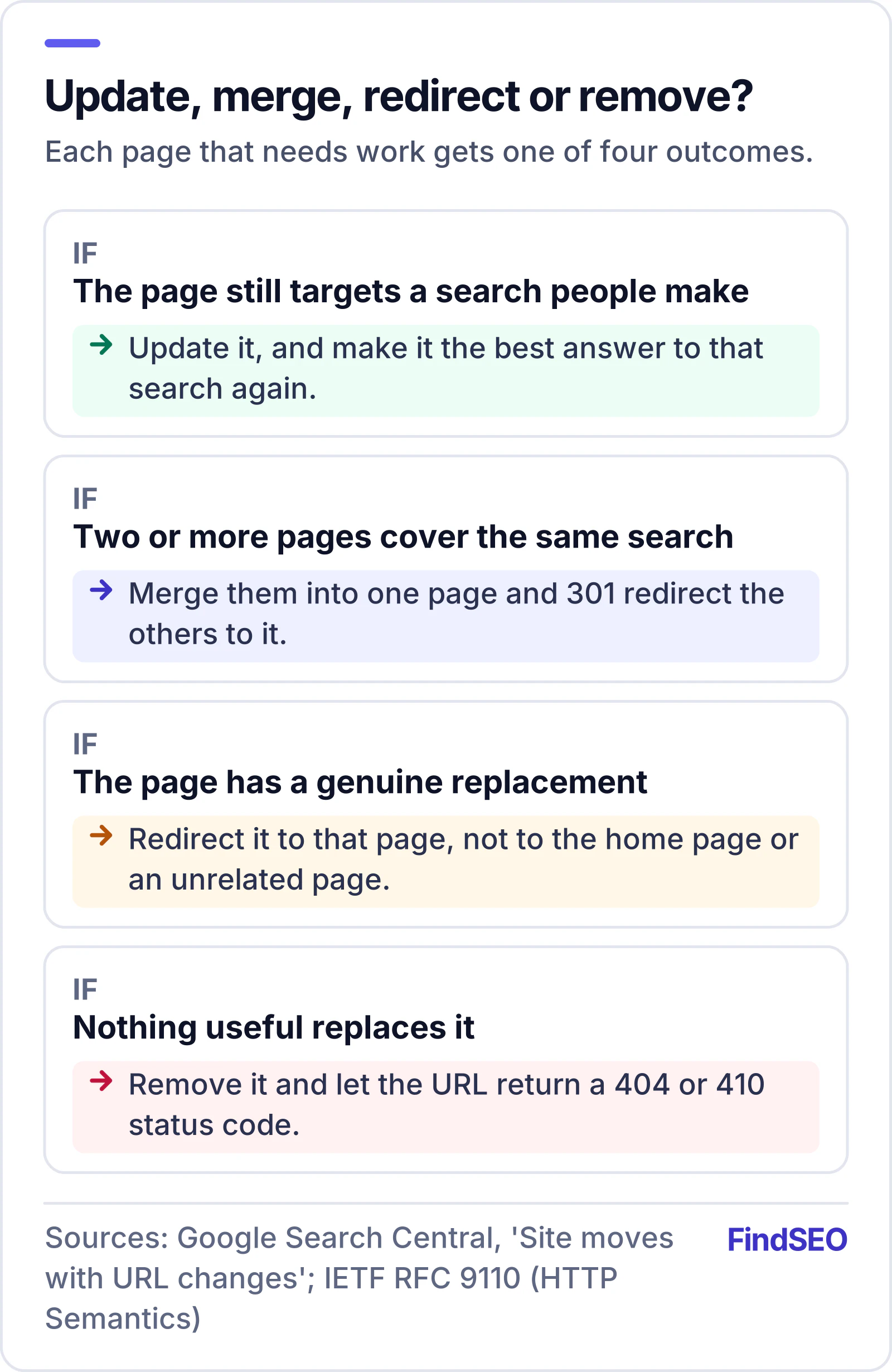
- Update it when the page still targets a search people make and you can make it the best answer again.
- Merge it when two or more pages cover the same ground. Combine the best parts into one page, then 301 redirect the others to it. Google's site move guide says that if you've consolidated content from multiple pages into one, you can redirect the older URLs to the new page.
- Redirect it only to a page that's a genuine replacement. The same guide warns against redirecting many old URLs to one irrelevant page, such as the home page, because it can confuse users and might be treated as a soft 404.
- Remove it when there's no useful replacement. Google's site move guide says removed content should return a 404 or 410 status code. Google's page on HTTP status codes and crawling lists both, and the HTTP standard, RFC 9110, defines 410 Gone as a resource that is no longer available and likely to be gone for good.
Removing pages isn't a ranking trick either. Google's helpful content question about removing lots of older content to make a site seem fresh applies here too. Remove pages because they don't help anyone, not because you've heard pruning lifts the rest of the site.
What counts as a real update?
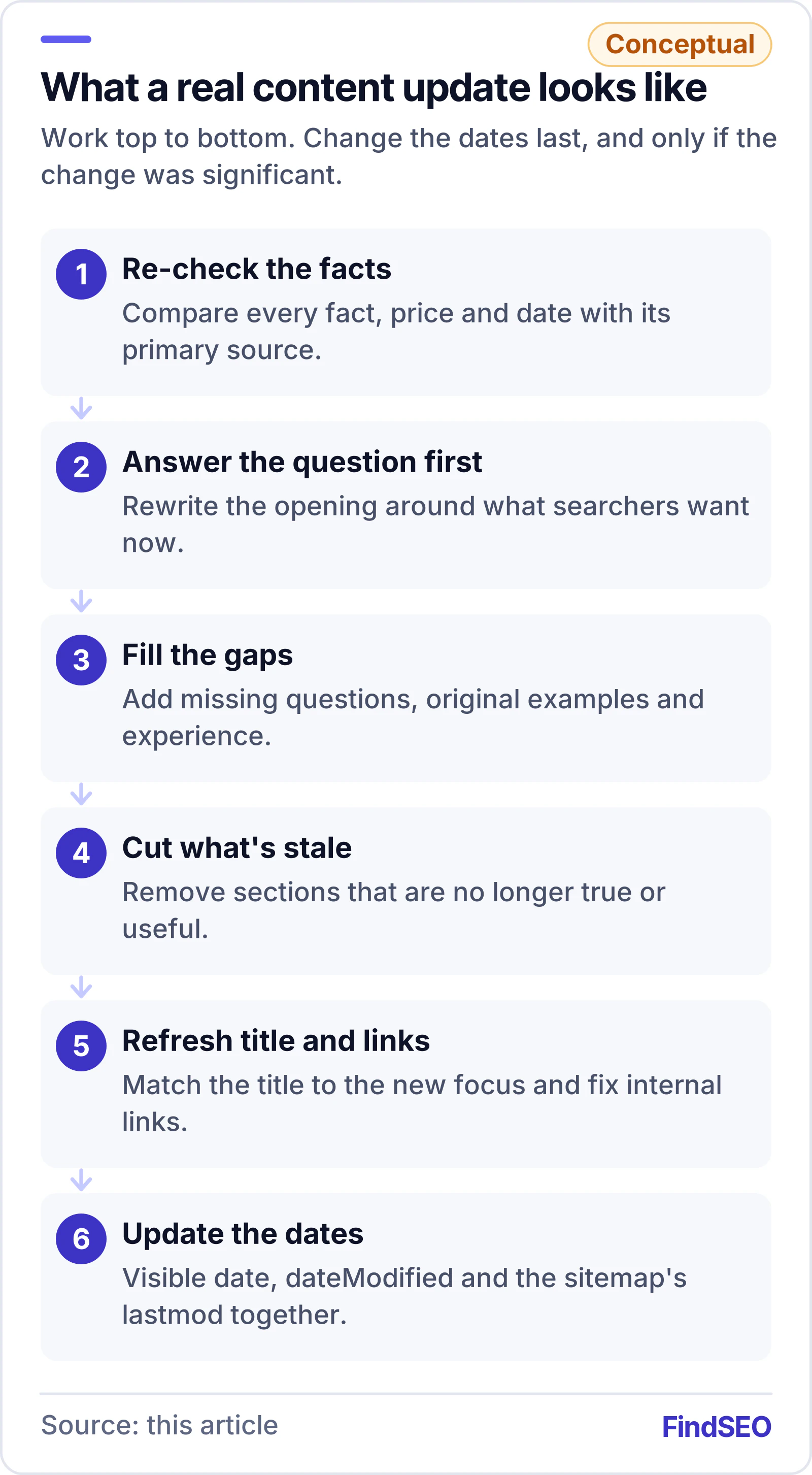
A real update changes what a reader gets from the page. Work through it in this order:
- Re-check every fact against its primary source. Replace anything that has changed and update the link if the source has moved.
- Answer the question in the opening lines. If searchers want something different now, rewrite the start of the page around it.
- Add what's missing. Look at the questions people ask about the topic and the gaps your page doesn't cover. Original examples, data or experience help most.
- Cut what's no longer true or useful. Shorter and correct beats longer and stale.
- Refresh the title and description if the page's focus has changed. Our Academy lesson on titles and meta descriptions explains what to aim for.
- Fix internal links. Link to the updated page from related pages, and update links that point at merged or removed URLs.
- Update the dates last. Change the visible "Last updated" date, dateModified and the sitemap's lastmod only if the change was significant.
If you're unsure whether the content itself is good enough, the Academy lesson on helpful content and E-E-A-T is a useful benchmark.
How do you get Google to see the update?
You don't need to do anything special for most updates. An accurate lastmod in your sitemap is how Google learns about changed pages at scale. For a few important pages, Google's guide on asking Google to recrawl your URLs says you can request indexing in the URL Inspection tool, but there's a quota, and requesting a recrawl repeatedly won't make it faster.
Google also says crawling can take anywhere from a few days to a few weeks, and that requesting a crawl doesn't guarantee inclusion in search results. If an updated page still isn't showing after that, our guide to why a page isn't indexed walks through the checks.
Don't judge an update in its first week. Rankings move for many reasons, including Google core updates, so compare a full period before and after rather than reacting to daily swings. Our guide to how long SEO takes explains why patience pays here.

Content update checklist
Use this before you call a page "updated":
- The page still targets a search people make, and it's the only page on the site that does
- Every fact, price, date and screenshot has been re-checked against its source
- The opening answers the question searchers have now
- Missing questions are answered and stale sections are cut
- Title and description match the updated focus
- Related pages link to it, and links to merged or removed URLs are fixed
- Merged pages 301 redirect to the best match; removed pages return 404 or 410
- The visible date, dateModified and lastmod change only for significant updates
- Results are compared over a full period, not a few days
What should you ask an agency that sells content refreshes?
Content refresh retainers are common, and many are worthwhile. Before you sign, ask:
- How do you choose which pages to update? Look for page-level Search Console data, not "we refresh ten posts a month".
- What changes on each page? A real refresh changes facts, structure and coverage. Ask for before-and-after examples.
- Do you ever recommend merging or removing pages? An agency that only ever adds or refreshes is selling volume.
- Do you change dates on pages you haven't substantially changed? The right answer is no.
- How will you report results? Ask for the pages updated, what changed and how each one performed over a comparable period.
Write the answers into the scope of work. Our guide to what an SEO contract should include shows where they belong.
Bottom line
Update pages because they're wrong, incomplete or beaten by better answers, not because a calendar says so. Time-sensitive topics need frequent checks; evergreen pages need fewer but deeper ones. Merge overlapping pages, remove the ones nobody needs, and only change the date when the content has genuinely changed. To see what better-performing pages could be worth, try the SEO ROI calculator, and check how strong a page is with the Page Authority Checker. If you'd rather hand it over, browse content SEO agencies in Australia, start with content SEO agencies in Melbourne, or use Get matched to find a specialist.