You can switch SEO agencies without losing rankings or data, as long as your business owns its accounts before you give notice. Make sure you're the verified owner or administrator of Search Console, Google Analytics, Google Business Profile, Tag Manager, Google Ads and your domain name. Then collect the handover, give the new agency access, and remove the old agency properly. Rankings rarely drop because an agency leaves. They drop when redirects, tracking or site changes break during the handover.
What do you need to own before you switch?
Google's own advice on hiring an SEO is a useful starting point: you're responsible for the actions of any company you hire. That includes the accounts it set up on your behalf. If the agency created your Search Console property or Business Profile under its own login, fix that first, while the relationship is still friendly.
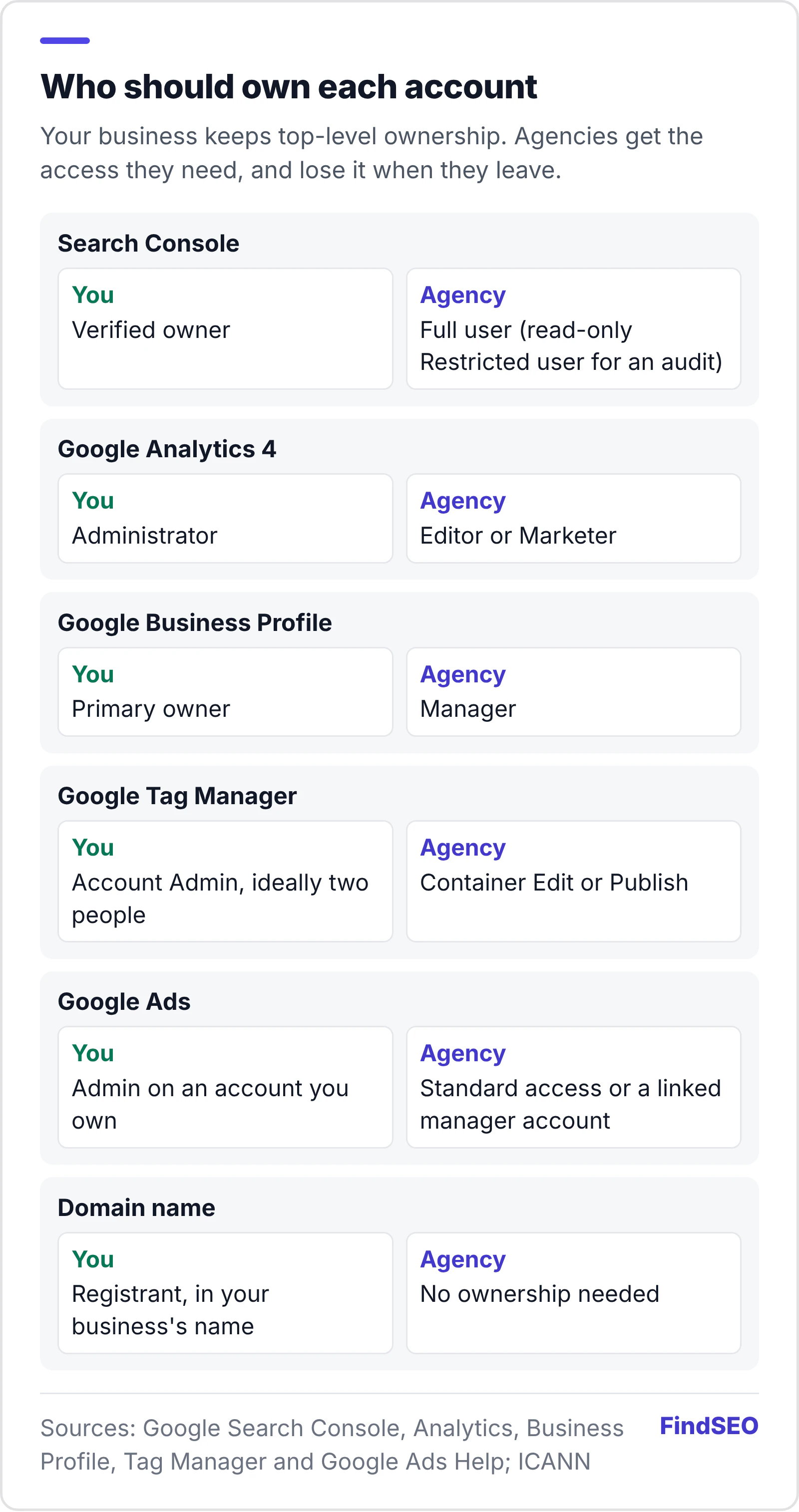
| Account | What to check | Why it matters |
|---|---|---|
| Google Search Console | You're a verified owner | Owners control who else has access |
| Google Analytics 4 | You have the Administrator role | Only administrators can add and remove users |
| Google Business Profile | You're the primary owner | Managers can't add or remove users |
| Google Tag Manager | Your staff hold the account Admin role | Tags can be added or removed without you |
| Google Ads | You're an Admin on your own account | Only Admins can unlink a manager account |
| Domain name | Registered in your business's name | Hosting, email and verification depend on it |
The domain is the one people forget. ICANN's registrant FAQs confirm you have the right to move a domain between registrars, but the process is far simpler when the registrant details are yours in the first place.
How do you get full access to each account?
Ask the outgoing agency to add you at the top level, then confirm it yourself rather than taking a screenshot on trust.
- Search Console. Google's guide to managing users, owners and permissions explains the three levels: owner, full user and restricted user. Verify ownership yourself, using a method you control, such as a DNS record or an HTML file on your own server.
- Google Analytics 4. The GA4 access roles are Administrator, Editor, Marketer, Analyst and Viewer. You want Administrator, because only administrators can manage users.
- Google Business Profile. Google's page on owners and managers says a profile has one primary owner, and that new owners and managers must wait 7 days before they can remove other users or transfer primary ownership. Start early.
- Google Tag Manager. Google's Tag Manager permissions guidance recommends at least two account administrators and says your account should be managed by someone in your organisation, not an external agency.
- Google Ads. Under Google Ads access levels, only an Admin can give access and unlink manager accounts. If your account only exists inside the agency's manager account, get Admin access before you leave.
If you aren't sure what level of access an agency normally needs, our Academy lesson on working with your agency covers the basics.
What should the outgoing agency hand over?
Your contract should already spell this out. Our guide to what an SEO contract should include covers the handover clause, and our free SEO contract template includes one. Whatever the contract says, ask for:
- A list of work completed and in progress, including technical changes made to the site.
- Every redirect the agency set up, with the old and new URLs. Lost 301 redirects are one of the fastest ways to lose traffic.
- Content, keyword research and audit files created for you.
- Reports and raw data exports, so the new agency can compare like with like.
- Any disavow file the agency uploaded, and the reason for it.
- Details of any links the agency built or paid for. You need to know what's pointing at your site.
- Logins for tools set up in your name, such as your CMS, hosting and rank tracking.
Export your own copies too. Search Console's Performance report lets you export data, and it's worth saving page-level and query-level figures before anything changes.

Should you sign the new agency or give notice first?
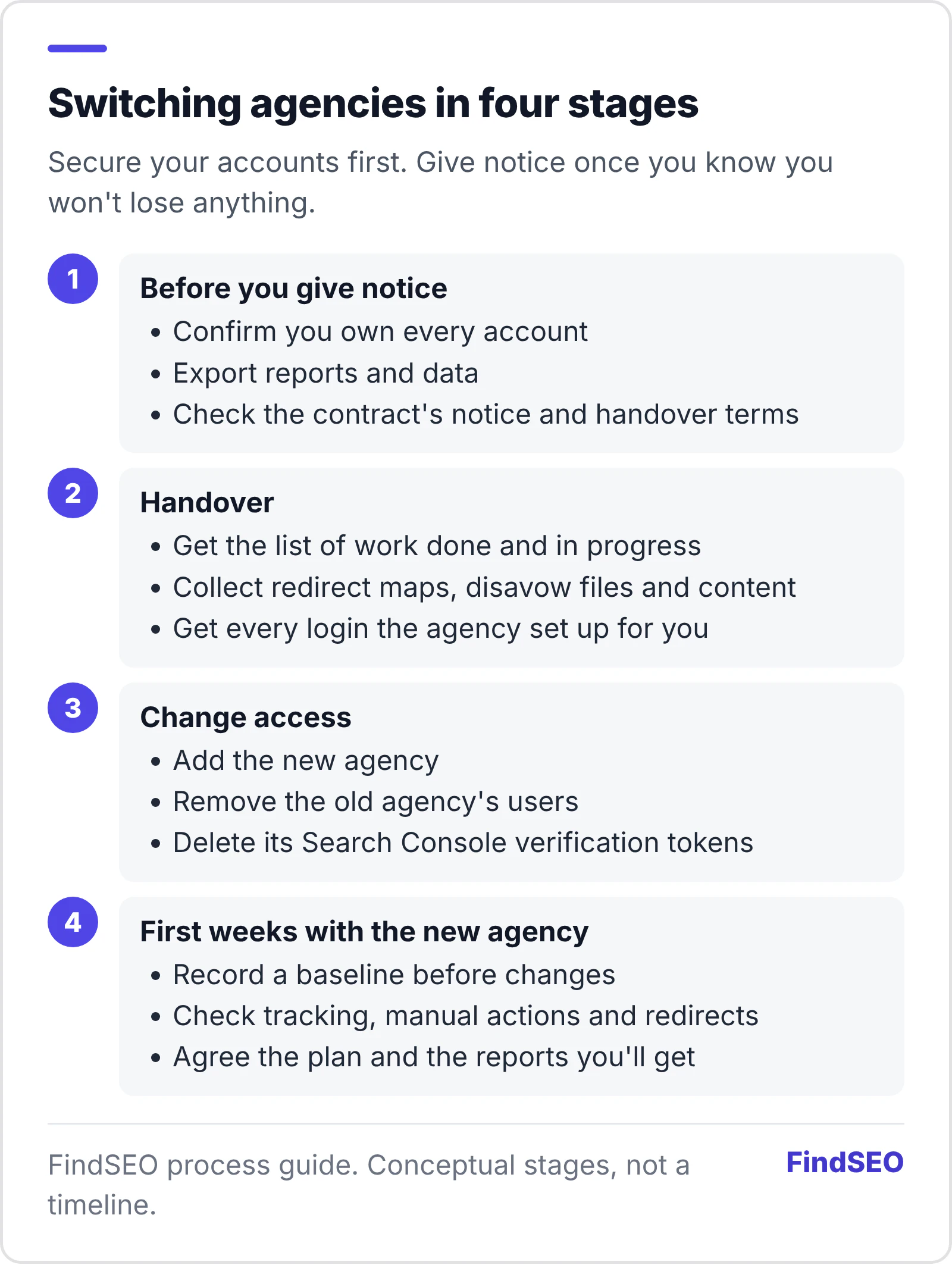
Secure your accounts first, then line up the new agency, then give notice. That order means there's no gap where nobody is watching the site and no moment where the old agency holds the only keys.
Check your notice period and any minimum term before you talk to anyone. If you're still choosing, our guides on questions to ask an SEO agency and comparing SEO proposals will help, and it's worth asking whether an agency, freelancer or in-house hire suits you better this time.
How do you remove the old agency's access properly?
Deleting a user isn't always enough. Search Console's permissions guide says that to remove a verified owner, you must also delete all of their verification tokens, such as an HTML file, meta tag or DNS record, or they can verify themselves again. It also has an ownership history and a list of unused tokens worth checking. If you're taking over a site, Google suggests verifying yourself, then removing the previous owners' tokens.
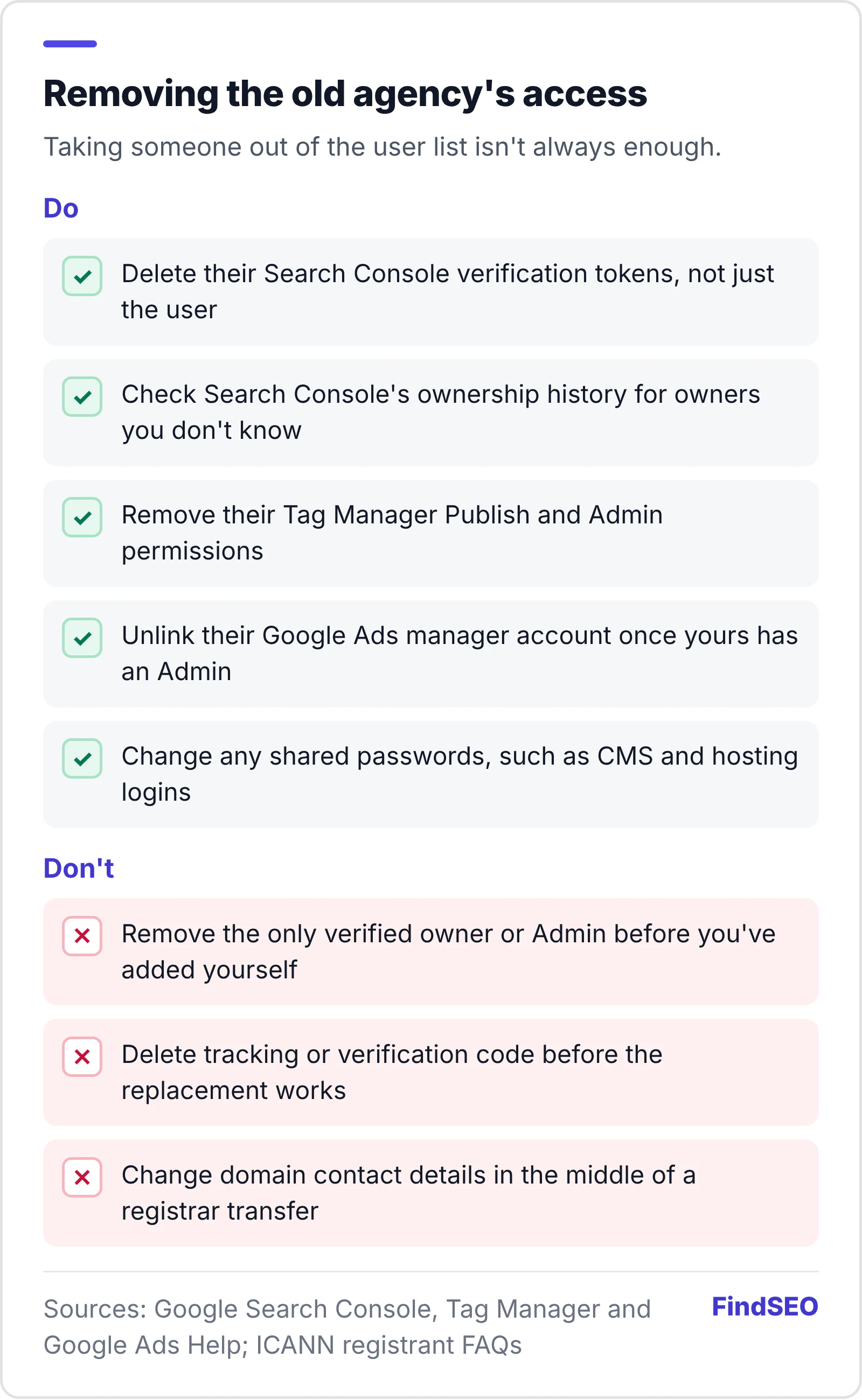
Do the same everywhere else. Remove the agency's users in Analytics, Business Profile and Tag Manager, unlink its manager account in Google Ads, and change any passwords you shared. Don't remove code or tracking until you've checked what replaces it. On the domain, ICANN notes that certain changes to registrant information can prevent a transfer for a time, so finish one change before starting the next.

How do you check for problems the old agency left behind?
Ask the new agency to start with an SEO audit. Our guide to what a technical SEO audit includes explains the scope. Three things deserve particular attention:
- Manual actions. Check the Manual actions report in Search Console. A manual action means someone at Google has checked the site and found a breach of its spam policies.
- Links. Google's disavow guidance notes that you, or an SEO you've hired, may have built bad links. It says to disavow only if you have a considerable number of spammy or low-quality links and they've caused, or are likely to cause, a manual action. Most sites don't need one.
- Redirects. Run important old URLs through our redirect checker to confirm they still go straight to the right page.
How should you brief the new agency?
Give the new agency everything the old one handed over, plus clear goals. Our Academy lesson on writing an SEO brief and the free SEO brief builder help you set them out. Agree a baseline before any changes go live, so you can judge results fairly. Tools like our SEO ROI calculator and page authority checker give you a starting point to compare against, and our guide to what an SEO report should include shows what to expect each month.
Be realistic about timing. A new agency needs time to learn your site, and how long SEO takes doesn't reset just because the people changed.
Agency switch checklist
- You're a verified owner in Search Console, using your own verification method.
- You're an Administrator in Google Analytics 4.
- You're the primary owner of your Google Business Profile.
- Two of your people are account Admins in Tag Manager.
- You're an Admin on your own Google Ads account.
- Your domain is registered in your business's name.
- You've exported reports and Search Console data.
- You have the redirect list, files, disavow file and a record of links built.
- The old agency's users and verification tokens are removed.
- Shared passwords are changed.
- The new agency has a baseline, a brief and an audit plan.
What should you ask the new agency?
- What will you check in the first weeks, and what won't you change until you've checked it?
- Which access level do you need in each account, and why?
- How will you report progress against the baseline?
- What happens to our accounts and files if we part ways?
That last question matters. The best time to plan your next handover is before the work starts. Be wary of any agency that promises a quick recovery or top rankings. Our guide to fake SEO guarantees explains why.
Bottom line
Switching SEO agencies is mostly an access problem, not a ranking problem. Own every account, get the handover in writing, add the new agency before removing the old one, and delete old verification tokens as well as users. Then let the new team audit before it changes anything. If you're looking for a replacement, you can browse SEO agencies in Australia, start with agencies in Melbourne, or get matched with agencies that fit your brief.