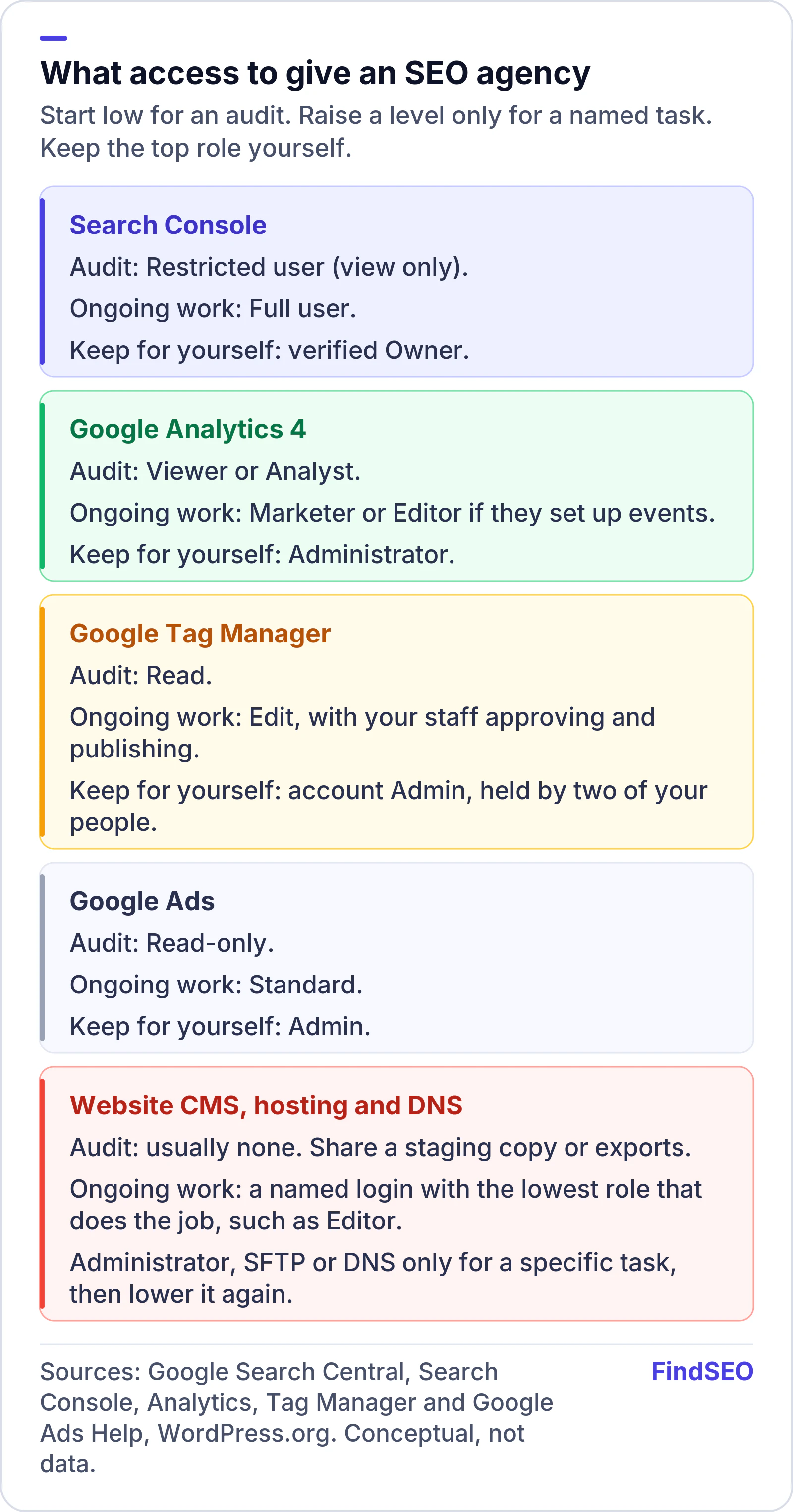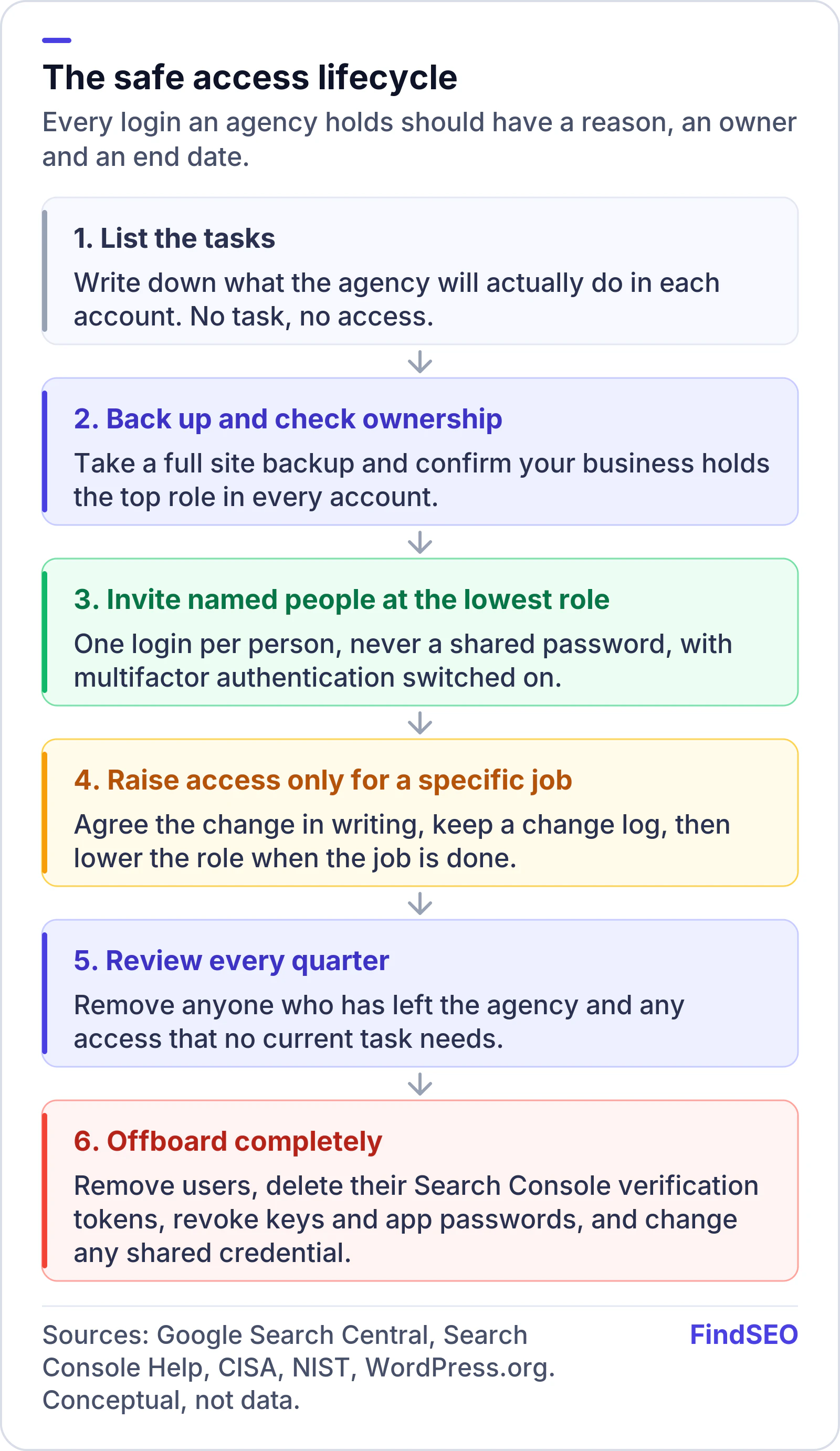
Give an SEO agency the lowest level of access that lets it do the job, through named logins for each person, and keep the top role in every account for your own business. For an audit, that usually means view-only access: Google's advice on hiring an SEO says to grant only read access to Search Console at the audit stage, not write access. Raise access only when there's a specific task that needs it, switch on multifactor authentication, take a backup before anyone changes your site, and remove access properly when the work ends. Google also reminds site owners that they're responsible for the actions of any company they hire.
This guide covers what to give an agency in each common account, how to handle website, hosting and DNS logins, and what to do when the relationship ends.
Why does agency access matter so much?
Because whoever holds the top role in an account controls it. In Google Search Console, owners can add and remove users and change settings. In WordPress, an Administrator can install plugins and edit code. If an agency holds those roles and you don't, you depend on its goodwill to get your own data back, and a single compromised agency login can reach your whole site.
Security agencies frame the fix the same way. NIST defines least privilege as restricting each user's access "to the minimum necessary to accomplish assigned tasks." For an SEO engagement, that means three things:
- Your business owns every account. The agency is a user, not the owner.
- Each person gets their own login. No shared passwords, so you can see who did what and remove one person without locking everyone out.
- Access matches the task. An audit needs less than a site migration, and a migration needs more only while it's happening.
Agreeing this upfront is easier than untangling it later. Our guide to what an SEO contract should include covers putting account ownership in writing, and our SEO contract template includes a clause for it.

What access does an agency need for an audit?
Less than most people give. An SEO audit is mostly reading: crawling public pages and reviewing Search Console and analytics data. Google says that if an SEO offers an audit, you should "only grant read access to Search Console (at this stage, don't grant them write access)."
In practice, a pre-contract or one-off audit usually needs:
- Search Console: Restricted user. Google's permissions guide describes Restricted users as having simple view rights on most data.
- Google Analytics 4: Viewer or Analyst. In the GA4 access roles, Viewers can see settings and data, and Analysts can also create and share explorations.
- Google Tag Manager: Read. Tag Manager's user permissions let Read users browse tags, triggers and variables without making changes.
- Google Ads, if relevant: Read-only. Under Google Ads access levels, Read-only users can view campaigns and run reports but can't edit campaigns.
- Your website: usually nothing. A crawler sees what Google sees, and a staging copy is safer than a live login if they need to check templates.
If an agency wants owner access just to quote, ask why. Our guide to what a technical SEO audit includes shows how much can be done from the outside.