If you travel to your customers and don't serve them at your own address, Google treats you as a service-area business. You should hide your address, list up to 20 service areas, and keep the whole area within about two hours' drive of where you're based.
Plumbers, electricians, cleaners, mobile mechanics, dog walkers and many other Australian trades run from home or a depot that customers never visit. Google's rules for these businesses differ from the rules for shopfronts, and getting them wrong can stop you verifying or get your profile suspended. This guide sets out what Google's Business Profile help pages actually say. If your profile has already been suspended, start with our guide to fixing a suspended Google Business Profile.
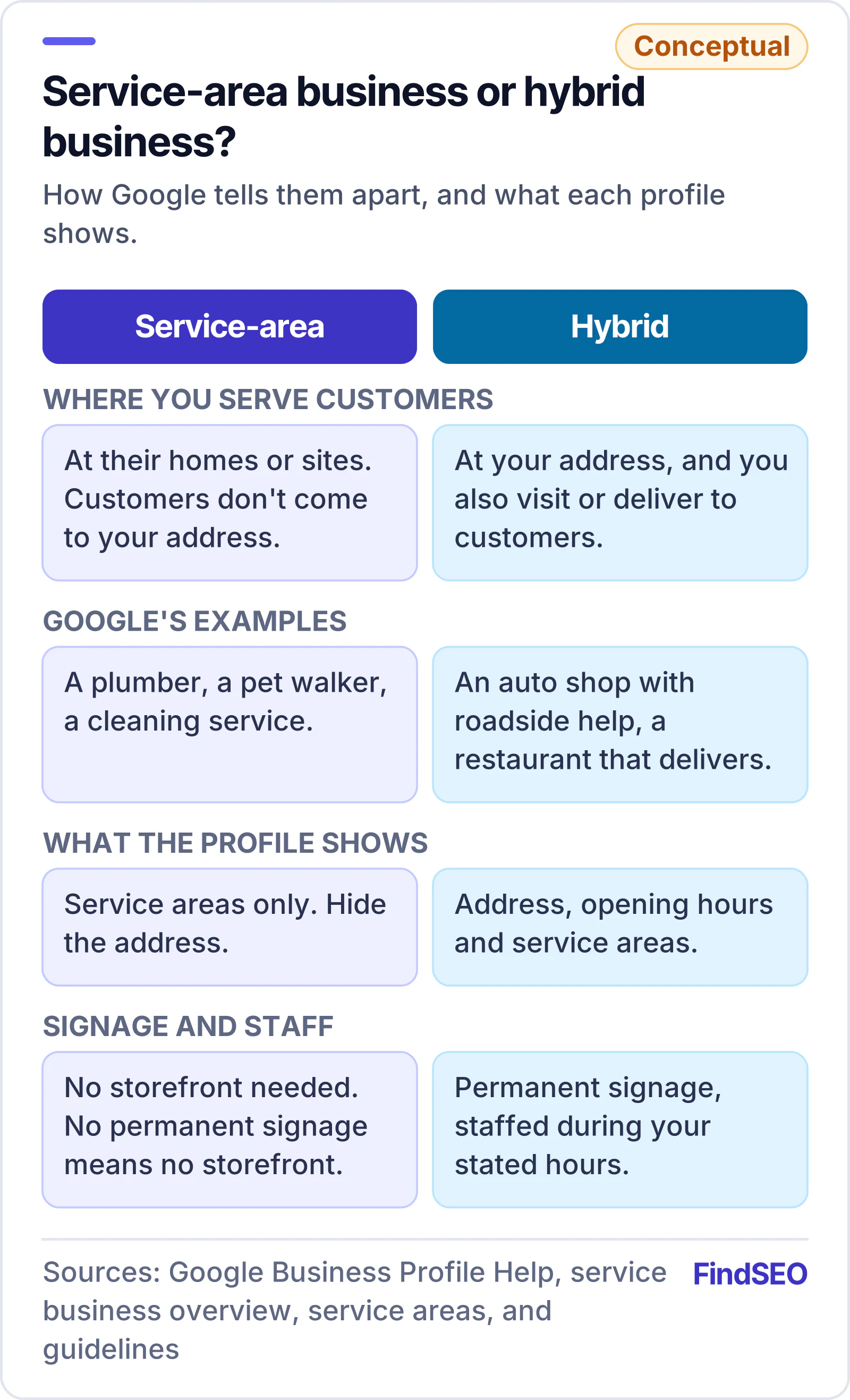
Are you a service-area business or a hybrid business?
Google's service business overview splits businesses that go to customers into two types.
| Type | Google's definition | Google's examples | What your profile shows |
|---|---|---|---|
| Service-area business | Visits or delivers to customers directly, but doesn't serve customers at its business address | A plumber, a pet walker, a cleaning service | Service areas only, with the address hidden |
| Hybrid business | Serves customers at its business address and also visits or delivers to them | An auto shop with roadside assistance, a dine-in restaurant that delivers | The address, opening hours and service areas |
Google's service area help page adds an important condition for hybrids: if your business doesn't have permanent on-site signage, it isn't eligible as a storefront and should be listed as a service-area business. Google's guidelines also say that if you show your address and set a service area, the location should be staffed and able to receive customers during its stated hours.
Can a service-area business get a Business Profile at all?
Yes, as long as you meet customers in person. Google's getting started page says only businesses that make face-to-face contact with customers are eligible, including service providers that visit customers, and that Business Profiles aren't for online-only businesses or properties for rent or sale.
Google's guidelines for representing your business set out the address rules:
- No virtual offices. If you rent a mailing address but don't operate from it, Google says that location isn't eligible. Service-area businesses can't list a virtual office unless it's staffed during business hours.
- No PO boxes. Google says PO boxes or mailboxes at remote locations aren't acceptable.
- Co-working spaces need more. An office in a co-working space only counts if it has clear signage, receives customers and is staffed by your team during business hours.
- One profile per business. A service-area business should have one profile for its central office, with a service area. Google allows separate profiles only for separate locations with their own service areas and staff.
Our guide to Google's spam policies and our lesson on Search Essentials and spam policies cover the wider rules on misleading listings.
Should you hide your address if you work from home?
Yes. Google's guidelines say that if you're a service-area business you should hide your address from customers, and give the example of a plumber running the business from a residential address: clear the address from the profile.
Google's address help page explains that the address on a Business Profile is public, and that you should only choose not to show it if you're a service-area business. If you hide it without entering a service area, Google says a local area is chosen for you.
To hide your address:
- Go to your Business Profile while signed in to the Google Account that manages it.
- Select Edit profile, then Location.
- Next to Business location, select Edit.
- Turn off "Show business address to customers" and save.
How do you set your service areas?
Google's service area help page gives the steps:
- Go to your Business Profile and select Edit profile, then Location.
- Next to Service area, select Edit.
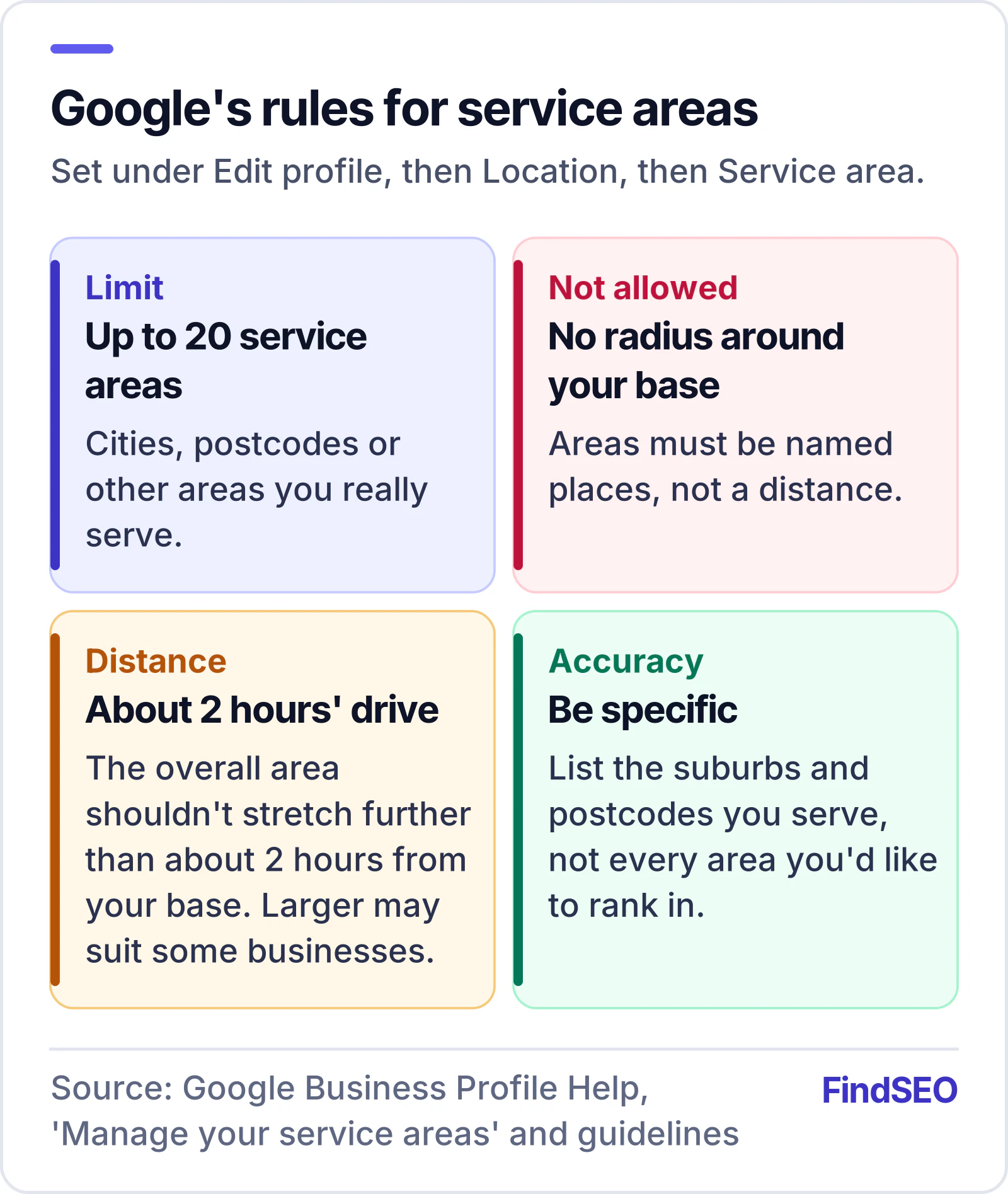
- Choose a suggested area or type one in. Google says you can set up to 20 service areas based on cities, postcodes or other areas you serve.
- Select Save. Google says approved edits can take up to 48 hours to appear.
The same page sets three rules:
- No radius. You can't set a service area as a distance around your base; it has to be cities, postcodes or other areas.
- About two hours' drive. The boundaries of your overall area shouldn't be more than about 2 hours of driving time from where you're based. Google's guidelines add that larger areas may be appropriate for some businesses.
- Be specific and accurate. List the suburbs or postcodes you really serve, not every area you'd like to rank in.
How do you verify a business that customers don't visit?
You still need to verify. Google's verification page says the methods are chosen automatically and depend on your business type, public info, region and hours. You may need more than one method. The options can include:
- Phone or text, with a code sent to your business number
- Video recording, which Google recommends if you're eligible
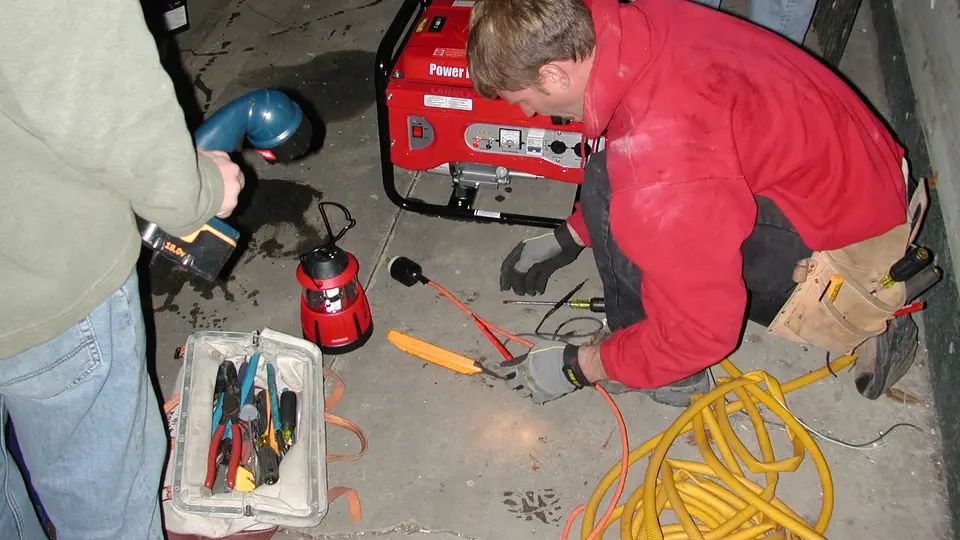
- Live video call, where Google says you may need to show your location and your business, such as branded equipment or the tools you use
- Postcard, mailed to your business address, with a code that expires after 30 days.
For service businesses, branded equipment, a signwritten vehicle and business paperwork make video verification much easier. While a postcard is on its way, Google says not to edit your business name, address or category, or the code won't work.
What else should a service-area profile include?
Google's service business overview says a profile can include your business name, website, phone number, hours, reviews and services. Google's guidelines add a few points that matter for trades:
- Use your real-world business name, as it appears on your signage, vehicles and stationery. Google says adding unnecessary information, such as location or service details, isn't permitted and could get your profile suspended.
- Use a local phone number rather than a central call centre where possible, and don't use numbers or links that redirect to someone else.
- Choose the fewest categories that describe your core business.
- List your services. Google's services help page lets you group services and add descriptions, and warns that custom services breaking policy are rejected automatically.
Reviews matter as much for service businesses as for shopfronts, and they show alongside you in the local pack. Our guide on how to get more Google reviews covers what Google allows.
How does your website support a service-area profile?
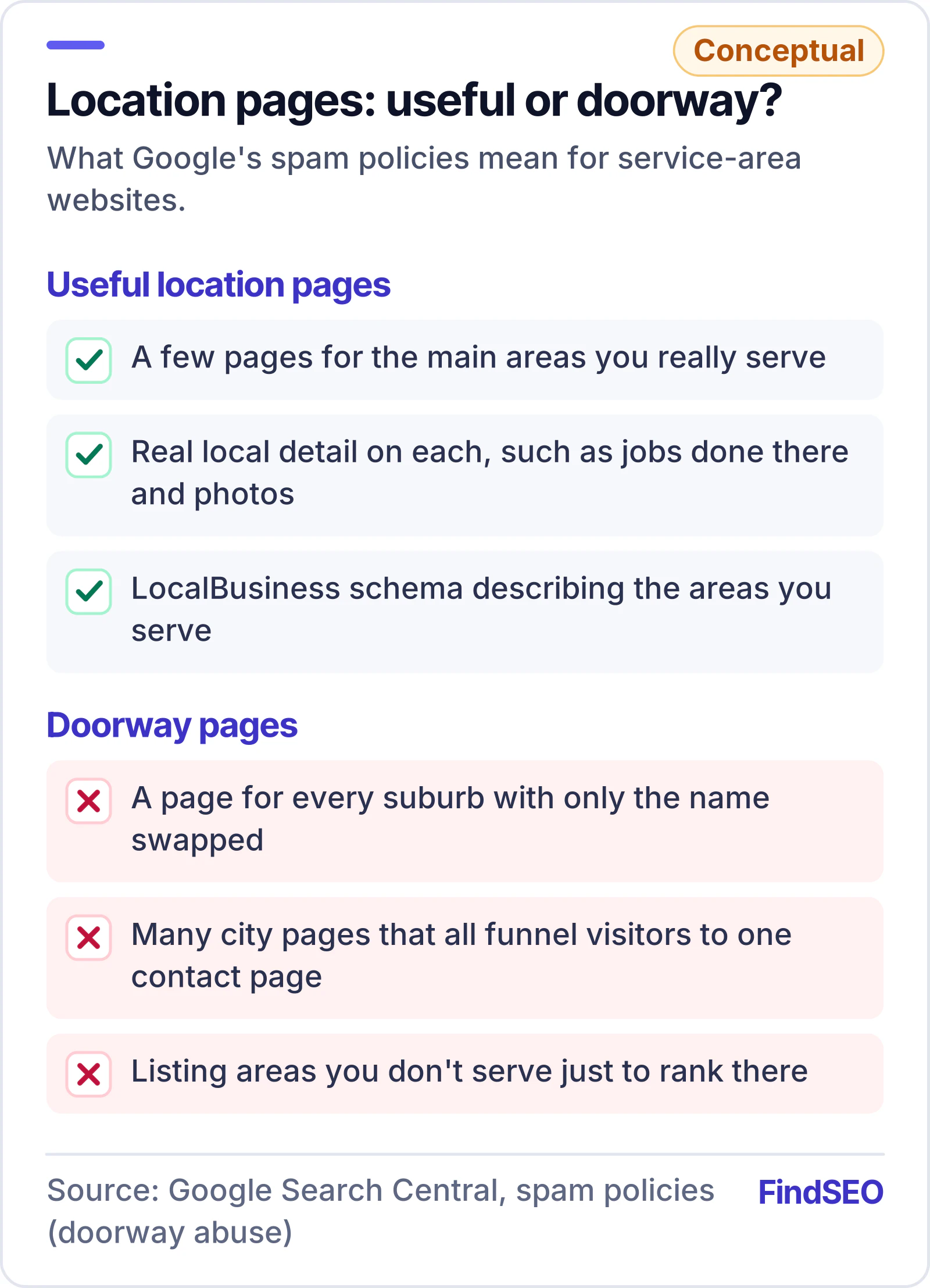
Your Google Business Profile is only part of local SEO. Google's spam policies list "multiple domain names or pages targeted at specific regions or cities that funnel users to one page" as doorway abuse, so a page for every suburb with the name swapped out is risky. Our article on whether duplicate content hurts SEO explains why near-identical pages rarely help.
A safer approach is a few genuinely useful location pages for the main areas you serve, with real detail such as local jobs and photos. LocalBusiness schema markup can describe the areas you serve; our Schema Generator builds it. For how all this feeds into rankings, read how Google ranks local results.
A service-area Business Profile checklist
- Confirm you meet customers in person (online-only businesses aren't eligible)
- Decide whether you're a service-area or hybrid business
- Don't use a virtual office, PO box or unstaffed co-working desk
- Hide your address if customers don't come to you
- Add up to 20 service areas by suburb, city or postcode
- Keep the overall area within about two hours' drive
- Use your real business name, a local phone number and the fewest categories
- Verify using the method Google offers, ideally video
- Don't change your name, address or category while a postcard is pending
- Support the profile with useful, non-duplicated location pages
The bottom line
Google's rules for service-area businesses are simple once you know them: meet customers in person, keep your home address hidden, list the areas you really serve, and represent your business exactly as it appears in the real world. Build schema with our Schema Generator and check what your profile is worth with our SEO ROI Calculator. For help with the rest of your local presence, browse local SEO agencies in Australia and in Melbourne, or get matched with one.