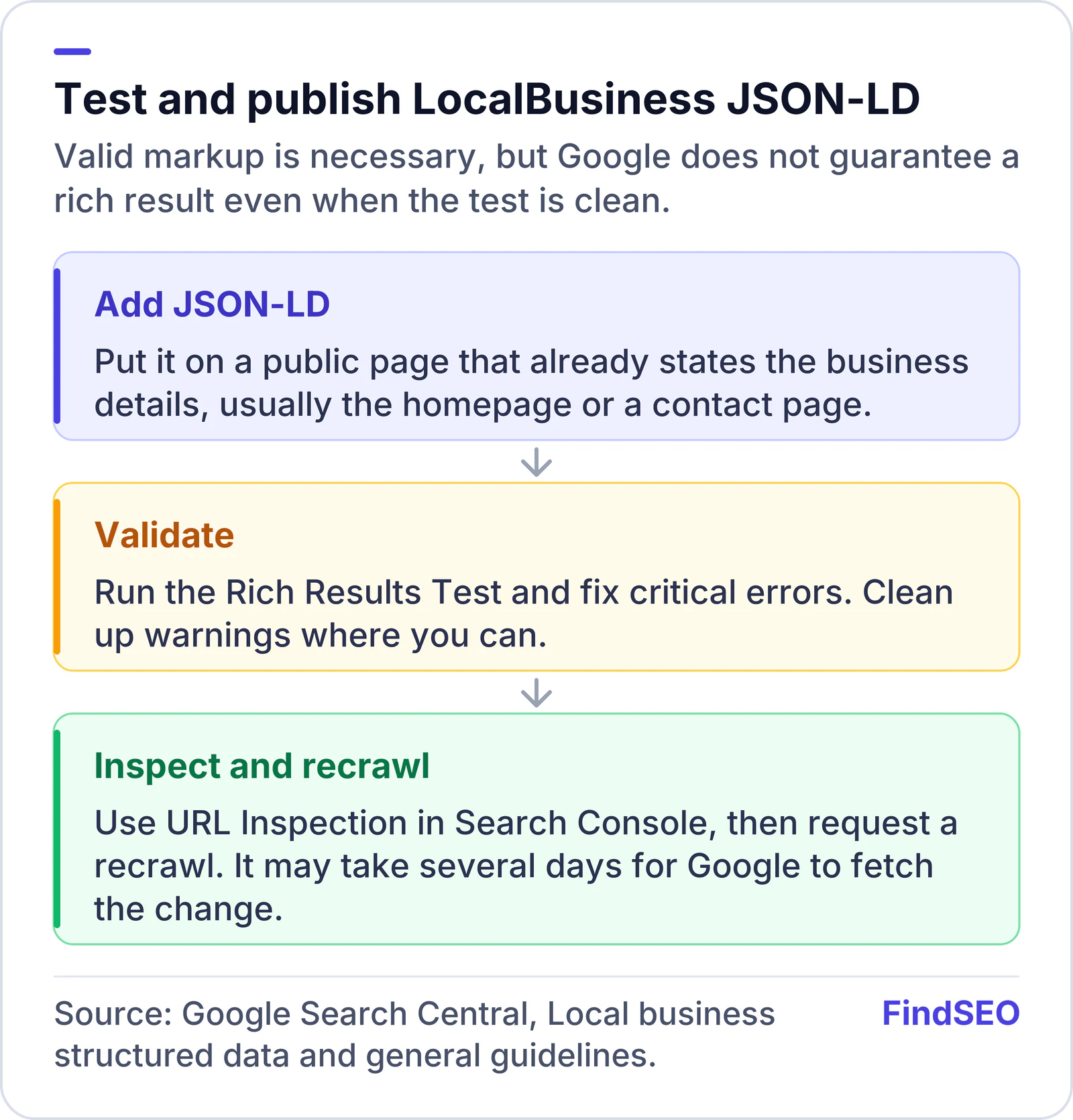
To add LocalBusiness schema markup for Google, put JSON-LD on a page that already describes the business — usually the homepage or a contact page. The required properties are name and address (as a PostalAddress). Use the most specific type you can, such as Dentist or Restaurant, add recommended details such as phone, URL, geo coordinates and opening hours, then test the page in the Rich Results Test.
Structured data does not replace a Google Business Profile. It is a machine-readable copy of facts that are already visible on the page, so Google can understand the premises more clearly in Search and Maps. Google's Local Business structured data documentation was last updated in September 2026 and is the source for the steps below.
What do you need to mark up?
You must follow the general structured data guidelines as well as the Local Business rules. The markup has to match visible content. If a fact is not on the page, do not invent it in JSON-LD.
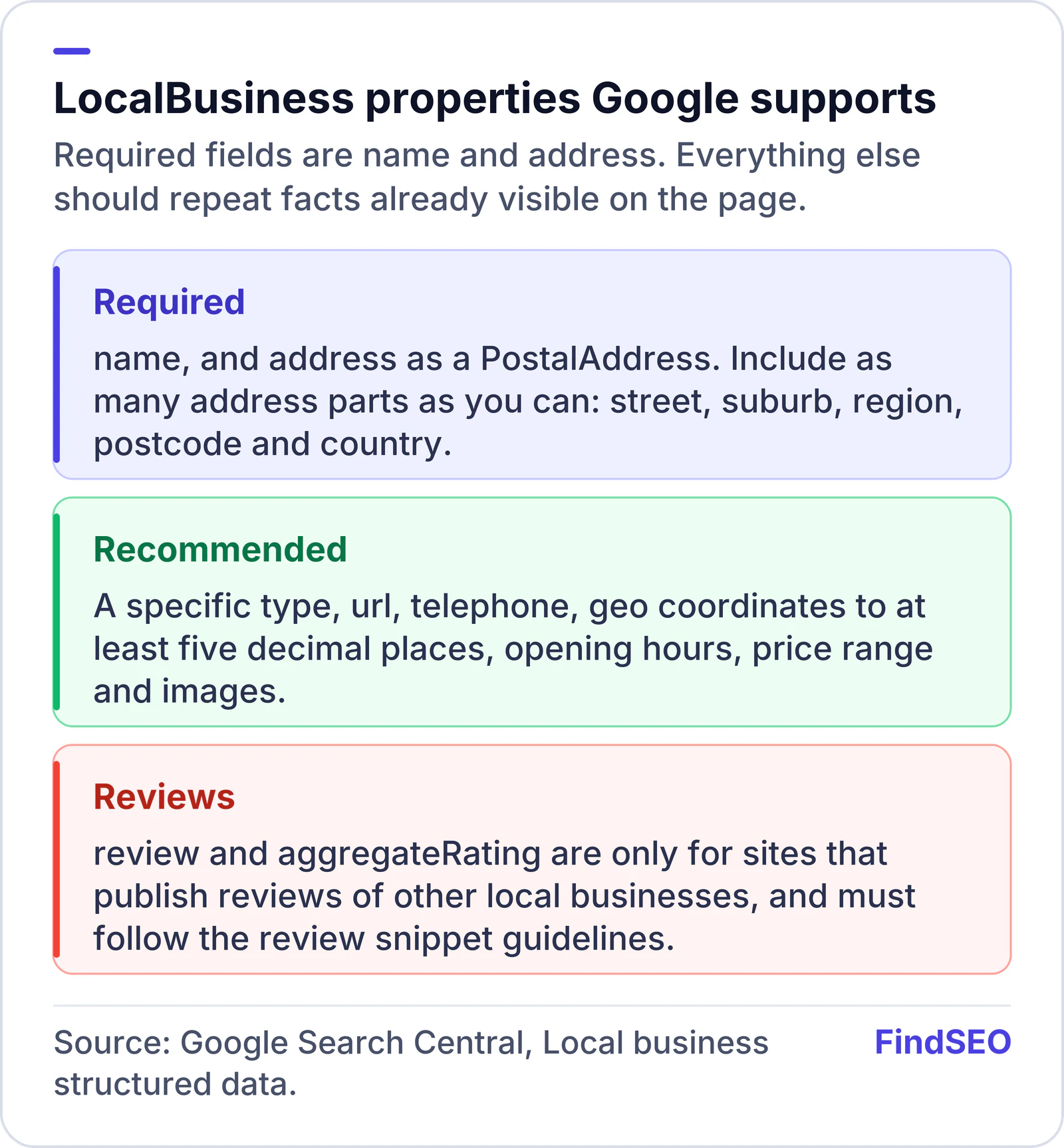
Google requires:
name: the business name.address: aPostalAddresswith as many parts as you can provide, such as street, suburb, region, postcode and country.
Google recommends, among other properties: url, telephone (with country code), geo latitude and longitude to at least five decimal places, openingHoursSpecification, priceRange, and image where it helps. Use the most specific LocalBusiness sub-type. If the business is several types at once, Google says you can list them as an array, for example electrician and plumber together. Because LocalBusiness is a sub-type of Organization, Google also recommends following the Organization fields where they apply.
Do not add review or aggregateRating unless your site publishes reviews of other local businesses and you follow the review snippet guidelines. Markup for reviews of your own business on your own site is not what that property is for.
How do you add the JSON-LD?
Google's documentation prefers JSON-LD in a script tag of type application/ld+json. You can place LocalBusiness structured data on any page, though it usually belongs on a page that already states the name, address and hours.
A minimal shape looks like this (replace every value with your real details):
{
  "@context": "https://schema.org",
  "@type": "LocalBusiness",
  "name": "Example Bakery",
  "address": {
    "@type": "PostalAddress",
    "streetAddress": "12 Example Street",
    "addressLocality": "Fitzroy",
    "addressRegion": "VIC",
    "postalCode": "3065",
    "addressCountry": "AU"
  },
  "url": "https://www.example.com/",
  "telephone": "+61-3-0000-0000"
}
Use a more specific @type when one exists. Add openingHoursSpecification for ordinary and weekend hours, and geo if you know the coordinates. Keep the phone number and URL identical to the ones on the Business Profile and in citations.
If you use a CMS, a plugin or our schema generator can draft the JSON-LD, but you still need to check that every field is true. Multiple locations should each have a page and markup for that premises, which pairs with well-built location pages.