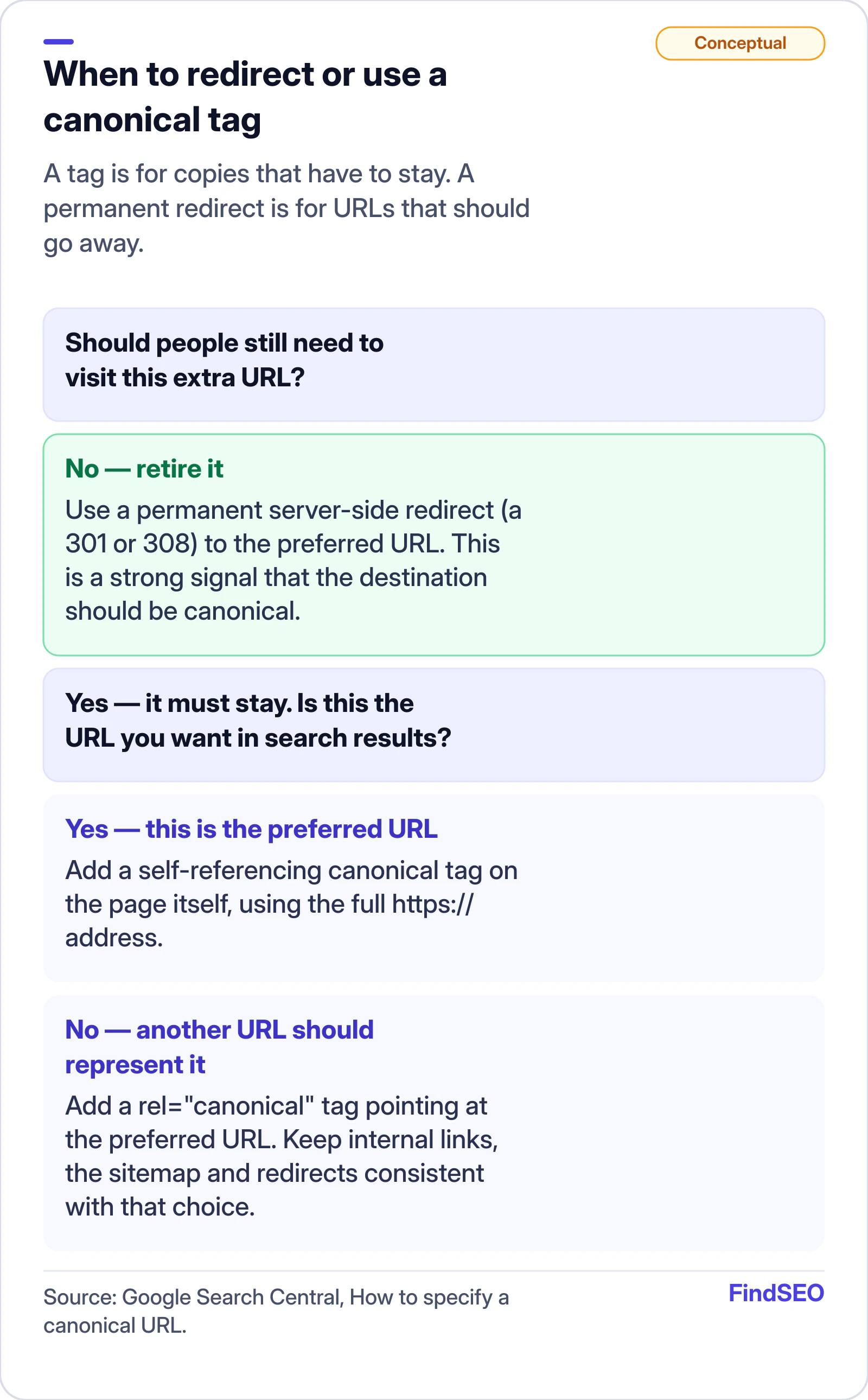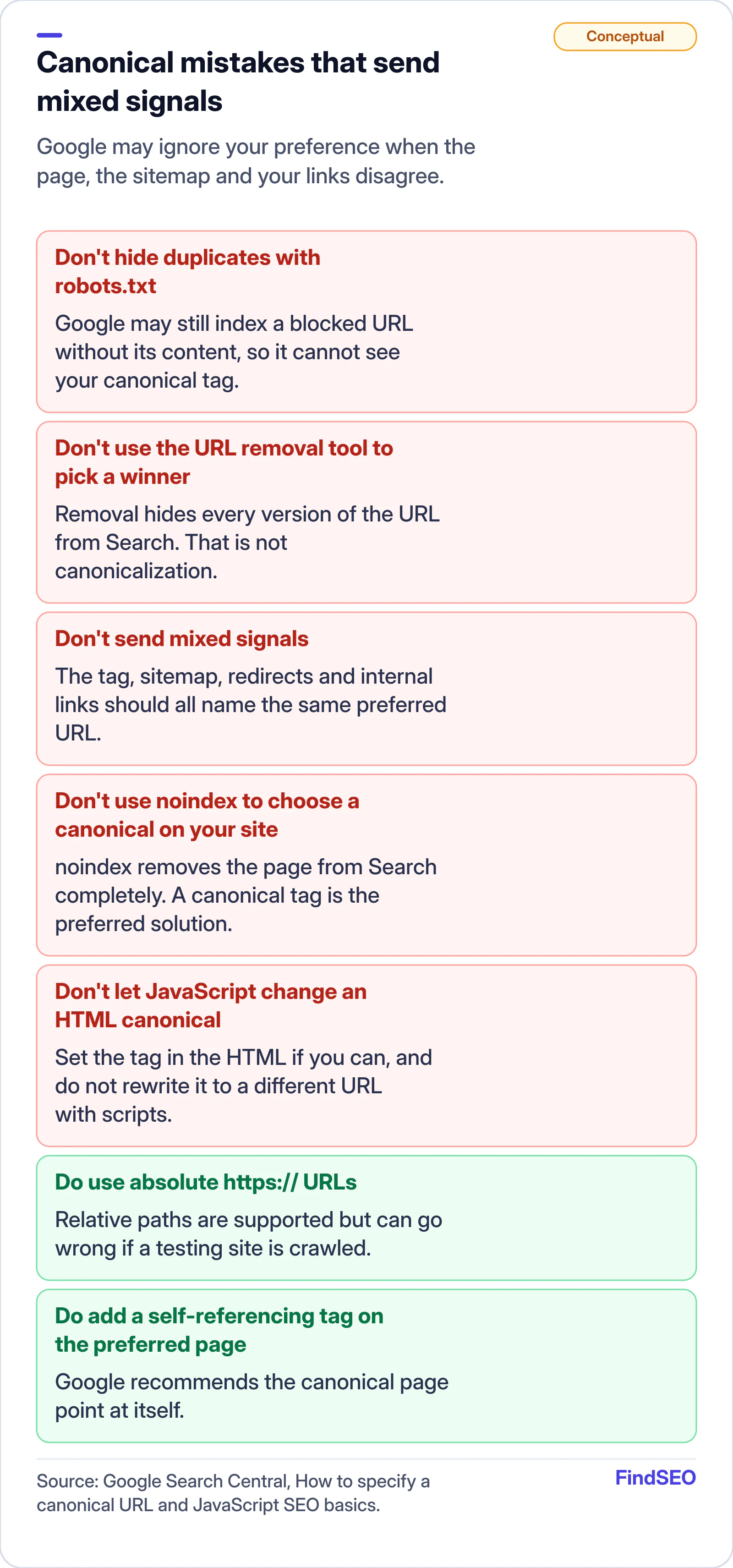
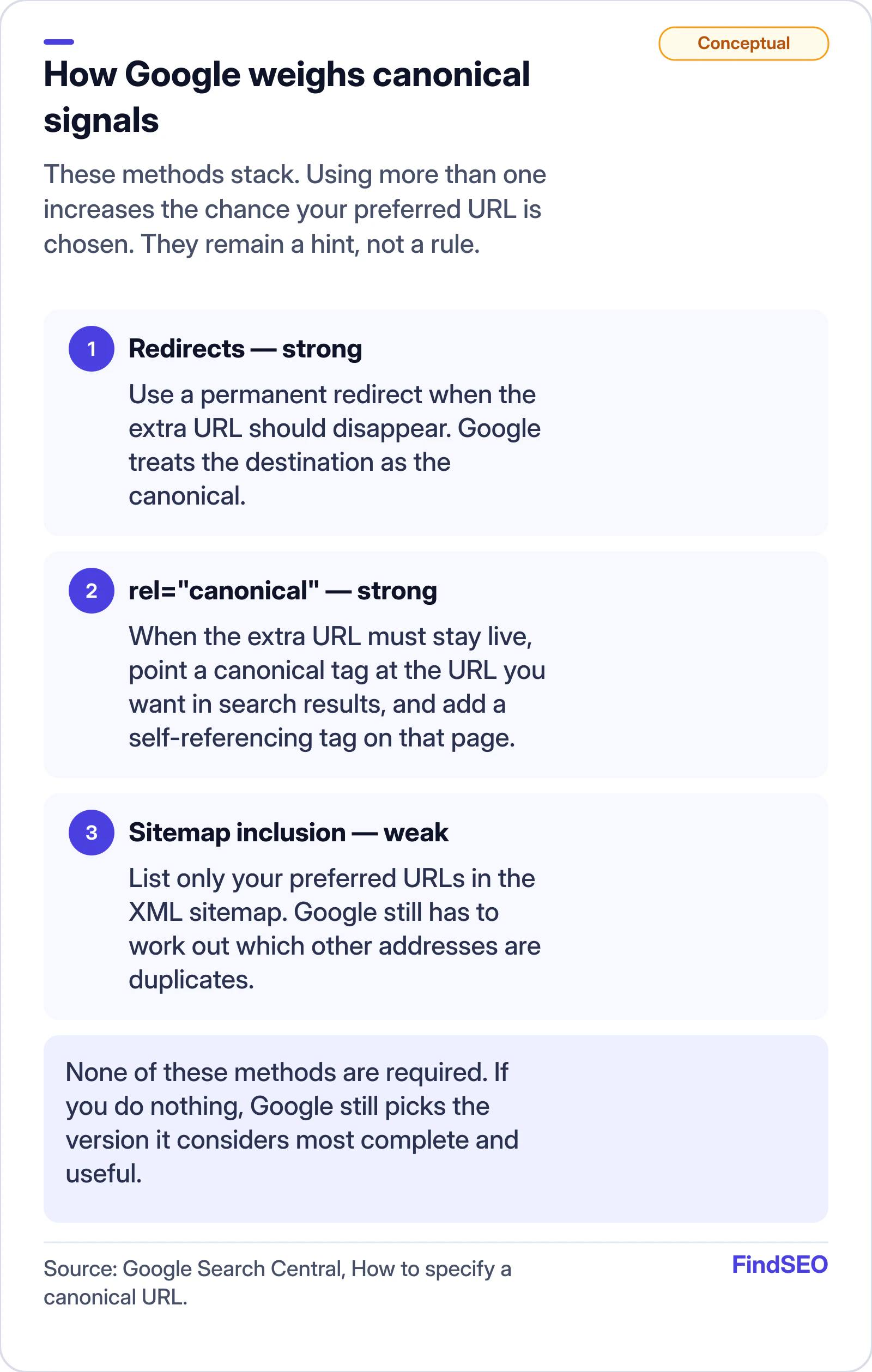
A canonical tag is a hint you add to a page — usually a rel="canonical" link in the HTML head — that tells Google which URL should represent that content when several addresses show the same or a very similar page. You need one whenever a page can be reached at more than one URL, and Google also recommends a self-referencing tag on the URL you want treated as the main version. The tag is a strong signal, not a command: Google may still pick a different canonical. If the extra URL should not exist at all, a permanent redirect is the stronger move.
It sits alongside our explainer of whether duplicate content hurts SEO and the Academy lesson on how search engines work.
What is a canonical tag?
A canonical tag is the HTML (or HTTP header) way of naming your preferred URL for a piece of content. Google's documentation on what canonicalization is defines a canonical URL as the address Google chooses as the most representative page from a set of duplicates. The tag is how you state your preference.
Google supports the relation described in RFC 6596, "The Canonical Link Relation". In HTML it looks like this:
<link rel="canonical" href="https://www.example.com/dresses/green-dresses" />
That element must sit in the page's <head>. You can instead send a Link HTTP header with rel="canonical", which is useful for non-HTML files such as PDFs.
When Google finds pages whose primary content is the same or very similar, it groups them and picks the version it considers most complete and useful as the canonical. That page is crawled more often; the others are crawled less. Search results usually point to the canonical, unless a duplicate is a better fit — for example, a mobile URL when someone is on a phone.
Indicating a preference is optional. If you do nothing, Google will still choose a version. Being explicit means people, and your analytics, land on the URL you intended.
When do you actually need a canonical tag?
You need one when the same content, or content that is very similar, can be reached at more than one address and those extra URLs have to stay live. Google's canonicalization page lists the usual causes:
- Protocol and host variants, such as
http://andhttps://, orexample.comandwww.example.com. - Tracking and session parameters, such as a product URL with a
gclidor a campaign tag appended. - Site functions, such as category pages that can be sorted or filtered.
- Device variants, such as separate mobile (
m.) and desktop URLs. - Regional variants in the same language, such as US and UK pages that differ only in spelling or pricing.
- Accidental variants, such as a staging copy left open to crawlers.
Google's guide to specifying a canonical URL lists four reasons to be explicit: so a particular URL appears in results, so links and other signals consolidate there, so metrics stay clean, and so Googlebot spends less time recrawling copies — more important on large sites where crawl budget is real.
You do not need a tag for a page that should go away. Retire an old URL, or merge two articles, with a permanent 301 redirect. Google's page on redirects and Google Search treats that as a strong signal that the destination should be canonical. Check each hop with the redirect checker. During a site move, update canonicals on the new URLs as well as the redirect map — see migrating a website without losing SEO.
A self-referencing canonical — a tag on the preferred page that points to itself — is still worth adding even when you have no known duplicates. Google recommends it, and it protects you if someone later links to a parameterised or HTTP version of the same page.