Technical SEO

How to Create a robots.txt File for Your Website

Write a UTF-8 robots.txt file at your site root, add User-agent rules and a Sitemap line, then upload and test it. A practical checklist is included.

FindSEO5 min read

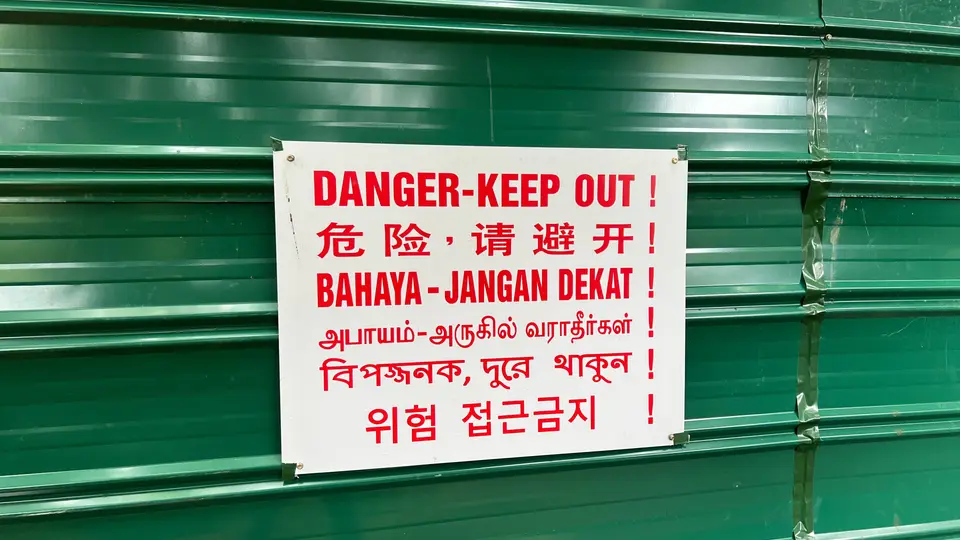
A rectangular warning sign in Singapore reading Danger Keep Out in English, with the same instruction repeated underneath in Chinese, Malay, Tamil, Bengali and Korean.

Photo: Wzhkevin / Wikimedia Commons (CC BY-SA 4.0)

In this article
  1. Where does the file have to live?
  2. How do you write the rules?
  3. How do you upload and test the file?
  4. Which mistakes cause the most trouble?
  5. A robots.txt setup checklist
  6. The bottom line

A robots.txt file is a plain-text file named robots.txt that sits at the root of a host, such as https://www.example.com/robots.txt. Use a text editor, not a word processor, and save it as UTF-8. Write User-agent groups with Disallow and Allow rules, and add a Sitemap: line with the full URL of your XML sitemap. Then upload the file to the site root and test it.

The file tells well-behaved crawlers which URL paths they may request. It is not a way to keep a page out of Google. Google's robots.txt introduction is explicit: to keep a URL out of Search, use noindex, password-protect the page, or remove it. A disallowed URL can still appear in results if other sites link to it, sometimes with only the URL and anchor text showing.

This guide follows Google's documentation for writing, uploading and testing a robots.txt file.

Where does the file have to live?

Google's guide to creating a robots.txt file sets strict location and format rules:

  • The file must be named robots.txt and must sit at the root of the host it applies to. https://www.example.com/robots.txt controls URLs on https://www.example.com/. It does not control http://www.example.com/ or https://m.example.com/, which need their own files if you use those hosts.
  • There can be only one robots.txt file per host.
  • It must be a UTF-8 text file (ASCII is fine). Google may ignore characters outside that range, which can break rules.
  • Do not create it in a word processor. Use Notepad, TextEdit, vi or a similar editor, so you do not introduce curly quotes or a proprietary format.
  • If you cannot publish a file at the site root, you cannot use robots.txt for that host. Use another blocking method, such as a meta tag.

Google finds the file by requesting that root URL. You do not submit robots.txt in Search Console the way you submit a sitemap, though you can inspect the file there after it is live.

How do you write the rules?

Each group starts with one or more User-agent lines, then the paths that agent may or may not crawl. Unless you write a rule, files are allowed. Google's create-robots.txt guide lists the rules its crawlers support:

  • User-agent: (required). The crawler the group applies to. User-agent: * matches all crawlers except AdsBot crawlers, which must be named explicitly.
  • Disallow: a path the crawler must not request.
  • Allow: a path that may be crawled, used to carve out an exception inside a disallowed folder.
  • Sitemap: the full URL of a sitemap. This line can appear anywhere in the file and can be repeated. Google does not guess the protocol or host, so write a complete URL such as https://www.example.com/sitemap.xml.

Comments start with #. Paths start with /. A trailing slash marks a directory.
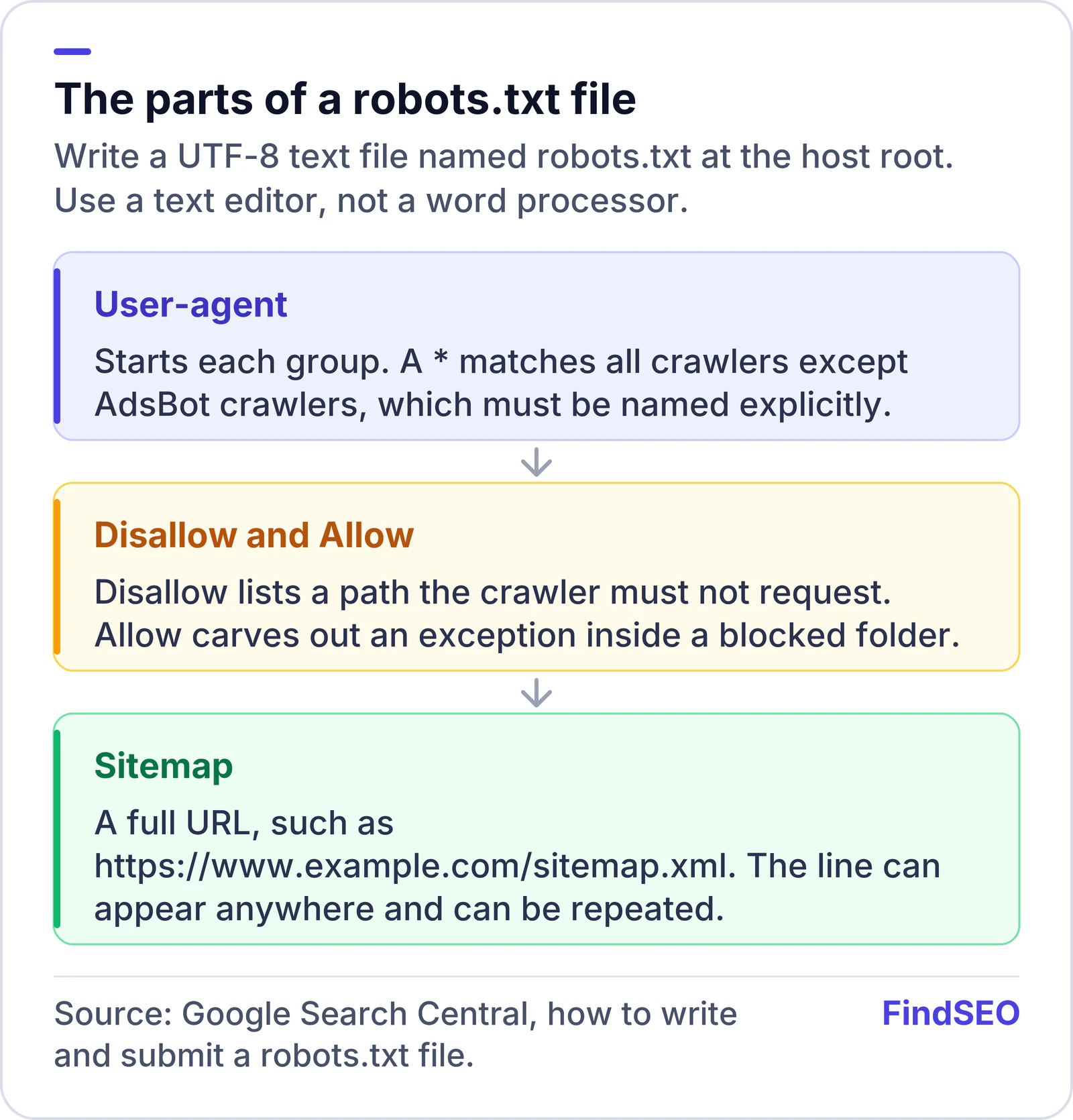
Anatomy of a robots.txt file: a User-agent line starts each group, Disallow and Allow list paths, and a Sitemap line gives the full sitemap URL. The file must be UTF-8 and named robots.txt at the host root.
A short file that names the user agent, any path rules and the sitemap is enough for most public sites.

A simple, safe starting point for many public websites is to allow everything and point to the sitemap:

User-agent: *
Disallow:

Sitemap: https://www.example.com/sitemap.xml

Only add Disallow rules for paths you truly do not want crawled, such as internal search results, filters that create infinite URL combinations, or staging folders that somehow reached the public host. Do not use robots.txt as your only protection for private files. Respectable crawlers will obey it; others may not, as Google's introduction explains.

If you also use Bing, the same file is the place to declare the sitemap, and you can confirm it after you set up Bing Webmaster Tools.
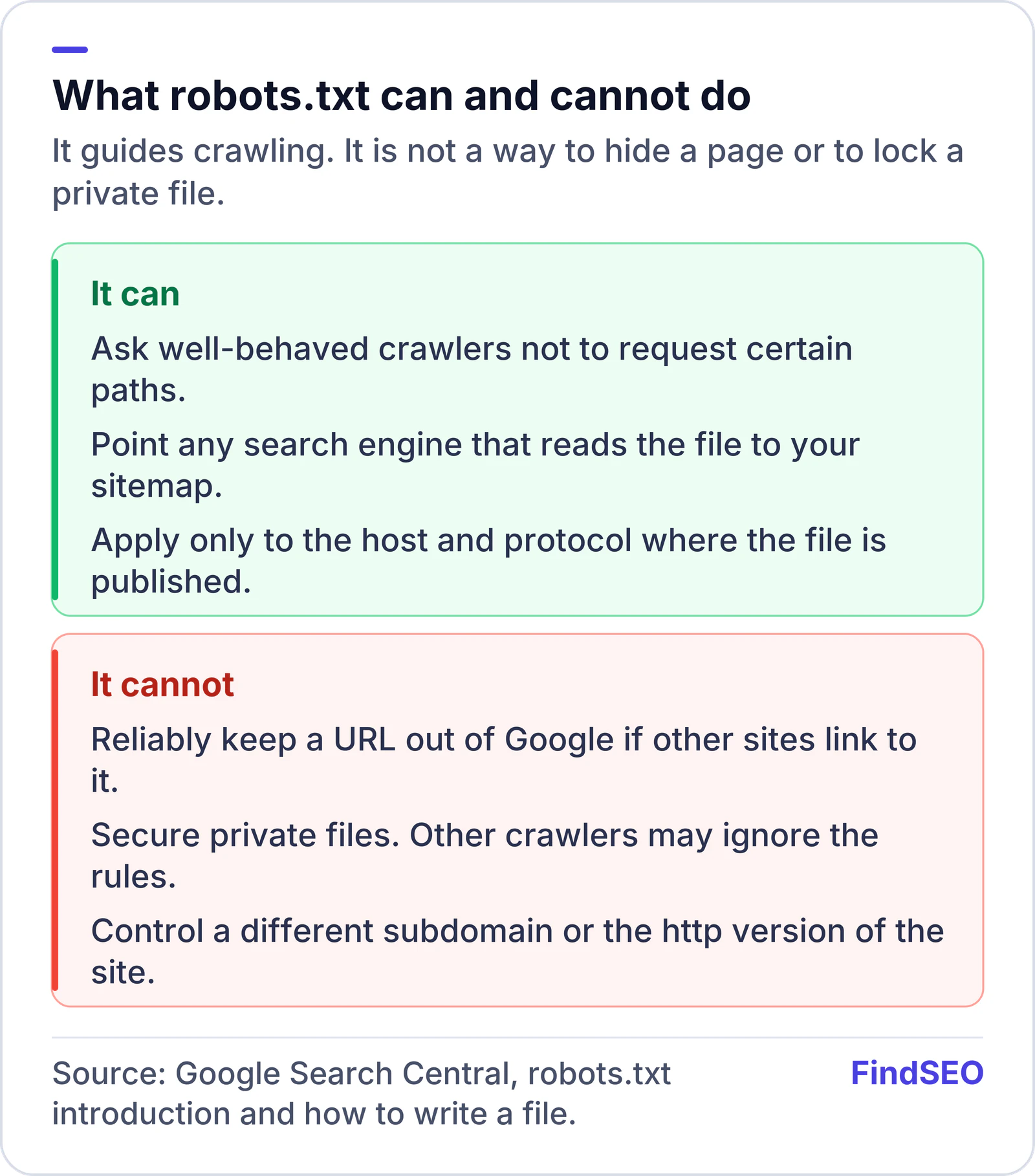

What a robots.txt file can and cannot do: it can ask crawlers not to request certain paths and can point to a sitemap, but it cannot reliably keep a URL out of Google, cannot secure private files, and applies only to the host and protocol where the file is published.
Use robots.txt to manage crawling. Use noindex or a password when a page must not appear in Search.

How do you upload and test the file?

Google's create-robots.txt guide lists four steps: create the file, add rules, upload it to the site root, then test it. The guide to updating robots.txt covers the same idea when you are editing an existing file.

  1. Save the file as robots.txt in UTF-8.
  2. Upload it to the site root so https://www.example.com/robots.txt returns the file and a 200 status, without a login. How you upload depends on the host or CMS; ask the developer or host if you are unsure.
  3. Open the URL in a browser (including a private window) and read the file yourself.
  4. Test the rules in Search Console. Search Console has a robots.txt report you can use to see the file Google retrieved and to check how rules apply to a path.
  5. Watch the Pages report after changes. A new Disallow can stop Google crawling pages you still want in the index. If a URL goes missing, our guide to why a page is not indexed will help you see whether robots.txt is the cause.

Our robots.txt generator can help you draft a simple file and a sitemap line. For international sites, sitemap files can also list hreflang annotations; the robots.txt file only needs to point at those sitemaps.

A row of metal keys hanging from labelled hooks on a plain wall, each hook marking a different key.
Upload the file at the host root and test it unauthenticated, so crawlers can read the same rules you see. Photo: Ranjithsiji, CC BY-SA 3.0, via Wikimedia Commons.

Which mistakes cause the most trouble?

A few patterns show up often:

  • Blocking JavaScript, CSS or image paths the live pages need. If a crawler cannot fetch the files that make the page render, it may not see the same content a person sees. Google's JavaScript SEO basics explain why those assets matter.
  • Using robots.txt instead of noindex. If the aim is to keep a thank-you page or a private policy draft out of Search, noindex or a login is the right tool. A Disallow only stops a respectful crawler from requesting the URL.
  • Forgetting that each host needs its own file. A rule on the www HTTPS host does not apply to a staging host, a shop subdomain, or a leftover HTTP URL that still resolves.
  • Relying on crawl-delay. Google's documentation of the rules it supports does not include a crawl-delay directive. If you need to reduce load, be precise with Disallow or use Search Console's crawl settings where they apply, rather than adding a directive Google will not follow.
  • Omitting the sitemap line. Adding Sitemap: https://www.example.com/sitemap.xml is a standard way, described in the sitemaps protocol, to help any search engine that reads robots.txt find the file. You should still submit the sitemap in Search Console.

When you need to name a Google crawler specifically, use the exact token from Google's list of crawlers, and remember that User-agent: * does not include AdsBot.

A robots.txt setup checklist

  • The file is named robots.txt, saved as UTF-8, and published at the host root.
  • https://www.example.com/robots.txt (or your real host) loads in a logged-out browser.
  • Each group has a User-agent line and only the Disallow or Allow rules you intend.
  • A Sitemap: line points at the full sitemap URL.
  • You have not blocked CSS, JavaScript or image paths the pages need in order to render.
  • Private or sensitive URLs are protected with a password or noindex, not robots.txt alone.
  • You tested the file in Search Console after publishing or editing it.

The bottom line

A robots.txt file is a small, official way to guide crawling and to advertise your sitemap. Put a clean UTF-8 file at the site root, write only the rules you mean, and remember that it is not a privacy control. For most public business sites, a short file that allows the site and lists the sitemap is enough. If you want a technical SEO review of crawl rules, get matched with an agency, or start with the Academy lesson on how search engines work.

FAQs

Does robots.txt stop a page appearing in Google?

Not reliably. Google says robots.txt is mainly to avoid overloading your site with requests, and that a disallowed URL can still be indexed if it is linked from elsewhere. To keep a URL out of Search, use a noindex tag or header, password-protect the page, or remove it.

Where do I put the robots.txt file?

At the root of the host it applies to, at a URL such as https://www.example.com/robots.txt. It cannot live in a subfolder. A file on the www host does not apply to a different subdomain or to the http version of the site.

Should I block all crawlers in robots.txt?

Only if you genuinely do not want the site crawled. A User-agent: * and Disallow: / rule blocks most crawlers, but Google says AdsBot crawlers must be named explicitly. A public business site should almost never block all crawlers.

How do I tell search engines about my sitemap in robots.txt?

Add a Sitemap: line with the full URL of the sitemap, such as Sitemap: https://www.example.com/sitemap.xml. You can include more than one. This does not replace submitting the sitemap in Search Console or Bing Webmaster Tools.

Can I use a word processor to write robots.txt?

No. Google says to use a text editor such as Notepad, TextEdit, vi or emacs, and to save the file as UTF-8. Word processors can add curly quotes and other characters that break rules.

Sources

Ready for help with SEO?

Compare SEO-only agencies near you, with client reviews checked by a person, or tell us what you need and get matched.