
AI assistants such as ChatGPT and Perplexity now answer questions like "who's a good accountant near me?" or "best project management tool for a small team". To be mentioned, your business has to be findable by the assistant's search systems, described clearly and consistently on your own site, and talked about on other sites the assistant trusts. There's no form to fill in and no way to buy a place in the answer.
This article explains where these tools get their information, what you can do about each source, and what to ignore.
Where do ChatGPT and Perplexity get their answers?
There are two very different routes.
What the model already knows
A language model learns from a large training set of text gathered before it was released. If your business was well described on the web at that time, the model may "know" about you without searching. You can't edit this directly, it can be out of date, and it changes only when a new model is trained.
What the tool finds when someone asks
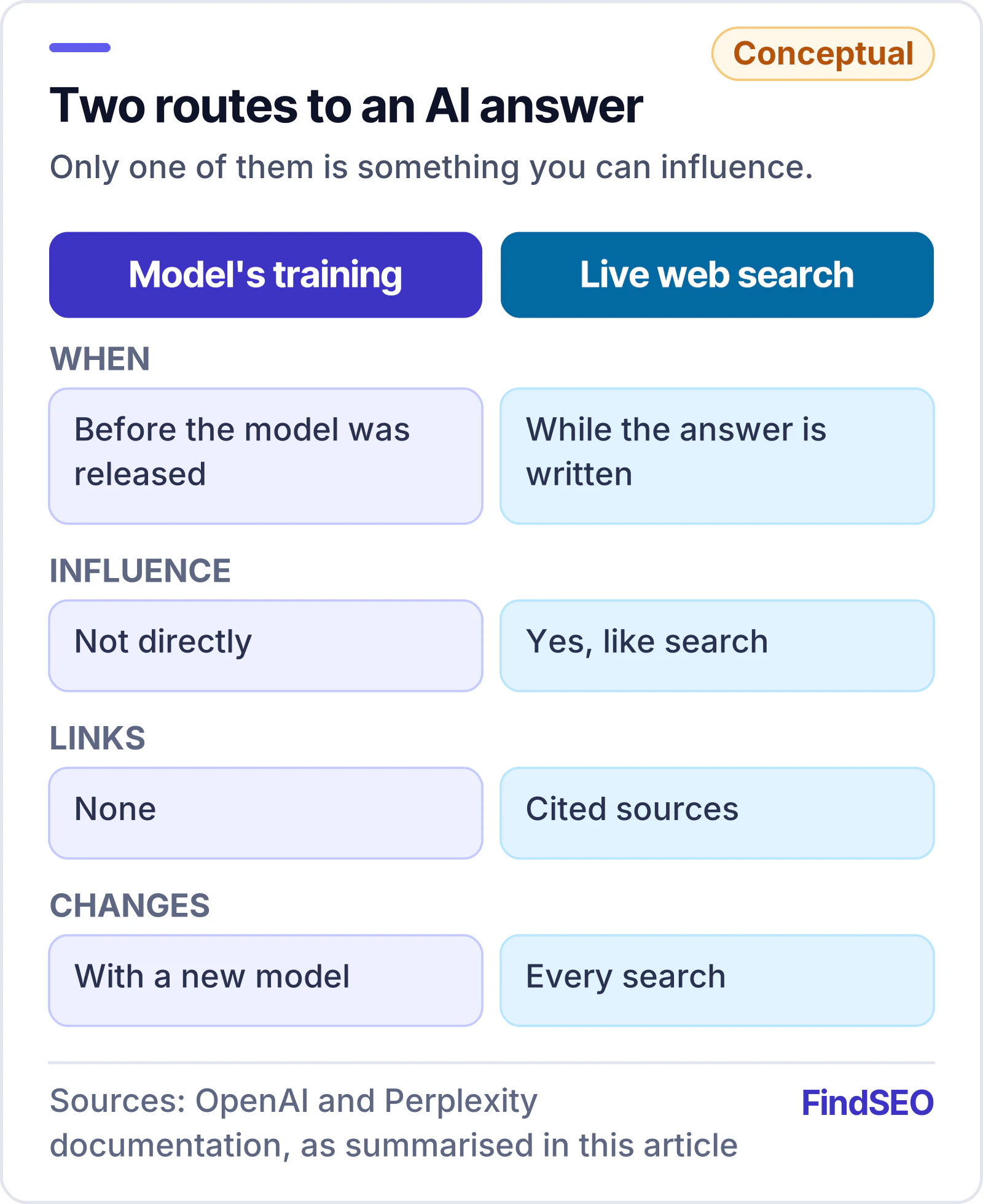
Most AI assistants now search the web while they answer, read the pages they find and cite them with links. This is the route you can influence, and it behaves a lot like a search engine.
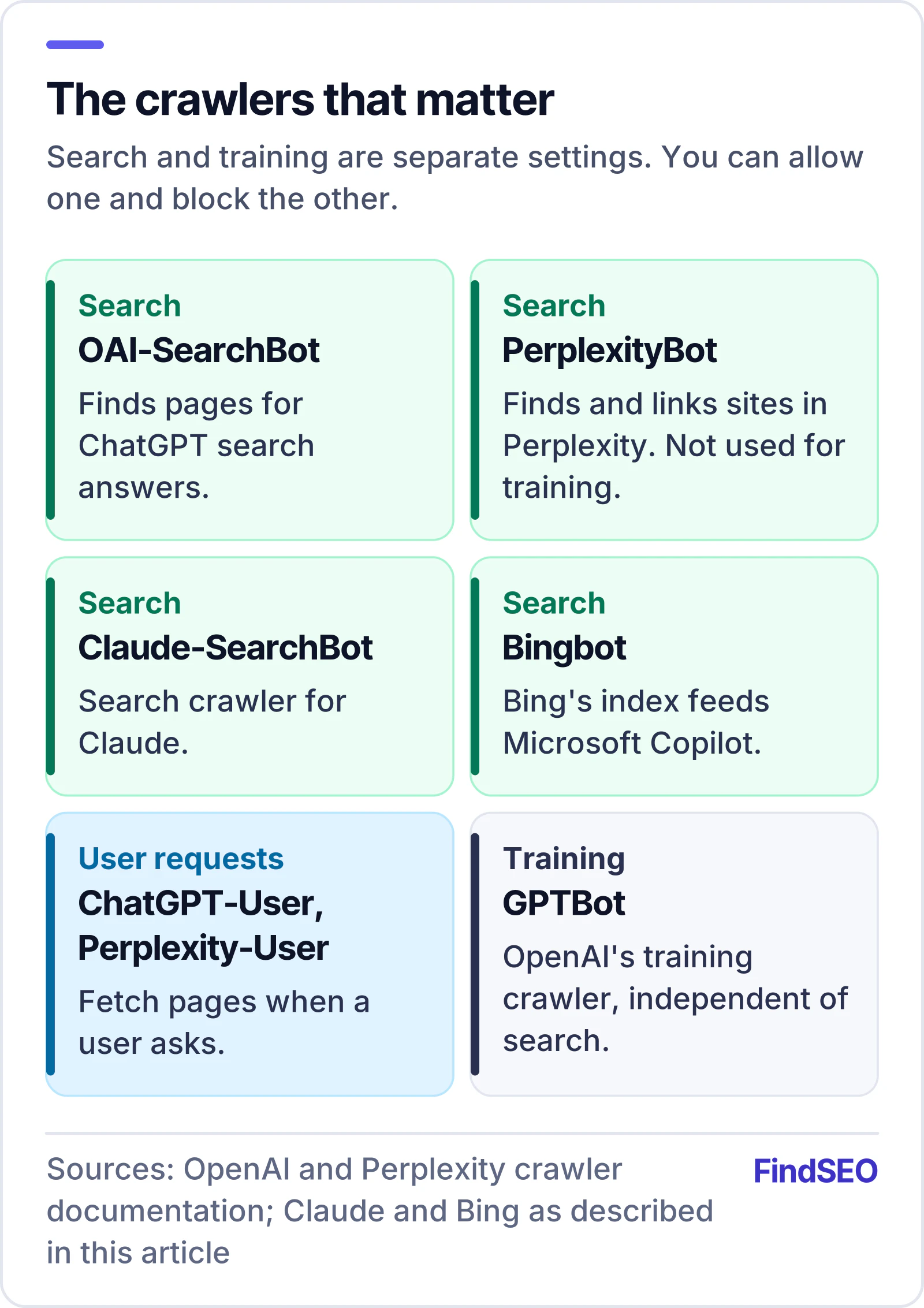
- ChatGPT search uses OpenAI's own crawler, OAI-SearchBot, and OpenAI says it also draws on third-party search providers. Its help centre says any public website can appear, provided it doesn't block OAI-SearchBot.
- Perplexity uses PerplexityBot to find and link sites in its answers. Perplexity says this bot isn't used to train its models, and recommends allowing it if you want to appear.
Step 1: make sure the bots can reach you
Check your robots.txt for the AI search crawlers, not just Googlebot. The ones that matter most for appearing in answers are OAI-SearchBot (ChatGPT), PerplexityBot (Perplexity) and Claude-SearchBot (Claude). Bingbot matters too, because Bing's index feeds Microsoft Copilot and is widely used by other services.
A common problem is an old rule like this, left over from a site launch or a security plugin:
User-agent: *
Disallow: /
with only Googlebot given its own Allow group. That blocks every AI search crawler you haven't named. Firewalls and CDN bot protection can do the same even when robots.txt looks fine.
Our free AI Crawler Access Checker shows which AI bots your robots.txt allows, with the rules to fix it.
Note that OpenAI and Perplexity each run separate fetchers for user requests (ChatGPT-User and Perplexity-User) and, for OpenAI, a separate training crawler (GPTBot). You can block training without affecting search: they are independent settings. Our guide to whether to block AI crawlers covers the choice.
Step 2: say clearly what you do, where and for whom
When an assistant reads your site, it's looking for plain facts it can repeat with confidence. Make them easy to find:
- A clear About page that states your business name, what you do, where you operate, who you work with and how long you've been doing it.
- One page per main service, each opening with a short, direct description of the service and who it's for.
- Consistent details everywhere. The same business name, address, phone number and description on your site, your Google Business Profile, directories and social profiles.
- Organization or LocalBusiness structured data with your official details and sameAs links to your profiles. Our Schema Generator can build it. It helps machines connect the dots, even though no single tag guarantees a mention.
- Real specifics. Prices or price ranges, service areas, opening hours, qualifications, case studies with numbers. Vague marketing copy gives an assistant nothing to quote.
Step 3: be mentioned by others
When people ask for recommendations, assistants lean heavily on what other sites say: review platforms, industry directories, local news, comparison articles and "best of" lists. A business that is described consistently across many credible sources is easier to recommend than one that only describes itself.
Practical ways to build this:
- Ask happy customers for reviews on the platforms that matter in your industry. Reviews also feed Google's local rankings.
- Make sure your listings on reputable directories are complete and accurate. A FindSEO listing, for example, describes an agency's services and locations in a consistent format.
- Contribute expert comment to local or trade publications.
- Publish genuinely useful information (data, guides, tools) that others want to reference.

This is the same off-page work that builds authority for Google. The difference is that unlinked mentions can matter too, because assistants read the text, not just the links.
Step 4: check what the assistants say
Ask the questions your customers ask, in the tools they use, and note:
- whether you're mentioned at all;
- which competitors are mentioned instead;
- which sources are cited;
- whether the facts about you are right.
Answers vary from person to person and day to day, so test the same questions several times over a few weeks rather than reading too much into one answer. If an assistant repeats something wrong about you, look for where that information lives on the web (often an old directory listing or outdated page) and correct it at the source.
How to tell if it's working
ChatGPT adds a tracking tag (utm_source=chatgpt.com) to links in its search answers, according to OpenAI, so those visits can be identified in Google Analytics. Perplexity visits usually show up as referrals from perplexity.ai. Our guide to measuring AI search traffic in GA4 shows how to group them.
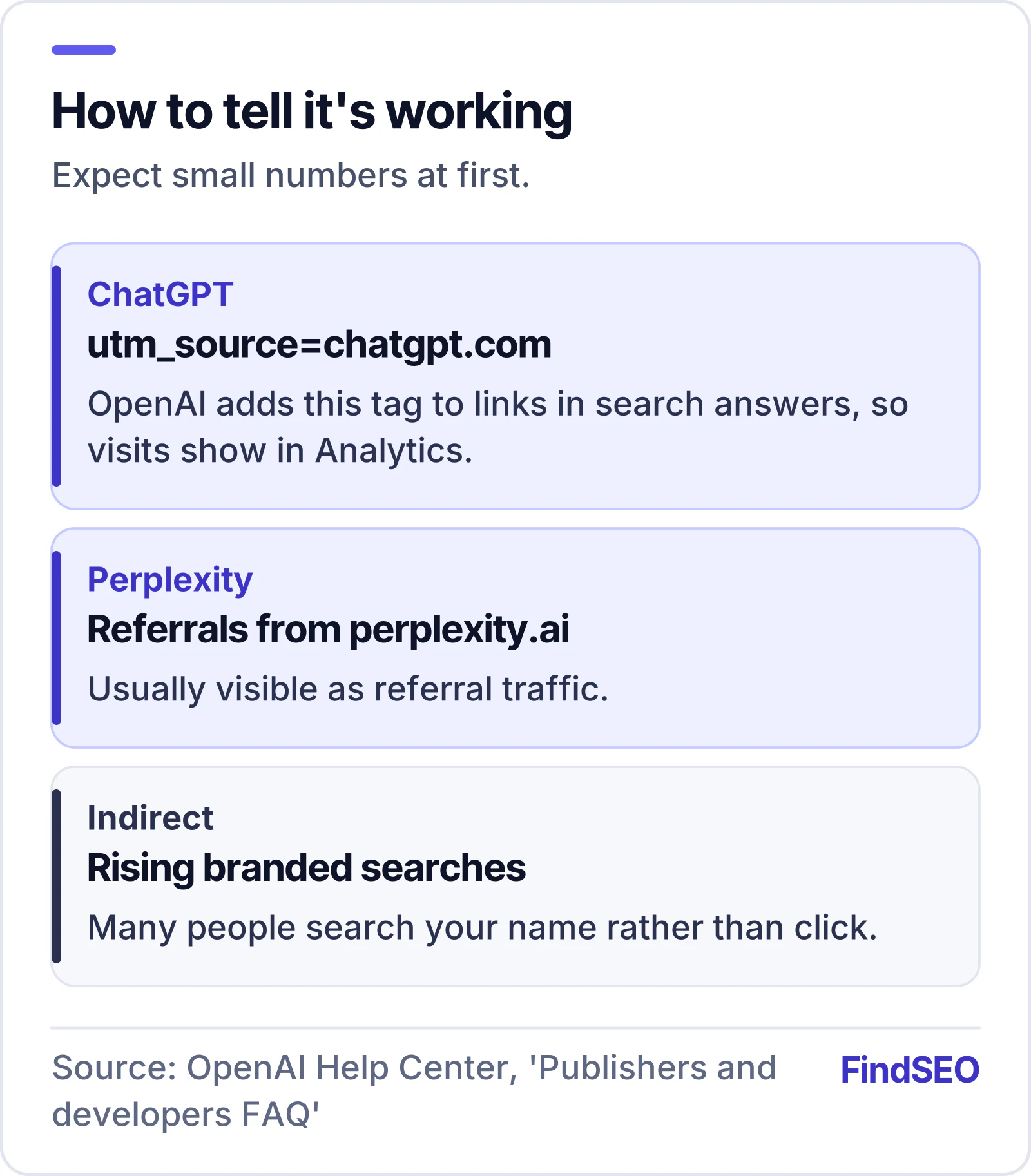
Expect the numbers to be small at first, and remember that many people who hear your name in an answer will search for you directly instead of clicking. Rising branded searches can be a sign that it's working.
What to ignore
- Anyone selling a guaranteed place in ChatGPT answers. No outside party controls what these tools say.
- "Submitting" your site to an AI. There is no submission process for ChatGPT search or Perplexity answers beyond being crawlable and indexed. Google's AI features work the same way; see how AI Overviews choose their sources.
- Stuffing pages with prompts or hidden text aimed at AI. It's against the spirit of every search engine's rules and can backfire badly.
If you want help, look for an agency that describes this as an extension of good SEO and can show you their method. Our guide to choosing an AI SEO agency lists the questions to ask, or you can get matched. Browse agencies that list AI SEO as a service on FindSEO.