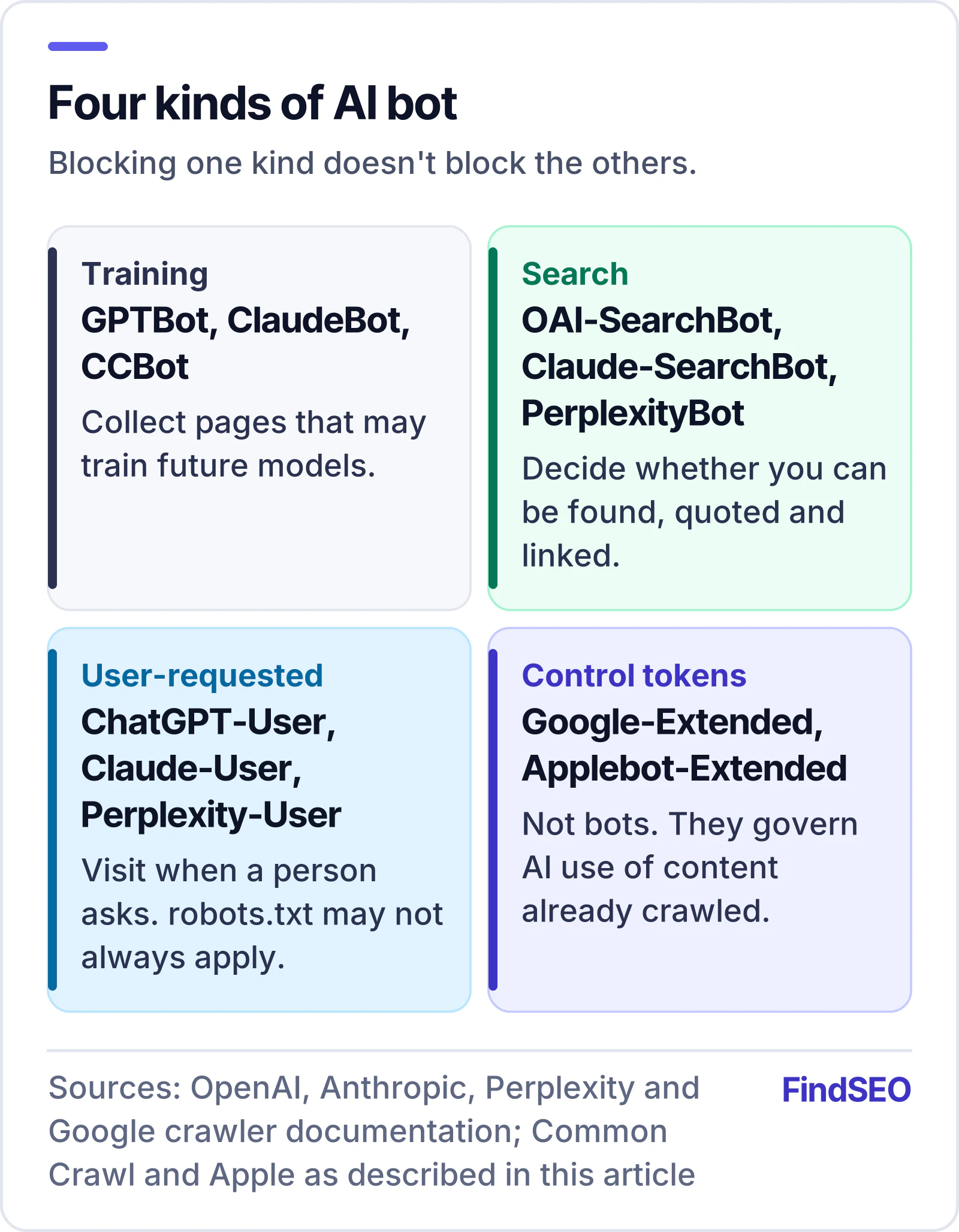
Whether to block AI crawlers depends on what you want from AI tools. Blocking AI training crawlers (such as GPTBot and ClaudeBot) opts your content out of future model training and has no effect on Google rankings. Blocking AI search crawlers (such as OAI-SearchBot, Claude-SearchBot and PerplexityBot) can keep you out of those tools' answers and citations. Most businesses that want to be found should allow the search crawlers and make a deliberate choice about the training ones.
This article explains the different kinds of AI bot, what each major company says its bots do, and how to set robots.txt rules for the choice you make.
Not all AI bots do the same job
AI companies now document their bots in detail, and most split them into three groups.
Training crawlers
These collect public web pages that may be used to train future AI models. Blocking them is a signal that your content shouldn't be used for training. Examples: OpenAI's GPTBot, Anthropic's ClaudeBot and Common Crawl's CCBot, whose open archive is widely used for training.
Search crawlers
These build the index an AI assistant searches when it answers questions, so they decide whether your pages can be found, quoted and linked. Examples: OpenAI's OAI-SearchBot (ChatGPT search), Anthropic's Claude-SearchBot and PerplexityBot.
User-requested fetchers
These visit a page because a person asked the assistant to look at it, for example by pasting a link. Examples: ChatGPT-User, Claude-User and Perplexity-User. Because a human started the request, OpenAI and Perplexity both say robots.txt rules may not always apply to these visits.
Control tokens
Some names in robots.txt aren't bots at all. Google-Extended and Applebot-Extended are tokens that let you say whether content Google or Apple already crawls may be used for their AI models. Crawling itself is still done by Googlebot and Applebot.
What each company says
OpenAI
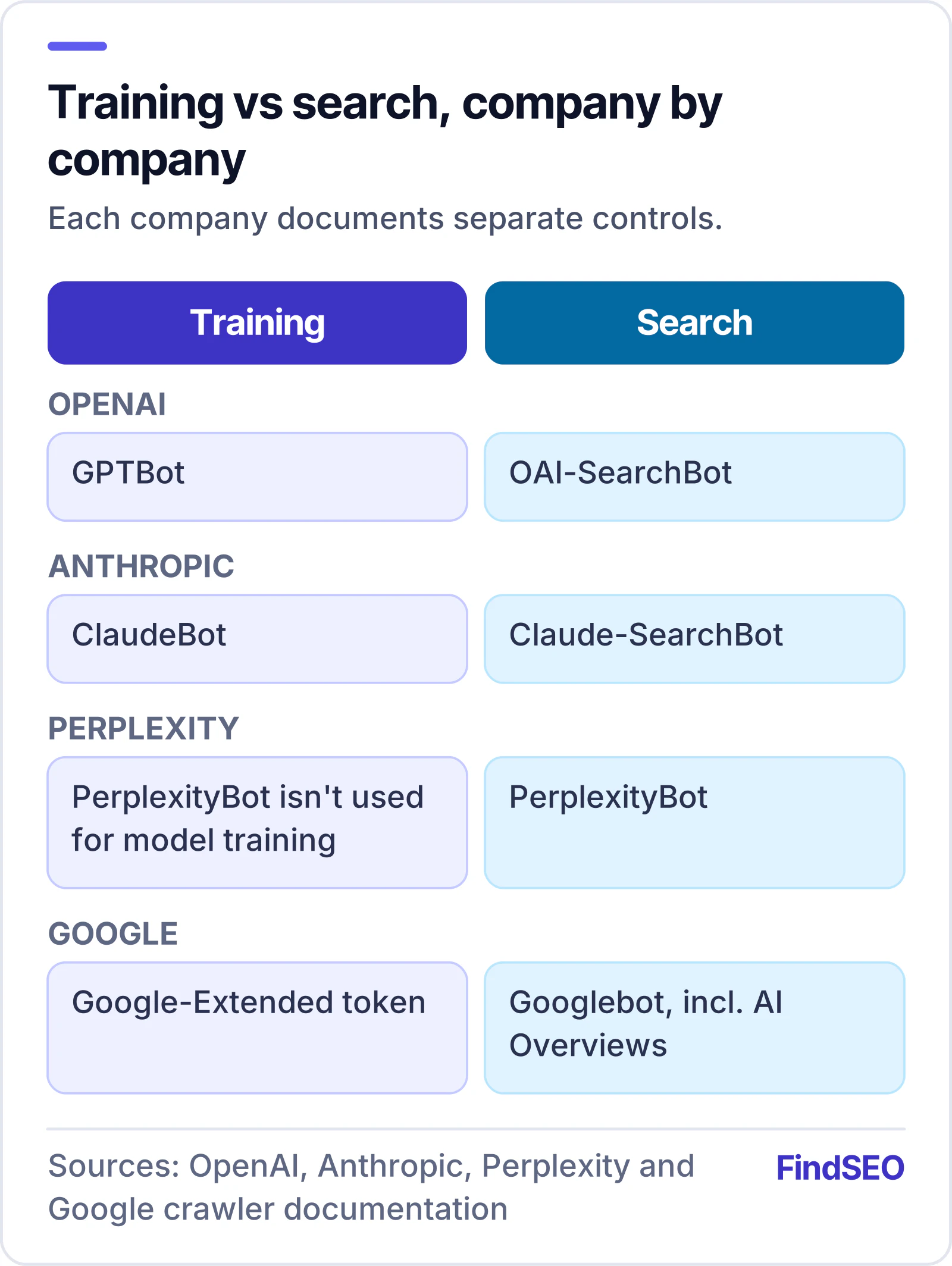
OpenAI says its settings are independent. GPTBot crawls content that may be used to train its models, and disallowing it signals that your content shouldn't be used for training. OAI-SearchBot is used to show websites in ChatGPT's search features; sites that block it won't be shown in ChatGPT search answers, though they may still appear as plain navigational links. OpenAI recommends allowing OAI-SearchBot if you want to appear, and says robots.txt changes for search can take about 24 hours to take effect.
Anthropic
Anthropic runs three bots. ClaudeBot collects content that may be used for training; blocking it excludes your future content from training data. Claude-SearchBot indexes content to improve Claude's search results, and Claude-User fetches pages when users ask. Anthropic says blocking either of the last two may reduce your visibility in Claude's answers. It also supports the non-standard Crawl-delay rule, and says you need to set rules on each subdomain you want to cover.
Perplexity
Perplexity says PerplexityBot is designed to surface and link websites in its search results and isn't used to crawl content for AI foundation models. It recommends allowing it if you want to appear. Perplexity-User handles user requests and, Perplexity says, generally ignores robots.txt because a person asked for the page.
Google-Extended controls whether content Google crawls may be used to train future Gemini models and to ground answers in the Gemini apps and some Google Cloud products. Google says it doesn't affect inclusion or ranking in Google Search. AI Overviews and AI Mode are part of Search, so they're governed by Googlebot and the normal snippet controls, not by Google-Extended.
Common robots.txt set-ups
Each bot follows the group that names it. If it isn't named, it follows the "User-agent: *" group. Here are three common choices.
Allow everything (the default)
If your robots.txt doesn't mention these bots and your catch-all group doesn't block them, they're all allowed. No change needed.
Stay in AI search, opt out of training
User-agent: GPTBot
Disallow: /

User-agent: ClaudeBot
Disallow: /

User-agent: CCBot
Disallow: /

User-agent: Google-Extended
Disallow: /

User-agent: Applebot-Extended
Disallow: /
This leaves Googlebot, OAI-SearchBot, Claude-SearchBot and PerplexityBot free to crawl, so you remain eligible to be found and cited.
Fix an accidental block
If your site disallows everything for "User-agent: *" and only allows Googlebot, every AI search crawler is blocked. Add groups for the ones you want:
User-agent: OAI-SearchBot
Allow: /

User-agent: Claude-SearchBot
Allow: /

User-agent: PerplexityBot
Allow: /
Our free AI Crawler Access Checker reads your live robots.txt and shows which AI bots are allowed, partly blocked or blocked, with the exact rule that applies. To start a new file, use the robots.txt generator.
robots.txt isn't the only gate
Plenty of sites block AI crawlers without realising it. CDN and hosting providers increasingly offer one-click AI bot blocking, and security plugins and firewalls may return errors to unfamiliar bots. Google's own documentation reminds site owners to make sure crawling is allowed by any CDN or hosting infrastructure, not just robots.txt. If your rules look right but you never see these bots in your logs, check those settings.
Also remember that robots.txt is a request, not a lock. The major AI companies say their automatic crawlers follow it, but less reputable scrapers may not.

How to decide
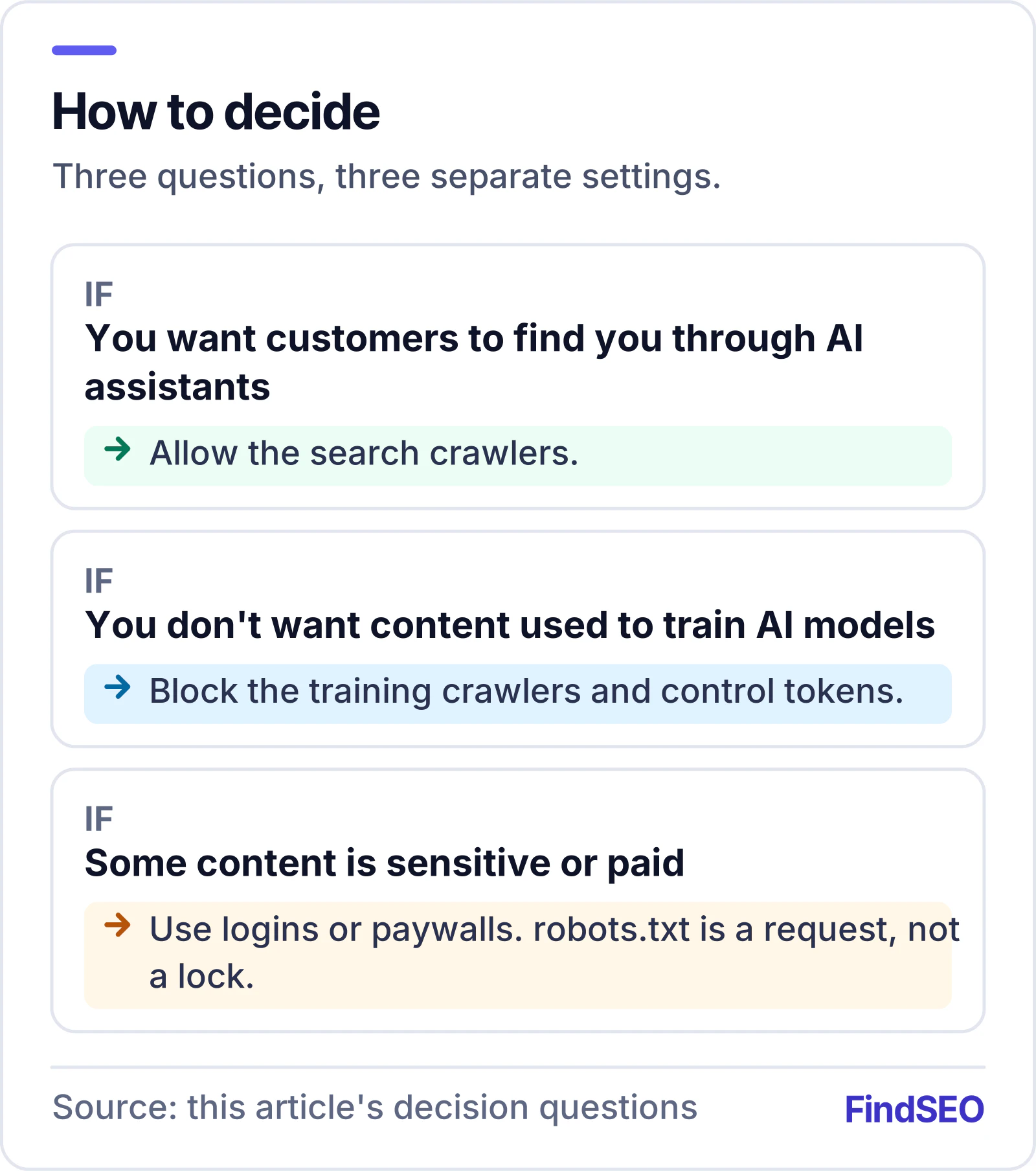
Ask three questions:
- Do you want customers to find you through AI assistants? If yes, allow the search crawlers.
- Are you comfortable with your content being used to train AI models? This is a business and values decision. Publishers with valuable original content often say no; many small businesses don't mind.
- Is any of your content sensitive or paid? Use proper access controls (logins, paywalls), not robots.txt, to protect it.
Whatever you decide, write it down, set it deliberately and check it after every site migration or security change.
What this means if you're hiring an agency
An agency doing AI SEO work should check crawler access in the first week, explain the difference between training and search bots in plain language, and leave the training decision to you. Be cautious if an agency claims that blocking Google-Extended will protect you from AI Overviews (it won't), or that blocking GPTBot will hurt your Google rankings (it doesn't). The glossary entries for AI crawlers, GPTBot and Google-Extended are a quick reference. You can also browse AI SEO agencies on FindSEO.