Google doesn't prefer country domains, subdomains or subfolders for international SEO. Each one can rank well in every market. The right choice depends on how separate your country sites need to be, what you can afford to run, and whether you qualify for each country's domain. What matters more is that every country or language version has its own URL, carries clear local signals, and is linked to its siblings with hreflang.
This guide covers the four URL structures Google describes, the signals it uses to match a page to a country, where hreflang fits, and how to choose without creating a migration you'll regret.
What are the options for an international site structure?
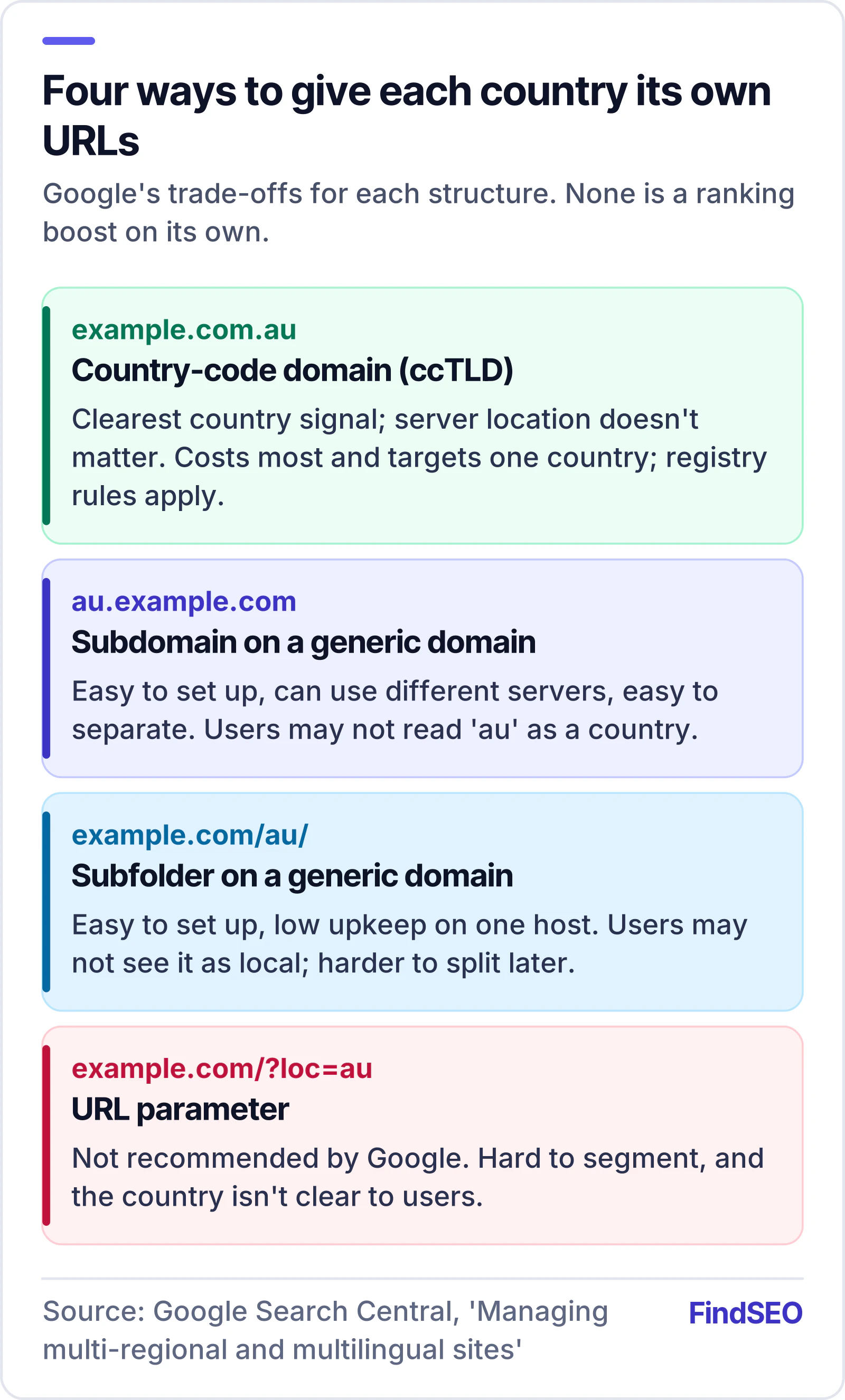
Google's guide to managing multi-regional and multilingual sites lists four ways to give each country or language its own URLs:
- A country-code top-level domain (ccTLD), such as example.com.au and example.co.uk.
- A subdomain on a generic domain, such as au.example.com.
- A subfolder (subdirectory) on a generic domain, such as example.com/au/.
- URL parameters, such as example.com/?loc=au. Google doesn't recommend this one.
Google sets out the trade-offs of each structure in its guide. None of them is described as a ranking advantage in itself.
Which structure does Google prefer?
None. Google's documentation lays out the pros and cons and leaves the decision to you. In practice the trade-offs are about people, money and maintenance:
- Country domains send the clearest signal about the target country, and the server's location doesn't matter. They're also the most expensive option: you buy and renew a domain for each country, run more infrastructure, and meet each registry's rules. A ccTLD can only target one country.
- Subdomains are easy to set up, can sit on different servers in different places, and keep each version easy to separate. Users may not be able to tell from the URL whether "au" means a country or a language.
- Subfolders are easy to set up and cheap to maintain, because everything runs on one host. Users may not read the URL as country-specific, and the versions are harder to split apart later.
Country domains also come with eligibility rules. In Australia, auDA's Australian presence requirement means .au registrants need a verifiable connection to Australia, such as an ABN or ACN, or Australian citizenship or permanent residency. The .au licensing rules add further conditions for namespaces such as com.au. An overseas brand entering Australia needs that sorted before example.com.au is an option.

How does Google work out which country a page targets?
Google looks at several signals together. Its multi-regional guide lists these:
- A country-code domain. This is a strong signal that the site targets that country.
- hreflang annotations, in HTML tags, HTTP headers or an XML sitemap.
- Server location, though Google notes this isn't a definitive signal, because many sites use content delivery networks.
- Other local signals, such as local addresses and phone numbers on the page, local language and currency, links from other local sites, and a Google Business Profile.
Not every two-letter domain counts. Google treats some country codes as generic, including .tv, .me, .io and .co, because people often see them as generic rather than tied to a country. The regional domains .eu and .asia are generic too. You can look up who manages each top-level domain in the IANA root zone database.
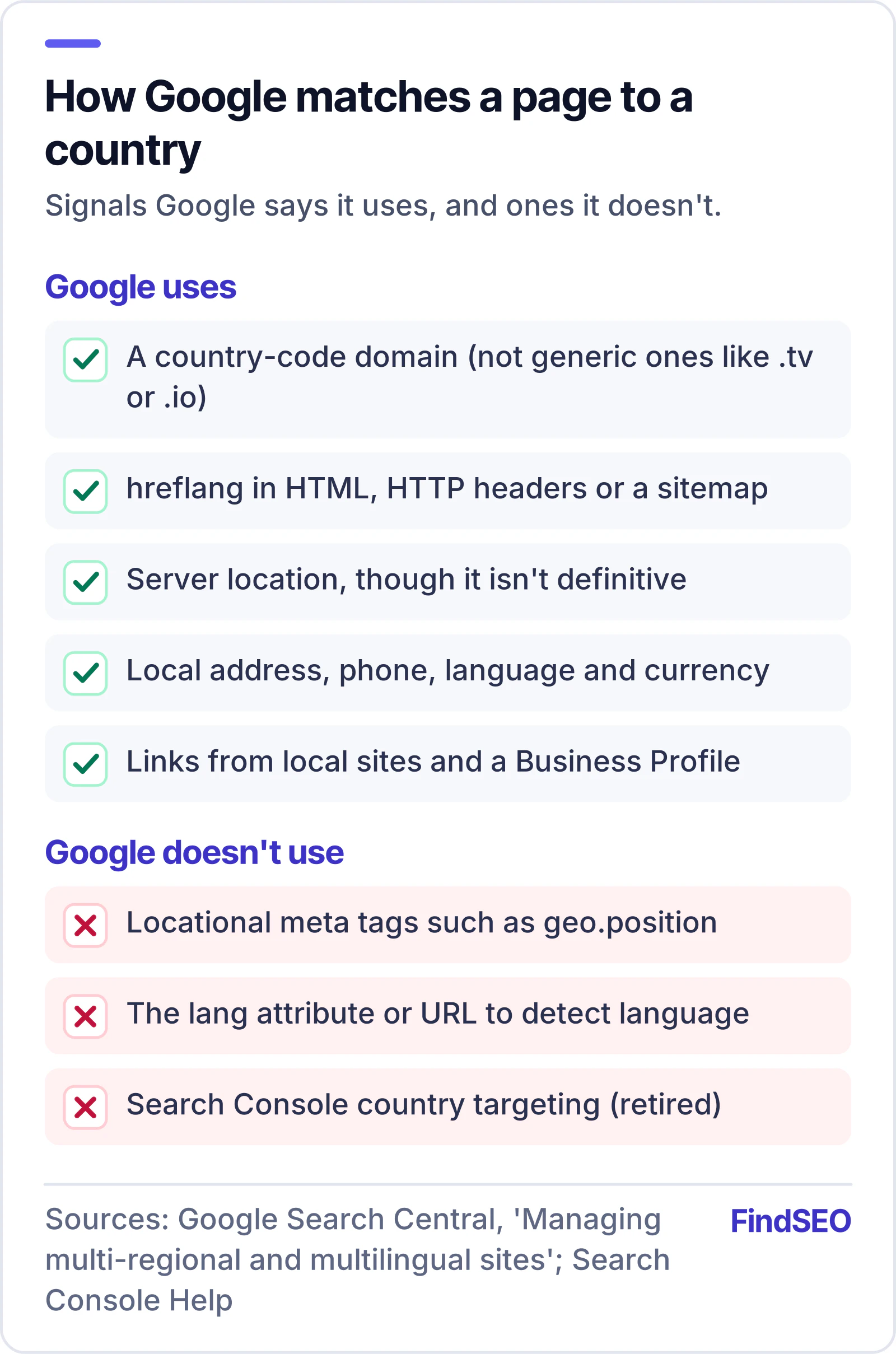
Some old signals no longer count. Google says it ignores locational meta tags such as geo.position, and it works out a page's language from the visible content, not the HTML lang attribute or the URL. Search Console's International Targeting report has been deprecated, and its country-targeting setting is no longer supported, so you can't choose a country for a generic domain there any more. Google still uses hreflang.
Do you still need hreflang with country domains?
Usually, yes. A country domain tells Google which country a site targets. It doesn't tell Google that example.com.au/shoes/ and example.co.uk/shoes/ are versions of the same page. hreflang does that, and it helps Google show the right version to each searcher, whichever structure you use.
Google's guide to telling Google about localised versions sets the rules:
- Pick one method: HTML link tags, HTTP headers or an XML sitemap. Google treats them as equivalent.
- List every version on every version, including the page itself.
- Use fully qualified URLs, including https:// and the domain.
- Make the links two-way. If page A points to page B, B must point back to A, or the annotations may be ignored.
- Add x-default for the version shown when no other language or region matches.
The codes are where most mistakes happen. The language comes first, in ISO 639-1 format, optionally followed by a region in ISO 3166-1 Alpha 2 format. The W3C's guide to choosing language tags explains the wider standard.
| Code | What it targets | Valid? |
|---|---|---|
| en | English speakers anywhere | Yes |
| en-AU | English speakers in Australia | Yes |
| en-GB | English speakers in the United Kingdom | Yes |
| en-UK | Nothing. Google says UK has no effect; use GB | No |
| AU | A region on its own, without a language | No |
| x-default | The fallback when nothing else matches | Yes |
For countries that share a language, such as Australia, New Zealand and the UK, the pages will often be close to identical. Google's advice for same-language versions is to pick a preferred version and use a canonical tag alongside hreflang. Our guide to duplicate content explains how Google handles near-identical pages, and FindSEO's free hreflang checker tests whether a page's annotations line up.
Should you redirect visitors to their country version?
Not automatically. Google recommends against redirecting people based on a guess about their language or location, because the guess is often wrong and it can stop both users and Googlebot from reaching other versions. Its guide to locale-adaptive pages explains why: Googlebot's default IP addresses appear to be in the USA, and it doesn't send an Accept-Language header, so content that changes by location may never be crawled for other markets.
Use separate URLs for each version and link them with hreflang. If you want to help visitors, show a banner suggesting their local site and let them choose. Don't rely on cookies or scripts to switch content on a single URL.

How do you choose the right structure?
Start with the business, not the URL. These questions usually settle it:
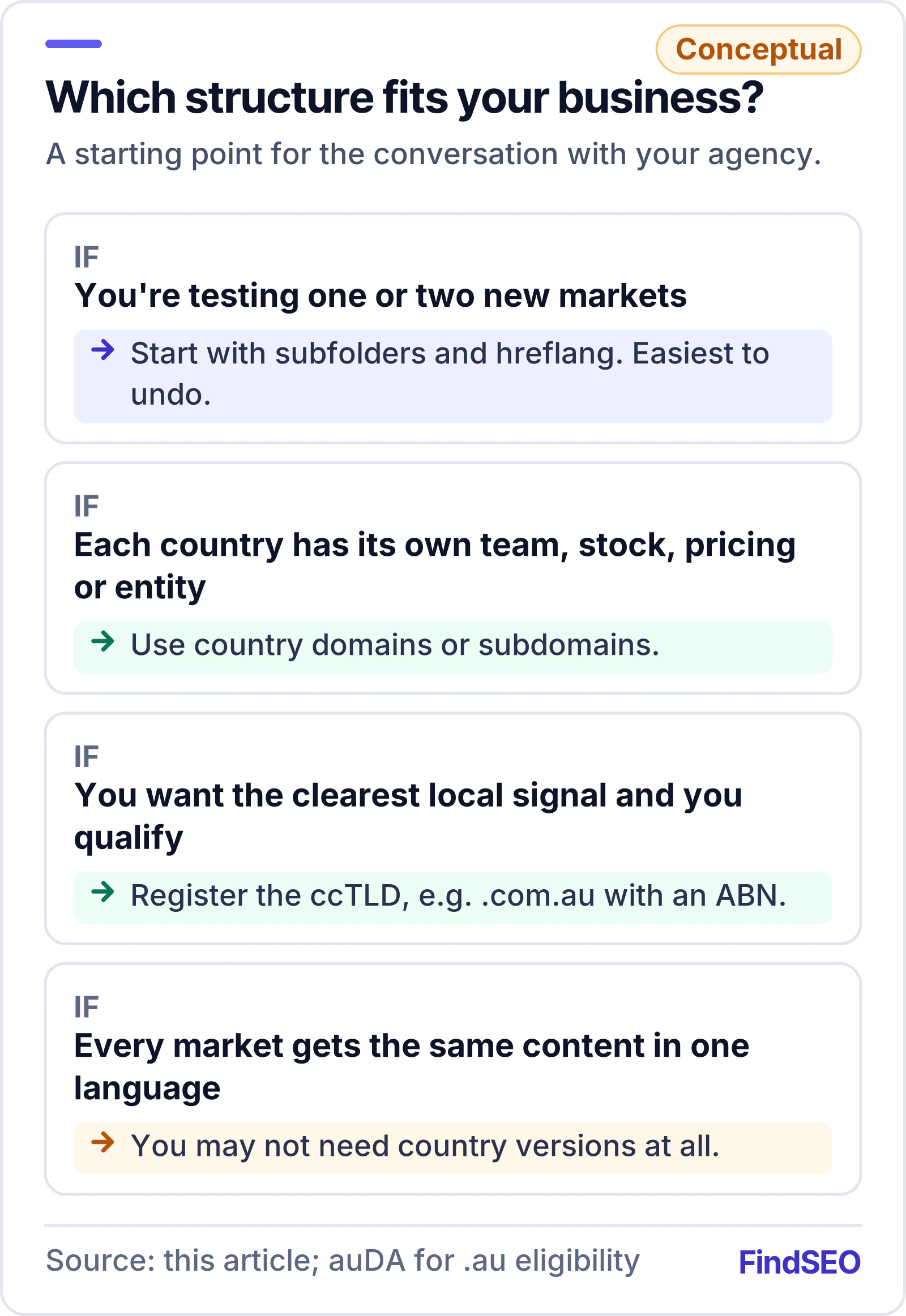
- How many markets are you entering, and how sure are you? Testing one or two new countries is cheaper and easier to undo in subfolders.
- Will each country run differently? Separate teams, stock, pricing, legal entities or platforms point towards country domains or subdomains, which are easier to keep apart.
- Do you qualify for each country's domain? Check registry rules, such as auDA's for .au, before you plan around a ccTLD.
- Is the content genuinely different? If every market would get the same content in the same language, you may not need country versions at all. One version with clear shipping and pricing details can serve them all.
- Do you have the budget to build authority in more than one place? Every separate domain needs its own content, links and upkeep. A subfolder sits on the domain you already run.
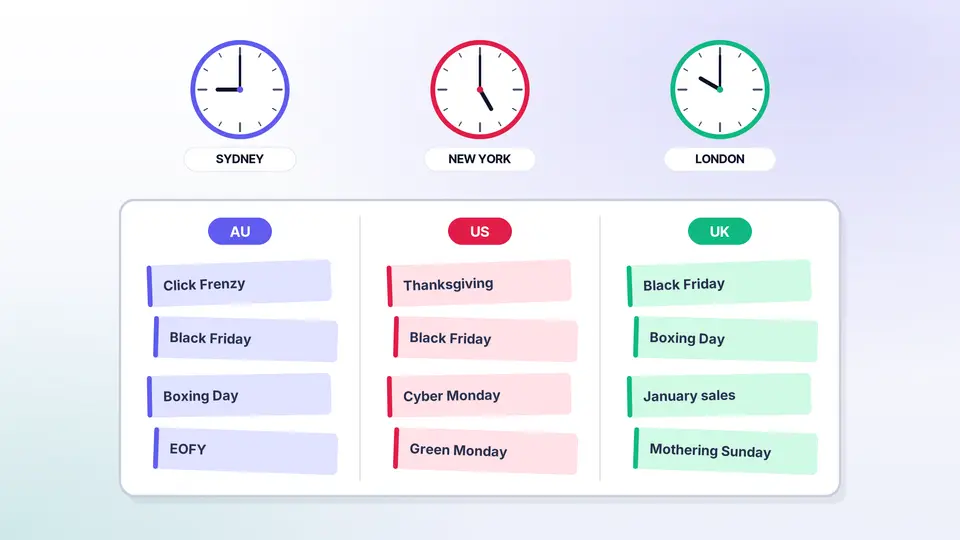
If you sell into Australia, the US and the UK, our cross-market sale calendar planner shows how event pages work across country versions in practice.
What if you need to change structure later?
Moving from subfolders to country domains, or the other way, is a site migration. Google's guide to site moves with URL changes says to expect rankings to fluctuate during the move. For a medium-sized site, Google says it can take a few weeks or more for most pages to move in its index, and longer for larger sites. You can move in sections, which makes problems easier to spot.
Every old URL needs a permanent 301 redirect to its new equivalent, and hreflang must point at the new URLs before launch. Check redirect chains with the free redirect checker, then watch indexing in Google Search Console. It's far cheaper to pick a structure you can live with for years than to change it later, which is why it belongs in a technical SEO audit before any international launch.
How do you brief an agency on international SEO?
Give them the business facts first: target countries and languages, whether pricing, stock and legal entities differ by market, who will write local content, and any domains you already own. Ask them to explain which structure they'd recommend and why, how they'd set up hreflang and canonicals, and what the migration risk is if you're changing an existing site.
A good agency will tell you how long results usually take, rather than promising rankings by a date. Our guide to how long SEO takes covers what's realistic, and the SEO ROI calculator helps you model whether a new market is worth the cost. FindSEO lists specialists in international SEO across the Australian agency directory, or you can get matched with agencies that fit your brief.
International site structure checklist
- Each country or language version has its own URL. No cookie or script switching.
- You've chosen one structure (ccTLD, subdomain or subfolder) and you qualify for any country domains.
- hreflang lists every version on every version, with fully qualified URLs and return links.
- Codes use language first (en-AU, en-GB), never a region alone or "UK".
- An x-default version is set for visitors who match no version.
- Same-language versions use canonical tags with hreflang.
- Pages show local signals: address, phone number, currency, shipping and pricing.
- No automatic redirects based on IP address or browser language.
- Any structure change is planned as a migration, with 301 redirects and Search Console monitoring.
The bottom line
There's no single best URL structure for international SEO. Country domains give the clearest signal but cost the most to run. Subdomains and subfolders are cheaper, and subfolders are the simplest place to start. Whichever you choose, give every version its own URL, connect them with correct hreflang, show real local signals, and don't redirect people by guesswork. Pick a structure you can keep for years, because changing it later is a full migration.